Compare commits
36
Commits
| Author | SHA1 | Date | |
|---|---|---|---|
 DK09876 DK09876
|
457160e88c | ||
|
DK09876
|
b84630f06c | ||
|
DK09876
|
b113bd4221 | ||
|
DK09876
|
56d808ef77 | ||
|
DK09876
|
1676bdd952 | ||
|
DK09876
|
6914e1ed48 | ||
|
DK09876
|
81524ef7ff | ||
|
DK09876
|
33bfcf02b5 | ||
|
DK09876
|
8bea492cd2 | ||
|
DK09876
|
655d38995a | ||
|
DK09876
|
e25139343d | ||
|
DK09876
|
a3fda3549e | ||
|
Nicolò Boschi
|
b94b5cf26e | ||
|
Nicolò Boschi
|
6d820ef91b | ||
|
Nicolò Boschi
|
cf8882a867 | ||
|
Nicolò Boschi
|
490fccdc6f | ||
|
Nicolò Boschi
|
2948cb62d2 | ||
|
Nicolò Boschi
|
9053a51a88 | ||
|
Nicolò Boschi
|
f2c28cfd98 | ||
|
Nicolò Boschi
|
67fc532c43 | ||
|
Nicolò Boschi
|
9474f950f2 | ||
|
Nicolò Boschi
|
6a0c034f5d | ||
|
Nicolò Boschi
|
b52eb905ad | ||
|
Nicolò Boschi
|
1c6acc3ba0 | ||
|
DK09876
|
8ecb5d3a0c | ||
|
Chris Bartholomew
|
ae80876671 | ||
|
Chris Bartholomew
|
476a62da47 | ||
|
Nicolò Boschi
|
5aaa769ab9 | ||
|
Nicolò Boschi
|
04f01ab9ab | ||
|
Nicolò Boschi
|
63f51385c4 | ||
|
William Simmonds
|
e468a4e19f | ||
|
Nicolò Boschi
|
c0a0f447b7 | ||
|
Nicolò Boschi
|
84927ccc99 | ||
|
Chris Latimer
|
a6e8944ff0 | ||
|
Nicolò Boschi
|
f6d890f6ed | ||
|
Nicolò Boschi
|
1fa8d9150c |
@@ -102,7 +102,18 @@ jobs:
|
||||
|
||||
- name: Publish to npm
|
||||
working-directory: ./hindsight-clients/typescript
|
||||
run: npm publish --access public
|
||||
run: |
|
||||
set +e
|
||||
OUTPUT=$(npm publish --access public 2>&1)
|
||||
EXIT_CODE=$?
|
||||
echo "$OUTPUT"
|
||||
if [ $EXIT_CODE -ne 0 ]; then
|
||||
if echo "$OUTPUT" | grep -q "cannot publish over"; then
|
||||
echo "Package version already published, skipping..."
|
||||
exit 0
|
||||
fi
|
||||
exit $EXIT_CODE
|
||||
fi
|
||||
env:
|
||||
NODE_AUTH_TOKEN: ${{ secrets.NPM_TOKEN }}
|
||||
|
||||
@@ -117,6 +128,65 @@ jobs:
|
||||
path: hindsight-clients/typescript/*.tgz
|
||||
retention-days: 1
|
||||
|
||||
release-control-plane:
|
||||
runs-on: ubuntu-latest
|
||||
environment: npm
|
||||
|
||||
steps:
|
||||
- uses: actions/checkout@v4
|
||||
|
||||
- name: Set up Node.js
|
||||
uses: actions/setup-node@v4
|
||||
with:
|
||||
node-version: '20'
|
||||
registry-url: 'https://registry.npmjs.org'
|
||||
cache: 'npm'
|
||||
cache-dependency-path: package-lock.json
|
||||
|
||||
- name: Install dependencies
|
||||
run: npm ci
|
||||
|
||||
- name: Build TypeScript client (dependency)
|
||||
run: npm run build --workspace=hindsight-clients/typescript
|
||||
|
||||
- name: Fix platform-specific native modules
|
||||
run: |
|
||||
# npm ci installs from lockfile which may have wrong platform binaries
|
||||
# Delete hoisted native modules and reinstall for current platform
|
||||
rm -rf node_modules/lightningcss node_modules/@tailwindcss
|
||||
npm install lightningcss @tailwindcss/postcss @tailwindcss/node
|
||||
|
||||
- name: Build
|
||||
run: npm run build --workspace=hindsight-control-plane
|
||||
|
||||
- name: Publish to npm
|
||||
working-directory: ./hindsight-control-plane
|
||||
run: |
|
||||
set +e
|
||||
OUTPUT=$(npm publish --access public 2>&1)
|
||||
EXIT_CODE=$?
|
||||
echo "$OUTPUT"
|
||||
if [ $EXIT_CODE -ne 0 ]; then
|
||||
if echo "$OUTPUT" | grep -q "cannot publish over"; then
|
||||
echo "Package version already published, skipping..."
|
||||
exit 0
|
||||
fi
|
||||
exit $EXIT_CODE
|
||||
fi
|
||||
env:
|
||||
NODE_AUTH_TOKEN: ${{ secrets.NPM_TOKEN }}
|
||||
|
||||
- name: Pack for GitHub release
|
||||
working-directory: ./hindsight-control-plane
|
||||
run: npm pack
|
||||
|
||||
- name: Upload artifacts
|
||||
uses: actions/upload-artifact@v4
|
||||
with:
|
||||
name: control-plane
|
||||
path: hindsight-control-plane/*.tgz
|
||||
retention-days: 1
|
||||
|
||||
release-rust-cli:
|
||||
runs-on: ${{ matrix.os }}
|
||||
strategy:
|
||||
@@ -181,7 +251,7 @@ jobs:
|
||||
- name: Free Disk Space
|
||||
uses: jlumbroso/free-disk-space@main
|
||||
with:
|
||||
tool-cache: false
|
||||
tool-cache: true
|
||||
android: true
|
||||
dotnet: true
|
||||
haskell: true
|
||||
@@ -206,7 +276,7 @@ jobs:
|
||||
id: get_version
|
||||
run: echo "VERSION=${GITHUB_REF#refs/tags/v}" >> $GITHUB_OUTPUT
|
||||
|
||||
- name: Extract metadata
|
||||
- name: Extract metadata for release tags
|
||||
id: meta
|
||||
uses: docker/metadata-action@v5
|
||||
with:
|
||||
@@ -217,7 +287,29 @@ jobs:
|
||||
type=semver,pattern={{major}},value=${{ steps.get_version.outputs.VERSION }}
|
||||
type=raw,value=latest
|
||||
|
||||
- name: Build and push
|
||||
# TODO: Re-enable smoke test when disk space issue is resolved
|
||||
# # Step 1: Build for local testing (single platform, no push)
|
||||
# # This creates an identical image to what will be released, just for one platform
|
||||
# - name: Build image for testing
|
||||
# uses: docker/build-push-action@v6
|
||||
# with:
|
||||
# context: .
|
||||
# file: docker/standalone/Dockerfile
|
||||
# target: ${{ matrix.target }}
|
||||
# push: false
|
||||
# load: true
|
||||
# tags: ${{ matrix.image_name }}:test
|
||||
# cache-from: type=gha
|
||||
# cache-to: type=gha,mode=max
|
||||
|
||||
# # Step 2: Test the image before pushing anything
|
||||
# - name: Smoke test - verify container starts
|
||||
# env:
|
||||
# GROQ_API_KEY: ${{ secrets.GROQ_API_KEY }}
|
||||
# run: ./scripts/docker-smoke-test.sh "${{ matrix.image_name }}:test" "${{ matrix.target }}"
|
||||
|
||||
# Build multi-platform and push to release tags
|
||||
- name: Build and push release images
|
||||
uses: docker/build-push-action@v6
|
||||
with:
|
||||
context: .
|
||||
@@ -263,7 +355,7 @@ jobs:
|
||||
|
||||
create-github-release:
|
||||
runs-on: ubuntu-latest
|
||||
needs: [release-python-packages, release-typescript-client, release-rust-cli, release-docker-images, release-helm-chart]
|
||||
needs: [release-python-packages, release-typescript-client, release-control-plane, release-rust-cli, release-docker-images, release-helm-chart]
|
||||
permissions:
|
||||
contents: write
|
||||
|
||||
@@ -286,6 +378,12 @@ jobs:
|
||||
name: typescript-client
|
||||
path: ./artifacts/typescript-client
|
||||
|
||||
- name: Download Control Plane
|
||||
uses: actions/download-artifact@v4
|
||||
with:
|
||||
name: control-plane
|
||||
path: ./artifacts/control-plane
|
||||
|
||||
- name: Download Rust CLI (Linux)
|
||||
uses: actions/download-artifact@v4
|
||||
with:
|
||||
@@ -320,6 +418,8 @@ jobs:
|
||||
cp artifacts/python-packages/hindsight-integrations/litellm/dist/* release-assets/ || true
|
||||
# TypeScript client
|
||||
cp artifacts/typescript-client/*.tgz release-assets/ || true
|
||||
# Control Plane
|
||||
cp artifacts/control-plane/*.tgz release-assets/ || true
|
||||
# Rust CLI binaries
|
||||
cp artifacts/rust-cli-linux/hindsight-linux-amd64 release-assets/ || true
|
||||
cp artifacts/rust-cli-darwin-amd64/hindsight-darwin-amd64 release-assets/ || true
|
||||
|
||||
+180
-2
@@ -80,6 +80,58 @@ jobs:
|
||||
- name: Build TypeScript client
|
||||
run: npm run build --workspace=hindsight-clients/typescript
|
||||
|
||||
build-control-plane:
|
||||
runs-on: ubuntu-latest
|
||||
|
||||
steps:
|
||||
- uses: actions/checkout@v4
|
||||
|
||||
- name: Set up Node.js
|
||||
uses: actions/setup-node@v4
|
||||
with:
|
||||
node-version: '20'
|
||||
cache: 'npm'
|
||||
cache-dependency-path: package-lock.json
|
||||
|
||||
- name: Install SDK dependencies
|
||||
run: npm ci --workspace=hindsight-clients/typescript
|
||||
|
||||
- name: Build SDK
|
||||
run: npm run build --workspace=hindsight-clients/typescript
|
||||
|
||||
# Install control plane deps and fix hoisted lightningcss binary
|
||||
# lightningcss gets hoisted to root node_modules, so we need to reinstall it there
|
||||
- name: Install Control Plane dependencies
|
||||
run: |
|
||||
npm install --workspace=hindsight-control-plane
|
||||
rm -rf node_modules/lightningcss node_modules/@tailwindcss
|
||||
npm install lightningcss @tailwindcss/postcss @tailwindcss/node
|
||||
|
||||
- name: Build Control Plane
|
||||
run: npm run build --workspace=hindsight-control-plane
|
||||
|
||||
- name: Verify standalone build
|
||||
run: |
|
||||
test -f hindsight-control-plane/standalone/server.js || exit 1
|
||||
test -d hindsight-control-plane/standalone/node_modules || exit 1
|
||||
node hindsight-control-plane/bin/cli.js --help
|
||||
|
||||
- name: Smoke test - verify server starts
|
||||
run: |
|
||||
cd hindsight-control-plane
|
||||
node bin/cli.js --port 9999 &
|
||||
SERVER_PID=$!
|
||||
sleep 5
|
||||
if curl -sf http://localhost:9999 > /dev/null 2>&1; then
|
||||
echo "Server started successfully"
|
||||
kill $SERVER_PID 2>/dev/null || true
|
||||
exit 0
|
||||
else
|
||||
echo "Server failed to respond"
|
||||
kill $SERVER_PID 2>/dev/null || true
|
||||
exit 1
|
||||
fi
|
||||
|
||||
build-docs:
|
||||
runs-on: ubuntu-latest
|
||||
|
||||
@@ -121,6 +173,13 @@ jobs:
|
||||
working-directory: hindsight-cli
|
||||
run: cargo build --release
|
||||
|
||||
- name: Upload CLI artifact
|
||||
uses: actions/upload-artifact@v4
|
||||
with:
|
||||
name: hindsight-cli
|
||||
path: hindsight-cli/target/release/hindsight
|
||||
retention-days: 1
|
||||
|
||||
lint-helm-chart:
|
||||
runs-on: ubuntu-latest
|
||||
|
||||
@@ -153,7 +212,7 @@ jobs:
|
||||
- name: Free Disk Space
|
||||
uses: jlumbroso/free-disk-space@main
|
||||
with:
|
||||
tool-cache: false
|
||||
tool-cache: true
|
||||
android: true
|
||||
dotnet: true
|
||||
haskell: true
|
||||
@@ -171,6 +230,13 @@ jobs:
|
||||
file: docker/standalone/Dockerfile
|
||||
target: ${{ matrix.target }}
|
||||
push: false
|
||||
load: false
|
||||
|
||||
# TODO: Re-enable smoke test when disk space issue is resolved
|
||||
# - name: Smoke test - verify container starts
|
||||
# env:
|
||||
# GROQ_API_KEY: ${{ secrets.GROQ_API_KEY }}
|
||||
# run: ./scripts/docker-smoke-test.sh "hindsight-${{ matrix.name }}:test" "${{ matrix.target }}"
|
||||
|
||||
test-api:
|
||||
runs-on: ubuntu-latest
|
||||
@@ -495,4 +561,116 @@ jobs:
|
||||
|
||||
- name: Run tests
|
||||
working-directory: ./hindsight-integrations/litellm
|
||||
run: uv run pytest tests -v
|
||||
run: uv run pytest tests -v
|
||||
|
||||
test-doc-examples:
|
||||
runs-on: ubuntu-latest
|
||||
needs: build-rust-cli
|
||||
env:
|
||||
HINDSIGHT_API_LLM_PROVIDER: groq
|
||||
HINDSIGHT_API_LLM_API_KEY: ${{ secrets.GROQ_API_KEY }}
|
||||
HINDSIGHT_API_LLM_MODEL: openai/gpt-oss-20b
|
||||
HINDSIGHT_API_URL: http://localhost:8888
|
||||
GITHUB_TOKEN: ${{ secrets.GITHUB_TOKEN }}
|
||||
UV_INDEX: pytorch=https://download.pytorch.org/whl/cpu
|
||||
|
||||
steps:
|
||||
- uses: actions/checkout@v4
|
||||
|
||||
- name: Download CLI artifact
|
||||
uses: actions/download-artifact@v4
|
||||
with:
|
||||
name: hindsight-cli
|
||||
path: /usr/local/bin
|
||||
|
||||
- name: Make CLI executable
|
||||
run: chmod +x /usr/local/bin/hindsight
|
||||
|
||||
- name: Install uv
|
||||
uses: astral-sh/setup-uv@v5
|
||||
with:
|
||||
enable-cache: true
|
||||
prune-cache: false
|
||||
|
||||
- name: Set up Python
|
||||
uses: actions/setup-python@v5
|
||||
with:
|
||||
python-version-file: ".python-version"
|
||||
|
||||
- name: Set up Node.js
|
||||
uses: actions/setup-node@v4
|
||||
with:
|
||||
node-version: '20'
|
||||
cache: 'npm'
|
||||
cache-dependency-path: package-lock.json
|
||||
|
||||
- name: Build and install API
|
||||
working-directory: ./hindsight-api
|
||||
run: |
|
||||
uv build
|
||||
uv sync --no-install-project --index-strategy unsafe-best-match
|
||||
|
||||
- name: Install Python client dependencies
|
||||
working-directory: ./hindsight-clients/python
|
||||
run: uv sync --extra test --index-strategy unsafe-best-match
|
||||
|
||||
- name: Install TypeScript client
|
||||
run: |
|
||||
npm ci --workspace=hindsight-clients/typescript
|
||||
npm run build --workspace=hindsight-clients/typescript
|
||||
|
||||
- name: Create .env file
|
||||
run: |
|
||||
cat > .env << EOF
|
||||
HINDSIGHT_API_LLM_PROVIDER=${{ env.HINDSIGHT_API_LLM_PROVIDER }}
|
||||
HINDSIGHT_API_LLM_API_KEY=${{ env.HINDSIGHT_API_LLM_API_KEY }}
|
||||
HINDSIGHT_API_LLM_MODEL=${{ env.HINDSIGHT_API_LLM_MODEL }}
|
||||
EOF
|
||||
|
||||
- name: Start API server
|
||||
run: |
|
||||
./scripts/dev/start-api.sh > /tmp/api-server.log 2>&1 &
|
||||
echo "Waiting for API server to be ready..."
|
||||
for i in {1..60}; do
|
||||
if curl -sf http://localhost:8888/health > /dev/null 2>&1; then
|
||||
echo "API server is ready after ${i}s"
|
||||
break
|
||||
fi
|
||||
if [ $i -eq 60 ]; then
|
||||
echo "API server failed to start after 60s"
|
||||
cat /tmp/api-server.log
|
||||
exit 1
|
||||
fi
|
||||
sleep 1
|
||||
done
|
||||
|
||||
- name: Run Python doc examples
|
||||
working-directory: ./hindsight-clients/python
|
||||
run: |
|
||||
for f in ../../hindsight-docs/examples/api/*.py; do
|
||||
echo "Running $f..."
|
||||
uv run python "$f"
|
||||
done
|
||||
|
||||
- name: Run Node.js doc examples
|
||||
run: |
|
||||
for f in hindsight-docs/examples/api/*.mjs; do
|
||||
echo "Running $f..."
|
||||
node "$f"
|
||||
done
|
||||
|
||||
- name: Configure CLI
|
||||
run: hindsight configure --api-url http://localhost:8888
|
||||
|
||||
- name: Run CLI doc examples
|
||||
run: |
|
||||
for f in hindsight-docs/examples/api/*.sh; do
|
||||
echo "Running $f..."
|
||||
bash "$f"
|
||||
done
|
||||
|
||||
- name: Show API server logs
|
||||
if: always()
|
||||
run: |
|
||||
echo "=== API Server Logs ==="
|
||||
cat /tmp/api-server.log || echo "No API server log found"
|
||||
@@ -2,14 +2,13 @@
|
||||
|
||||

|
||||
|
||||
[Documentation](https://vectorize-io.github.io/hindsight) • [Paper](#coming-soon) • [Examples](https://github.com/vectorize-io/hindsight-cookbook)
|
||||
[Documentation](https://hindsight.vectorize.io) • [Paper](https://arxiv.org/abs/2512.12818) • [Cookbook](https://hindsight.vectorize.io/cookbook) • [Hindsight Cloud](https://vectorize.io/hindsight/cloud)
|
||||
|
||||
[](https://github.com/vectorize-io/hindsight/actions/workflows/release.yml)
|
||||
[](https://opensource.org/licenses/MIT)
|
||||
[](https://pypi.org/project/hindsight-api/)
|
||||
[](https://pypi.org/project/hindsight-client/)
|
||||
[](https://www.npmjs.com/package/@vectorize-io/hindsight-client)
|
||||
[](https://join.slack.com/t/hindsight-space/shared_invite/zt-3klo21kua-VUCC_zHP5rIcXFB1_5yw6A)
|
||||
[](https://opensource.org/licenses/MIT)
|
||||

|
||||

|
||||
|
||||
|
||||
</div>
|
||||
@@ -18,7 +17,7 @@
|
||||
|
||||
## What is Hindsight?
|
||||
|
||||
Hindsight™ is an agent memory system built to create smarter agents that learn over time. It eliminates the shortcomings of alternative techniques such as RAG and knowledge graph.
|
||||
Hindsight™ is an agent memory system built to create smarter agents that learn over time. It eliminates the shortcomings of alternative techniques such as RAG and knowledge graph and delivers state-of-the-art performance on long term memory tasks.
|
||||
|
||||
Hindsight addresses common challenges that have frustrated AI engineers building agents to automate tasks and assist users with conversational interfaces. Many of these challenges stem directly from a lack of memory.
|
||||
|
||||
@@ -26,27 +25,48 @@ Hindsight addresses common challenges that have frustrated AI engineers building
|
||||
- **Hallucinations:** Long term memory can be seeded with external knowledge to ground agent behavior in reliable sources to augment training data.
|
||||
- **Cognitive Overload:** As workflows get complex, retrievals, tool calls, user messages and agent responses can grow to fill the context window leading to context rot. Short term memory optimization allows agents to reduce tokens and focus context by removing irrelevant details.
|
||||
|
||||
## How Hindsight Works
|
||||
## How is Hindsight Different From Other Memory Systems?
|
||||
|
||||

|
||||
|
||||
Hindsight organizes memory into four networks to mimic the way human memory works:
|
||||
Most agent memory implementation rely on basic vector search or sometimes use a knowledge graph. Hindsight uses biomimetic data structures to organize agent memories in a way that is more like how human memory works:
|
||||
|
||||
- **World:** Facts about the world ("The stove gets hot")
|
||||
- **Experiences:** Agent's own experiences ("I touched the stove and it really hurt")
|
||||
- **Opinion:** Beliefs with confidence scores ("I shouldn't touch the stove again" - .99 confidence)
|
||||
- **Observation:** Complex mental models derived by reflecting on facts and experiences ("Curling irons, ovens, and fire are also hot. I shouldn't touch those either.")
|
||||
|
||||
Memories in Hindsight are stored in banks (i.e. memory banks). When memories are added to Hindsight, they are pushed into either the world facts or experiences memory pathway. They are then represented as a combination of entities, relationships, and time series with sparse/dense vector representations to aid in later recall.
|
||||
|
||||
Hindsight provides three simple methods to interact with the system:
|
||||
|
||||
- **Retain:** Provide information to Hindsight that you want it to remember
|
||||
- **Recall:** Retrieve memories from Hindsight
|
||||
- **Reflect:** Reflect on memories and experiences to generate new observations and insights from existing memories.
|
||||
|
||||
Memories in Hindsight are stored in banks (e.g. memory banks). When memories are retained, they are transformed to construct a series of search indexes, time series data, and entity/relationship graphs.
|
||||
### Agent Memory That Learns
|
||||
|
||||
A key goal of Hindsight is to build agent memory that enables agents to learn and improve over time. This is the role of the `reflect` operation which provides the agent to form broader opinions and observations over time.
|
||||
|
||||
For example, imagine a product support agent that is helping a user troubleshoot a problem. It uses a `search-documentation` tool it found on an MCP server. Later in the conversation, the agent discovers that the documentation returned from the tool wasn't for the product the user was asking about. The agent now has an experience in its memory bank. And just like humans, we want that agent to learn from its experience.
|
||||
|
||||
As the agent gains more experiences, `reflect` allows the agent to form observations about what worked, what didn't, and what to do differently the next time it encounters a similar task.
|
||||
|
||||
---
|
||||
|
||||
## Memory Performance & Accuracy
|
||||
|
||||
Hindsight has achieved state-of-the-art performance on the LongMemEval benchmark, widely used to assess memory system performance across a variety of conversational
|
||||
AI scenarios. The current reported performance of Hindsight and other agent memory solutions as of December 2025 is shown here:
|
||||
|
||||

|
||||
|
||||
The benchmark performance data for Hindsight and GPT-4o (full context) have been reproduced by research collaborators at the Virginia Tech [Sanghani Center for Artificial Intelligence and Data Analytics](https://sanghani.cs.vt.edu/) and The Washington Post. Other scores are self-reported by software vendors.
|
||||
|
||||
A thorough examination of the techniques implemented in Hindsight and detailed breakdowns of benchmark performance are [available on arXiv](https://arxiv.org/abs/2512.12818). This research is currently being prepared for conference submission and the wider peer review process.
|
||||
|
||||
The benchmark results from this research can be inspected in our [visual benchmark explorer](https://hindsight-benchmarks.vercel.app). As additional improvements are made to Hindsight, new benchmark data will be available for review using this same tool.
|
||||
|
||||
## Quick Start
|
||||
|
||||
### Docker (recommended)
|
||||
@@ -223,6 +243,10 @@ client.reflect(bank_id="my-bank", query="What should I know about Alice?")
|
||||
- [Slack](https://join.slack.com/t/hindsight-space/shared_invite/zt-3klo21kua-VUCC_zHP5rIcXFB1_5yw6A)
|
||||
- [GitHub Issues](https://github.com/vectorize-io/hindsight/issues)
|
||||
|
||||
---
|
||||
## Star History
|
||||
|
||||
[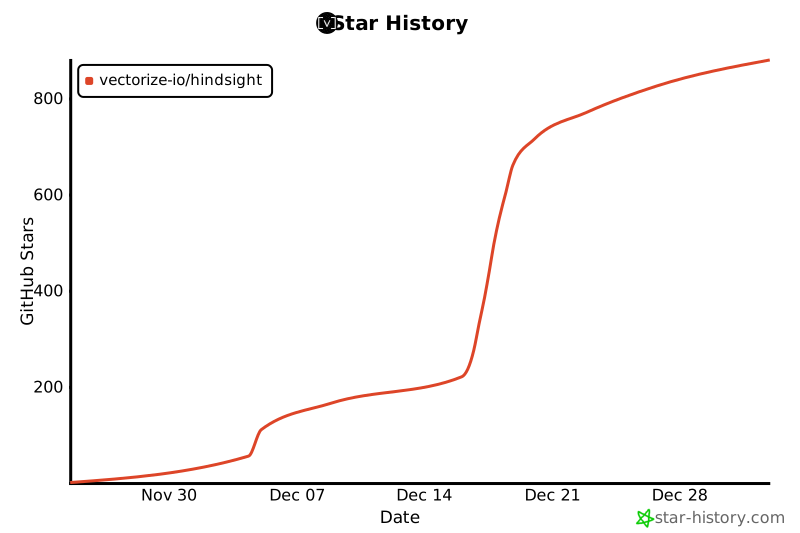](https://www.star-history.com/#vectorize-io/hindsight&type=date&legend=top-left)
|
||||
---
|
||||
|
||||
## Contributing
|
||||
|
||||
@@ -72,30 +72,48 @@ FROM node:20-slim AS cp-builder
|
||||
ARG INCLUDE_CP
|
||||
RUN if [ "$INCLUDE_CP" != "true" ]; then echo "Skipping CP build" && exit 0; fi
|
||||
|
||||
WORKDIR /app
|
||||
|
||||
# Copy built SDK
|
||||
COPY --from=sdk-builder /app/hindsight-clients/typescript /app/sdk
|
||||
# Create directory structure matching the monorepo layout
|
||||
# This is required because build:standalone script expects .next/standalone/memory-poc/hindsight-control-plane
|
||||
WORKDIR /app/memory-poc/hindsight-control-plane
|
||||
|
||||
# Install Control Plane dependencies
|
||||
# Only copy package.json (not package-lock.json) to ensure npm installs
|
||||
# correct platform-specific native bindings for lightningcss/tailwindcss
|
||||
COPY hindsight-control-plane/package.json ./
|
||||
# Remove the file: dependency on SDK (we'll copy it directly later)
|
||||
RUN sed -i '/"@vectorize-io\/hindsight-client":/d' package.json
|
||||
RUN npm install
|
||||
|
||||
# Copy Control Plane source (excluding node_modules via .dockerignore)
|
||||
COPY hindsight-control-plane/ ./
|
||||
# Remove package-lock.json to avoid conflicts with installed native bindings
|
||||
RUN rm -f package-lock.json
|
||||
# Also remove the file: dependency from package.json (restored by COPY above)
|
||||
RUN rm -f package-lock.json && sed -i '/"@vectorize-io\/hindsight-client":/d' package.json
|
||||
|
||||
# Link SDK (temporary for build)
|
||||
RUN cd /app/sdk && npm link && cd /app && npm link @vectorize-io/hindsight-client
|
||||
# Copy built SDK directly into node_modules (more reliable than npm link in Docker)
|
||||
COPY --from=sdk-builder /app/hindsight-clients/typescript ./node_modules/@vectorize-io/hindsight-client
|
||||
|
||||
# Build Control Plane
|
||||
RUN npm run build
|
||||
# Build Control Plane - run next build first, then custom standalone copy
|
||||
# (The build:standalone script expects a specific path structure that differs in Docker)
|
||||
RUN npm exec -- next build
|
||||
|
||||
# Create public directory if it doesn't exist
|
||||
RUN mkdir -p public
|
||||
# Create standalone directory structure manually
|
||||
# Note: Must exclude node_modules from find to avoid wrong server.js from next/dist/experimental/testmode/
|
||||
# Note: Must explicitly copy .next since glob * doesn't match hidden directories
|
||||
RUN STANDALONE_ROOT=$(find .next/standalone -path '*/node_modules' -prune -o -name 'server.js' -print | head -1 | xargs dirname) && \
|
||||
mkdir -p standalone && \
|
||||
cp -r "$STANDALONE_ROOT"/* standalone/ && \
|
||||
cp -r "$STANDALONE_ROOT"/.next standalone/.next && \
|
||||
# Copy node_modules if separate from app dir (monorepo structure)
|
||||
if [ -d ".next/standalone/node_modules" ] && [ "$STANDALONE_ROOT" != ".next/standalone" ]; then \
|
||||
cp -r .next/standalone/node_modules standalone/node_modules; \
|
||||
fi && \
|
||||
cp -r .next/static standalone/.next/static && \
|
||||
mkdir -p standalone/public && \
|
||||
cp -r public/* standalone/public/ 2>/dev/null || true && \
|
||||
# Verify required files exist
|
||||
test -f standalone/server.js || (echo "ERROR: server.js missing!" && exit 1) && \
|
||||
test -f standalone/.next/BUILD_ID || (echo "ERROR: BUILD_ID missing!" && exit 1)
|
||||
|
||||
# =============================================================================
|
||||
# Stage: Final Image - API Only
|
||||
@@ -104,14 +122,16 @@ FROM python:3.11-slim AS api-only
|
||||
|
||||
WORKDIR /app
|
||||
|
||||
# Install pg0 dependencies
|
||||
# Install pg0 dependencies (procps provides 'kill' command needed by pg0)
|
||||
# Note: libicu version varies by Debian version - try common versions in order
|
||||
RUN apt-get update && apt-get install -y \
|
||||
curl \
|
||||
procps \
|
||||
libxml2 \
|
||||
libssl3 \
|
||||
libgssapi-krb5-2 \
|
||||
libossp-uuid16 \
|
||||
&& apt-get install -y libicu72 || apt-get install -y libicu74 || apt-get install -y libicu* \
|
||||
&& (apt-get install -y libicu72 2>/dev/null || apt-get install -y libicu74 2>/dev/null || apt-get install -y libicu76 2>/dev/null || true) \
|
||||
&& rm -rf /var/lib/apt/lists/* \
|
||||
&& pip install --no-cache-dir uv
|
||||
|
||||
@@ -171,9 +191,9 @@ COPY --from=sdk-builder /app/hindsight-clients/typescript /app/sdk
|
||||
|
||||
# Copy Control Plane standalone build
|
||||
WORKDIR /app/control-plane
|
||||
COPY --from=cp-builder /app/.next/standalone ./
|
||||
COPY --from=cp-builder /app/.next/static ./.next/static
|
||||
COPY --from=cp-builder /app/public ./public
|
||||
COPY --from=cp-builder /app/memory-poc/hindsight-control-plane/standalone ./
|
||||
COPY --from=cp-builder /app/memory-poc/hindsight-control-plane/.next/static ./.next/static
|
||||
COPY --from=cp-builder /app/memory-poc/hindsight-control-plane/public ./public
|
||||
|
||||
WORKDIR /app
|
||||
|
||||
@@ -200,14 +220,16 @@ FROM python:3.11-slim AS standalone
|
||||
|
||||
WORKDIR /app
|
||||
|
||||
# Install Node.js, curl, uv, and pg0 dependencies
|
||||
# Install Node.js, curl, uv, and pg0 dependencies (procps provides 'kill' command needed by pg0)
|
||||
# Note: libicu version varies by Debian version - try common versions in order
|
||||
RUN apt-get update && apt-get install -y \
|
||||
curl \
|
||||
procps \
|
||||
libxml2 \
|
||||
libssl3 \
|
||||
libgssapi-krb5-2 \
|
||||
libossp-uuid16 \
|
||||
&& apt-get install -y libicu72 || apt-get install -y libicu74 || apt-get install -y libicu* \
|
||||
&& (apt-get install -y libicu72 2>/dev/null || apt-get install -y libicu74 2>/dev/null || apt-get install -y libicu76 2>/dev/null || true) \
|
||||
&& curl -fsSL https://deb.nodesource.com/setup_20.x | bash - \
|
||||
&& apt-get install -y nodejs \
|
||||
&& rm -rf /var/lib/apt/lists/* \
|
||||
@@ -224,9 +246,9 @@ COPY --from=sdk-builder /app/hindsight-clients/typescript /app/sdk
|
||||
|
||||
# Copy Control Plane standalone build
|
||||
WORKDIR /app/control-plane
|
||||
COPY --from=cp-builder /app/.next/standalone ./
|
||||
COPY --from=cp-builder /app/.next/static ./.next/static
|
||||
COPY --from=cp-builder /app/public ./public
|
||||
COPY --from=cp-builder /app/memory-poc/hindsight-control-plane/standalone ./
|
||||
COPY --from=cp-builder /app/memory-poc/hindsight-control-plane/.next/static ./.next/static
|
||||
COPY --from=cp-builder /app/memory-poc/hindsight-control-plane/public ./public
|
||||
|
||||
WORKDIR /app
|
||||
|
||||
|
||||
@@ -23,7 +23,8 @@ PIDS=()
|
||||
# Start API if enabled
|
||||
if [ "$ENABLE_API" = "true" ]; then
|
||||
cd /app/api
|
||||
hindsight-api 2>&1 | sed -u 's/^/[api] /' &
|
||||
# Run API directly - Python's PYTHONUNBUFFERED=1 handles output buffering
|
||||
hindsight-api &
|
||||
API_PID=$!
|
||||
PIDS+=($API_PID)
|
||||
|
||||
@@ -42,7 +43,7 @@ fi
|
||||
if [ "$ENABLE_CP" = "true" ]; then
|
||||
echo "🎛️ Starting Control Plane..."
|
||||
cd /app/control-plane
|
||||
PORT=9999 node server.js 2>&1 | grep -v -E "^[[:space:]]*(▲|✓|-|$)" | sed -u 's/^/[control-plane] /' &
|
||||
PORT=9999 node server.js &
|
||||
CP_PID=$!
|
||||
PIDS+=($CP_PID)
|
||||
else
|
||||
|
||||
@@ -2,8 +2,8 @@ apiVersion: v2
|
||||
name: hindsight
|
||||
description: Hindsight helm chart
|
||||
type: application
|
||||
version: 0.1.6
|
||||
appVersion: "0.1.6"
|
||||
version: 0.1.11
|
||||
appVersion: "0.1.11"
|
||||
keywords:
|
||||
- ai
|
||||
- memory
|
||||
|
||||
@@ -506,9 +506,9 @@ class BankListItem(BaseModel):
|
||||
"""Bank list item with profile summary."""
|
||||
|
||||
bank_id: str
|
||||
name: str
|
||||
name: str | None = None
|
||||
disposition: DispositionTraits
|
||||
background: str
|
||||
background: str | None = None
|
||||
created_at: str | None = None
|
||||
updated_at: str | None = None
|
||||
|
||||
@@ -1452,18 +1452,22 @@ def _register_routes(app: FastAPI):
|
||||
bank_id,
|
||||
)
|
||||
|
||||
def parse_metadata(metadata):
|
||||
"""Parse result_metadata which may be a string or dict."""
|
||||
if metadata is None:
|
||||
return {}
|
||||
if isinstance(metadata, str):
|
||||
return json.loads(metadata)
|
||||
return metadata
|
||||
|
||||
return {
|
||||
"bank_id": bank_id,
|
||||
"operations": [
|
||||
{
|
||||
"id": str(row["operation_id"]),
|
||||
"task_type": row["operation_type"],
|
||||
"items_count": row["result_metadata"].get("items_count", 0)
|
||||
if row["result_metadata"]
|
||||
else 0,
|
||||
"document_id": row["result_metadata"].get("document_id")
|
||||
if row["result_metadata"]
|
||||
else None,
|
||||
"items_count": parse_metadata(row["result_metadata"]).get("items_count", 0),
|
||||
"document_id": parse_metadata(row["result_metadata"]).get("document_id"),
|
||||
"created_at": row["created_at"].isoformat(),
|
||||
"status": row["status"],
|
||||
"error_message": row["error_message"],
|
||||
@@ -1499,7 +1503,7 @@ def _register_routes(app: FastAPI):
|
||||
async with acquire_with_retry(pool) as conn:
|
||||
# Check if operation exists and belongs to this memory bank
|
||||
result = await conn.fetchrow(
|
||||
"SELECT bank_id FROM async_operations WHERE id = $1 AND bank_id = $2", op_uuid, bank_id
|
||||
"SELECT bank_id FROM async_operations WHERE operation_id = $1 AND bank_id = $2", op_uuid, bank_id
|
||||
)
|
||||
|
||||
if not result:
|
||||
@@ -1508,7 +1512,7 @@ def _register_routes(app: FastAPI):
|
||||
)
|
||||
|
||||
# Delete the operation
|
||||
await conn.execute("DELETE FROM async_operations WHERE id = $1", op_uuid)
|
||||
await conn.execute("DELETE FROM async_operations WHERE operation_id = $1", op_uuid)
|
||||
|
||||
return {
|
||||
"success": True,
|
||||
@@ -1769,13 +1773,13 @@ def _register_routes(app: FastAPI):
|
||||
async with acquire_with_retry(pool) as conn:
|
||||
await conn.execute(
|
||||
"""
|
||||
INSERT INTO async_operations (id, bank_id, task_type, items_count)
|
||||
INSERT INTO async_operations (operation_id, bank_id, operation_type, result_metadata)
|
||||
VALUES ($1, $2, $3, $4)
|
||||
""",
|
||||
operation_id,
|
||||
bank_id,
|
||||
"retain",
|
||||
len(contents),
|
||||
json.dumps({"items_count": len(contents)}),
|
||||
)
|
||||
|
||||
# Submit task to background queue
|
||||
|
||||
@@ -31,6 +31,7 @@ ENV_LOG_LEVEL = "HINDSIGHT_API_LOG_LEVEL"
|
||||
ENV_MCP_ENABLED = "HINDSIGHT_API_MCP_ENABLED"
|
||||
ENV_GRAPH_RETRIEVER = "HINDSIGHT_API_GRAPH_RETRIEVER"
|
||||
ENV_MCP_LOCAL_BANK_ID = "HINDSIGHT_API_MCP_LOCAL_BANK_ID"
|
||||
ENV_MCP_INSTRUCTIONS = "HINDSIGHT_API_MCP_INSTRUCTIONS"
|
||||
|
||||
# Default values
|
||||
DEFAULT_DATABASE_URL = "pg0"
|
||||
@@ -50,6 +51,26 @@ DEFAULT_MCP_ENABLED = True
|
||||
DEFAULT_GRAPH_RETRIEVER = "bfs" # Options: "bfs", "mpfp"
|
||||
DEFAULT_MCP_LOCAL_BANK_ID = "mcp"
|
||||
|
||||
# Default MCP tool descriptions (can be customized via env vars)
|
||||
DEFAULT_MCP_RETAIN_DESCRIPTION = """Store important information to long-term memory.
|
||||
|
||||
Use this tool PROACTIVELY whenever the user shares:
|
||||
- Personal facts, preferences, or interests
|
||||
- Important events or milestones
|
||||
- User history, experiences, or background
|
||||
- Decisions, opinions, or stated preferences
|
||||
- Goals, plans, or future intentions
|
||||
- Relationships or people mentioned
|
||||
- Work context, projects, or responsibilities"""
|
||||
|
||||
DEFAULT_MCP_RECALL_DESCRIPTION = """Search memories to provide personalized, context-aware responses.
|
||||
|
||||
Use this tool PROACTIVELY to:
|
||||
- Check user's preferences before making suggestions
|
||||
- Recall user's history to provide continuity
|
||||
- Remember user's goals and context
|
||||
- Personalize responses based on past interactions"""
|
||||
|
||||
# Required embedding dimension for database schema
|
||||
EMBEDDING_DIMENSION = 384
|
||||
|
||||
@@ -142,7 +163,9 @@ class HindsightConfig:
|
||||
def configure_logging(self) -> None:
|
||||
"""Configure Python logging based on the log level."""
|
||||
logging.basicConfig(
|
||||
level=self.get_python_log_level(), format="%(asctime)s - %(levelname)s - %(name)s - %(message)s"
|
||||
level=self.get_python_log_level(),
|
||||
format="%(asctime)s - %(levelname)s - %(name)s - %(message)s",
|
||||
force=True, # Override any existing configuration
|
||||
)
|
||||
|
||||
def log_config(self) -> None:
|
||||
|
||||
@@ -112,7 +112,7 @@ class LLMProvider:
|
||||
)
|
||||
await self.call(
|
||||
messages=[{"role": "user", "content": "Say 'ok'"}],
|
||||
max_completion_tokens=10,
|
||||
max_completion_tokens=100,
|
||||
max_retries=2,
|
||||
initial_backoff=0.5,
|
||||
max_backoff=2.0,
|
||||
@@ -172,7 +172,7 @@ class LLMProvider:
|
||||
|
||||
# Check if model supports reasoning parameter (o1, o3, gpt-5 families)
|
||||
model_lower = self.model.lower()
|
||||
is_reasoning_model = any(x in model_lower for x in ["gpt-5", "o1", "o3"])
|
||||
is_reasoning_model = any(x in model_lower for x in ["gpt-5", "o1", "o3", "deepseek"])
|
||||
|
||||
# For GPT-4 and GPT-4.1 models, cap max_completion_tokens to 32000
|
||||
# For GPT-4o models, cap to 16384
|
||||
@@ -194,7 +194,7 @@ class LLMProvider:
|
||||
call_params["temperature"] = temperature
|
||||
|
||||
# Set reasoning_effort for reasoning models (OpenAI gpt-5, o1, o3)
|
||||
if is_reasoning_model and self.provider == "openai":
|
||||
if is_reasoning_model:
|
||||
call_params["reasoning_effort"] = self.reasoning_effort
|
||||
|
||||
# Provider-specific parameters
|
||||
@@ -203,7 +203,6 @@ class LLMProvider:
|
||||
extra_body = {"service_tier": "auto"}
|
||||
# Only add reasoning parameters for reasoning models
|
||||
if is_reasoning_model:
|
||||
extra_body["reasoning_effort"] = self.reasoning_effort
|
||||
extra_body["include_reasoning"] = False
|
||||
call_params["extra_body"] = extra_body
|
||||
|
||||
|
||||
@@ -311,7 +311,7 @@ class MemoryEngine:
|
||||
pool = await self._get_pool()
|
||||
async with acquire_with_retry(pool) as conn:
|
||||
result = await conn.fetchrow(
|
||||
"SELECT id FROM async_operations WHERE id = $1", uuid.UUID(operation_id)
|
||||
"SELECT operation_id FROM async_operations WHERE operation_id = $1", uuid.UUID(operation_id)
|
||||
)
|
||||
if not result:
|
||||
# Operation was cancelled, skip processing
|
||||
@@ -369,7 +369,7 @@ class MemoryEngine:
|
||||
try:
|
||||
pool = await self._get_pool()
|
||||
async with acquire_with_retry(pool) as conn:
|
||||
await conn.execute("DELETE FROM async_operations WHERE id = $1", uuid.UUID(operation_id))
|
||||
await conn.execute("DELETE FROM async_operations WHERE operation_id = $1", uuid.UUID(operation_id))
|
||||
except Exception as e:
|
||||
logger.error(f"Failed to delete async operation record {operation_id}: {e}")
|
||||
|
||||
@@ -386,7 +386,7 @@ class MemoryEngine:
|
||||
"""
|
||||
UPDATE async_operations
|
||||
SET status = 'failed', error_message = $2
|
||||
WHERE id = $1
|
||||
WHERE operation_id = $1
|
||||
""",
|
||||
uuid.UUID(operation_id),
|
||||
truncated_error,
|
||||
|
||||
@@ -107,6 +107,10 @@ async def retain_batch(
|
||||
)
|
||||
|
||||
if not extracted_facts:
|
||||
total_time = time.time() - start_time
|
||||
logger.info(
|
||||
f"RETAIN_BATCH COMPLETE: 0 facts extracted from {len(contents)} contents in {total_time:.3f}s (nothing to store)"
|
||||
)
|
||||
return [[] for _ in contents]
|
||||
|
||||
# Apply fact_type_override if provided
|
||||
|
||||
@@ -127,8 +127,10 @@ def main():
|
||||
port=args.port,
|
||||
log_level=args.log_level,
|
||||
mcp_enabled=config.mcp_enabled,
|
||||
graph_retriever=config.graph_retriever,
|
||||
)
|
||||
config.configure_logging()
|
||||
config.log_config()
|
||||
|
||||
# Register cleanup handlers
|
||||
atexit.register(_cleanup)
|
||||
|
||||
@@ -28,7 +28,15 @@ Environment variables:
|
||||
HINDSIGHT_API_LLM_PROVIDER: Optional. LLM provider (default: "openai").
|
||||
HINDSIGHT_API_LLM_MODEL: Optional. LLM model (default: "gpt-4o-mini").
|
||||
HINDSIGHT_API_MCP_LOCAL_BANK_ID: Optional. Memory bank ID (default: "mcp").
|
||||
HINDSIGHT_API_LOG_LEVEL: Optional. Log level (default: "info").
|
||||
HINDSIGHT_API_LOG_LEVEL: Optional. Log level (default: "warning").
|
||||
HINDSIGHT_API_MCP_INSTRUCTIONS: Optional. Additional instructions appended to both retain and recall tools.
|
||||
|
||||
Example custom instructions (these are ADDED to the default behavior):
|
||||
To also store assistant actions:
|
||||
HINDSIGHT_API_MCP_INSTRUCTIONS="Also store every action you take, including tool calls, code written, and decisions made."
|
||||
|
||||
To also store conversation summaries:
|
||||
HINDSIGHT_API_MCP_INSTRUCTIONS="Also store summaries of important conversations and their outcomes."
|
||||
"""
|
||||
|
||||
import logging
|
||||
@@ -36,14 +44,19 @@ import os
|
||||
import sys
|
||||
|
||||
from mcp.server.fastmcp import FastMCP
|
||||
from mcp.types import Icon
|
||||
|
||||
from hindsight_api.config import (
|
||||
DEFAULT_MCP_LOCAL_BANK_ID,
|
||||
DEFAULT_MCP_RECALL_DESCRIPTION,
|
||||
DEFAULT_MCP_RETAIN_DESCRIPTION,
|
||||
ENV_MCP_INSTRUCTIONS,
|
||||
ENV_MCP_LOCAL_BANK_ID,
|
||||
)
|
||||
|
||||
# Configure logging - default to info
|
||||
_log_level_str = os.environ.get("HINDSIGHT_API_LOG_LEVEL", "info").lower()
|
||||
# Configure logging - default to warning to avoid polluting stderr during MCP init
|
||||
# MCP clients interpret stderr output as errors, so we suppress INFO logs by default
|
||||
_log_level_str = os.environ.get("HINDSIGHT_API_LOG_LEVEL", "warning").lower()
|
||||
_log_level_map = {
|
||||
"critical": logging.CRITICAL,
|
||||
"error": logging.ERROR,
|
||||
@@ -79,22 +92,21 @@ def create_local_mcp_server(bank_id: str, memory=None) -> FastMCP:
|
||||
if memory is None:
|
||||
memory = MemoryEngine(db_url="pg0://hindsight-mcp")
|
||||
|
||||
# Get custom instructions from environment variable (appended to both tools)
|
||||
extra_instructions = os.environ.get(ENV_MCP_INSTRUCTIONS, "")
|
||||
|
||||
retain_description = DEFAULT_MCP_RETAIN_DESCRIPTION
|
||||
recall_description = DEFAULT_MCP_RECALL_DESCRIPTION
|
||||
|
||||
if extra_instructions:
|
||||
retain_description = f"{DEFAULT_MCP_RETAIN_DESCRIPTION}\n\nAdditional instructions: {extra_instructions}"
|
||||
recall_description = f"{DEFAULT_MCP_RECALL_DESCRIPTION}\n\nAdditional instructions: {extra_instructions}"
|
||||
|
||||
mcp = FastMCP("hindsight")
|
||||
|
||||
@mcp.tool()
|
||||
@mcp.tool(description=retain_description)
|
||||
async def retain(content: str, context: str = "general") -> dict:
|
||||
"""
|
||||
Store important information to long-term memory.
|
||||
|
||||
Use this tool PROACTIVELY whenever the user shares:
|
||||
- Personal facts, preferences, or interests
|
||||
- Important events or milestones
|
||||
- User history, experiences, or background
|
||||
- Decisions, opinions, or stated preferences
|
||||
- Goals, plans, or future intentions
|
||||
- Relationships or people mentioned
|
||||
- Work context, projects, or responsibilities
|
||||
|
||||
Args:
|
||||
content: The fact/memory to store (be specific and include relevant details)
|
||||
context: Category for the memory (e.g., 'preferences', 'work', 'hobbies', 'family'). Default: 'general'
|
||||
@@ -111,17 +123,9 @@ def create_local_mcp_server(bank_id: str, memory=None) -> FastMCP:
|
||||
asyncio.create_task(_retain())
|
||||
return {"status": "accepted", "message": "Memory storage initiated"}
|
||||
|
||||
@mcp.tool()
|
||||
@mcp.tool(description=recall_description)
|
||||
async def recall(query: str, max_tokens: int = 4096, budget: str = "low") -> dict:
|
||||
"""
|
||||
Search memories to provide personalized, context-aware responses.
|
||||
|
||||
Use this tool PROACTIVELY to:
|
||||
- Check user's preferences before making suggestions
|
||||
- Recall user's history to provide continuity
|
||||
- Remember user's goals and context
|
||||
- Personalize responses based on past interactions
|
||||
|
||||
Args:
|
||||
query: Natural language search query (e.g., "user's food preferences", "what projects is user working on")
|
||||
max_tokens: Maximum tokens to return in results (default: 4096)
|
||||
@@ -153,10 +157,9 @@ async def _initialize_and_run(bank_id: str):
|
||||
from hindsight_api import MemoryEngine
|
||||
|
||||
# Create and initialize memory engine with pg0 embedded database
|
||||
print("Initializing memory engine...", file=sys.stderr)
|
||||
# Note: We avoid printing to stderr during init as MCP clients show it as "errors"
|
||||
memory = MemoryEngine(db_url="pg0://hindsight-mcp")
|
||||
await memory.initialize()
|
||||
print("Memory engine initialized.", file=sys.stderr)
|
||||
|
||||
# Create and run the server
|
||||
mcp = create_local_mcp_server(bank_id, memory=memory)
|
||||
@@ -179,8 +182,8 @@ def main():
|
||||
# Get bank ID from environment, default to "mcp"
|
||||
bank_id = os.environ.get(ENV_MCP_LOCAL_BANK_ID, DEFAULT_MCP_LOCAL_BANK_ID)
|
||||
|
||||
# Print startup message to stderr (stdout is reserved for MCP protocol)
|
||||
print(f"Hindsight MCP server starting (bank_id={bank_id})...", file=sys.stderr)
|
||||
# Note: We don't print to stderr as MCP clients display it as "error output"
|
||||
# Use HINDSIGHT_API_LOG_LEVEL=debug for verbose startup logging
|
||||
|
||||
# Run the async initialization and server
|
||||
asyncio.run(_initialize_and_run(bank_id))
|
||||
|
||||
@@ -4,7 +4,7 @@ build-backend = "hatchling.build"
|
||||
|
||||
[project]
|
||||
name = "hindsight-api"
|
||||
version = "0.1.6"
|
||||
version = "0.1.11"
|
||||
description = "Hindsight: Agent Memory That Works Like Human Memory"
|
||||
readme = "README.md"
|
||||
requires-python = ">=3.11"
|
||||
|
||||
@@ -426,3 +426,185 @@ async def test_document_deletion(api_client):
|
||||
f"/v1/default/banks/{test_bank_id}/documents/sales-report-q1-2024"
|
||||
)
|
||||
assert response.status_code == 404
|
||||
|
||||
|
||||
@pytest.mark.asyncio
|
||||
async def test_async_retain(api_client):
|
||||
"""Test asynchronous retain functionality.
|
||||
|
||||
When async=true is passed, the retain endpoint should:
|
||||
1. Return immediately with success and async_=true
|
||||
2. Process the content in the background
|
||||
3. Eventually store the memories
|
||||
"""
|
||||
import asyncio
|
||||
|
||||
test_bank_id = f"async_retain_test_{datetime.now().timestamp()}"
|
||||
|
||||
# Store memory with async=true
|
||||
response = await api_client.post(
|
||||
f"/v1/default/banks/{test_bank_id}/memories",
|
||||
json={
|
||||
"async": True,
|
||||
"items": [
|
||||
{
|
||||
"content": "Alice is a senior engineer at TechCorp. She has been working on the authentication system for 5 years.",
|
||||
"context": "team introduction"
|
||||
}
|
||||
]
|
||||
}
|
||||
)
|
||||
assert response.status_code == 200
|
||||
result = response.json()
|
||||
assert result["success"] is True
|
||||
assert result["async"] is True, "Response should indicate async processing"
|
||||
assert result["items_count"] == 1
|
||||
|
||||
# Check operations endpoint to see the pending operation
|
||||
response = await api_client.get(f"/v1/default/banks/{test_bank_id}/operations")
|
||||
assert response.status_code == 200
|
||||
ops_result = response.json()
|
||||
assert "operations" in ops_result
|
||||
|
||||
# Wait for async processing to complete (poll with timeout)
|
||||
max_wait_seconds = 30
|
||||
poll_interval = 0.5
|
||||
elapsed = 0
|
||||
memories_found = False
|
||||
|
||||
while elapsed < max_wait_seconds:
|
||||
# Check if memories are stored
|
||||
response = await api_client.get(
|
||||
f"/v1/default/banks/{test_bank_id}/memories/list",
|
||||
params={"limit": 10}
|
||||
)
|
||||
assert response.status_code == 200
|
||||
items = response.json()["items"]
|
||||
|
||||
if len(items) > 0:
|
||||
memories_found = True
|
||||
break
|
||||
|
||||
await asyncio.sleep(poll_interval)
|
||||
elapsed += poll_interval
|
||||
|
||||
assert memories_found, f"Async retain did not complete within {max_wait_seconds} seconds"
|
||||
|
||||
# Verify we can recall the stored memory
|
||||
response = await api_client.post(
|
||||
f"/v1/default/banks/{test_bank_id}/memories/recall",
|
||||
json={
|
||||
"query": "Who works at TechCorp?",
|
||||
"thinking_budget": 30
|
||||
}
|
||||
)
|
||||
assert response.status_code == 200
|
||||
search_results = response.json()
|
||||
assert len(search_results["results"]) > 0, "Should find the asynchronously stored memory"
|
||||
|
||||
# Verify Alice is mentioned
|
||||
found_alice = any("Alice" in r["text"] for r in search_results["results"])
|
||||
assert found_alice, "Should find Alice in search results"
|
||||
|
||||
|
||||
@pytest.mark.asyncio
|
||||
async def test_async_retain_parallel(api_client):
|
||||
"""Test multiple async retain operations running in parallel.
|
||||
|
||||
Verifies that:
|
||||
1. Multiple async operations can be submitted concurrently
|
||||
2. All operations complete successfully
|
||||
3. The exact number of documents are processed
|
||||
"""
|
||||
import asyncio
|
||||
|
||||
test_bank_id = f"async_parallel_test_{datetime.now().timestamp()}"
|
||||
num_documents = 5
|
||||
|
||||
# Prepare multiple documents to retain
|
||||
documents = [
|
||||
{
|
||||
"content": f"Document {i}: This is test content about Person{i} who works at Company{i}.",
|
||||
"context": f"test document {i}",
|
||||
"document_id": f"doc_{i}"
|
||||
}
|
||||
for i in range(num_documents)
|
||||
]
|
||||
|
||||
# Submit all async retain operations in parallel
|
||||
async def submit_async_retain(doc):
|
||||
return await api_client.post(
|
||||
f"/v1/default/banks/{test_bank_id}/memories",
|
||||
json={
|
||||
"async": True,
|
||||
"items": [doc]
|
||||
}
|
||||
)
|
||||
|
||||
# Run all submissions concurrently
|
||||
responses = await asyncio.gather(*[submit_async_retain(doc) for doc in documents])
|
||||
|
||||
# Verify all submissions succeeded
|
||||
for i, response in enumerate(responses):
|
||||
assert response.status_code == 200, f"Document {i} submission failed"
|
||||
result = response.json()
|
||||
assert result["success"] is True
|
||||
assert result["async"] is True
|
||||
|
||||
# Check operations endpoint - should show pending operations
|
||||
response = await api_client.get(f"/v1/default/banks/{test_bank_id}/operations")
|
||||
assert response.status_code == 200
|
||||
|
||||
# Wait for all async operations to complete (poll with timeout)
|
||||
max_wait_seconds = 60
|
||||
poll_interval = 1.0
|
||||
elapsed = 0
|
||||
all_docs_processed = False
|
||||
|
||||
while elapsed < max_wait_seconds:
|
||||
# Check document count
|
||||
response = await api_client.get(f"/v1/default/banks/{test_bank_id}/documents")
|
||||
assert response.status_code == 200
|
||||
docs = response.json()["items"]
|
||||
|
||||
if len(docs) >= num_documents:
|
||||
all_docs_processed = True
|
||||
break
|
||||
|
||||
await asyncio.sleep(poll_interval)
|
||||
elapsed += poll_interval
|
||||
|
||||
assert all_docs_processed, f"Expected {num_documents} documents, but only {len(docs)} were processed within {max_wait_seconds} seconds"
|
||||
|
||||
# Verify exact document count
|
||||
response = await api_client.get(f"/v1/default/banks/{test_bank_id}/documents")
|
||||
assert response.status_code == 200
|
||||
final_docs = response.json()["items"]
|
||||
assert len(final_docs) == num_documents, f"Expected exactly {num_documents} documents, got {len(final_docs)}"
|
||||
|
||||
# Verify each document exists
|
||||
doc_ids = {doc["id"] for doc in final_docs}
|
||||
for i in range(num_documents):
|
||||
assert f"doc_{i}" in doc_ids, f"Document doc_{i} not found"
|
||||
|
||||
# Verify memories were created for all documents
|
||||
response = await api_client.get(
|
||||
f"/v1/default/banks/{test_bank_id}/memories/list",
|
||||
params={"limit": 100}
|
||||
)
|
||||
assert response.status_code == 200
|
||||
memories = response.json()["items"]
|
||||
assert len(memories) >= num_documents, f"Expected at least {num_documents} memories, got {len(memories)}"
|
||||
|
||||
# Verify we can recall content from different documents
|
||||
for i in [0, num_documents - 1]: # Check first and last
|
||||
response = await api_client.post(
|
||||
f"/v1/default/banks/{test_bank_id}/memories/recall",
|
||||
json={
|
||||
"query": f"Who works at Company{i}?",
|
||||
"thinking_budget": 30
|
||||
}
|
||||
)
|
||||
assert response.status_code == 200
|
||||
results = response.json()["results"]
|
||||
assert len(results) > 0, f"Should find memories for document {i}"
|
||||
|
||||
@@ -1,6 +1,6 @@
|
||||
[package]
|
||||
name = "hindsight-cli"
|
||||
version = "0.1.6"
|
||||
version = "0.1.11"
|
||||
edition = "2021"
|
||||
authors = ["Hindsight Team"]
|
||||
description = "A beautiful CLI for Hindsight - semantic memory system"
|
||||
|
||||
@@ -944,7 +944,7 @@ fn render_banks(f: &mut Frame, app: &mut App, area: Rect) {
|
||||
.banks
|
||||
.iter()
|
||||
.map(|bank| {
|
||||
let name = if bank.name.is_empty() { "Unnamed" } else { &bank.name };
|
||||
let name = bank.name.as_deref().filter(|s| !s.is_empty()).unwrap_or("Unnamed");
|
||||
let content = format!("{} - {}", bank.bank_id, name);
|
||||
ListItem::new(content).style(Style::default().fg(Color::White))
|
||||
})
|
||||
|
||||
@@ -91,6 +91,9 @@ enum Commands {
|
||||
#[command(alias = "tui")]
|
||||
Explore,
|
||||
|
||||
/// Launch the web-based control plane UI
|
||||
Ui,
|
||||
|
||||
/// Configure the CLI (API URL, etc.)
|
||||
#[command(after_help = "Configuration priority:\n 1. Environment variable (HINDSIGHT_API_URL) - highest priority\n 2. Config file (~/.hindsight/config)\n 3. Default (http://localhost:8888)")]
|
||||
Configure {
|
||||
@@ -373,6 +376,11 @@ fn run() -> Result<()> {
|
||||
return handle_configure(api_url, output_format);
|
||||
}
|
||||
|
||||
// Handle ui command - needs config but not API client
|
||||
if let Commands::Ui = cli.command {
|
||||
return handle_ui(output_format);
|
||||
}
|
||||
|
||||
// Load configuration
|
||||
let config = Config::from_env().unwrap_or_else(|e| {
|
||||
ui::print_error(&format!("Configuration error: {}", e));
|
||||
@@ -390,6 +398,7 @@ fn run() -> Result<()> {
|
||||
// Execute command and handle errors
|
||||
let result: Result<()> = match cli.command {
|
||||
Commands::Configure { .. } => unreachable!(), // Handled above
|
||||
Commands::Ui => unreachable!(), // Handled above
|
||||
Commands::Explore => commands::explore::run(&client),
|
||||
Commands::Bank(bank_cmd) => match bank_cmd {
|
||||
BankCommands::List => commands::bank::list(&client, verbose, output_format),
|
||||
@@ -521,3 +530,50 @@ fn handle_configure(api_url: Option<String>, output_format: OutputFormat) -> Res
|
||||
|
||||
Ok(())
|
||||
}
|
||||
|
||||
fn handle_ui(output_format: OutputFormat) -> Result<()> {
|
||||
use std::process::Command;
|
||||
|
||||
// Load configuration to get the API URL
|
||||
let config = Config::load().unwrap_or_else(|e| {
|
||||
ui::print_error(&format!("Configuration error: {}", e));
|
||||
errors::print_config_help();
|
||||
std::process::exit(1);
|
||||
});
|
||||
|
||||
let api_url = config.api_url();
|
||||
|
||||
if output_format == OutputFormat::Pretty {
|
||||
ui::print_info("Launching Hindsight Control Plane UI...");
|
||||
println!();
|
||||
println!(" API URL: {}", api_url);
|
||||
println!();
|
||||
}
|
||||
|
||||
// Run npx @vectorize-io/hindsight-control-plane --api-url {api_url}
|
||||
let status = Command::new("npx")
|
||||
.arg("@vectorize-io/hindsight-control-plane")
|
||||
.arg("--api-url")
|
||||
.arg(api_url)
|
||||
.status();
|
||||
|
||||
match status {
|
||||
Ok(exit_status) => {
|
||||
if !exit_status.success() {
|
||||
if let Some(code) = exit_status.code() {
|
||||
std::process::exit(code);
|
||||
} else {
|
||||
std::process::exit(1);
|
||||
}
|
||||
}
|
||||
}
|
||||
Err(e) => {
|
||||
ui::print_error(&format!("Failed to launch control plane UI: {}", e));
|
||||
ui::print_info("Make sure you have Node.js and npm installed.");
|
||||
ui::print_info("You can also install the control plane globally: npm install -g @vectorize-io/hindsight-control-plane");
|
||||
std::process::exit(1);
|
||||
}
|
||||
}
|
||||
|
||||
Ok(())
|
||||
}
|
||||
|
||||
@@ -1,6 +1,6 @@
|
||||
[project]
|
||||
name = "hindsight-client"
|
||||
version = "0.1.6"
|
||||
version = "0.1.11"
|
||||
description = "Python client for Hindsight - Semantic memory system with personality-driven thinking"
|
||||
authors = [
|
||||
{name = "Hindsight Team"}
|
||||
@@ -20,6 +20,7 @@ dependencies = [
|
||||
test = [
|
||||
"pytest>=7.0.0",
|
||||
"pytest-asyncio>=0.21.0",
|
||||
"requests>=2.28.0",
|
||||
]
|
||||
|
||||
[build-system]
|
||||
|
||||
@@ -1,6 +1,6 @@
|
||||
{
|
||||
"name": "@vectorize-io/hindsight-client",
|
||||
"version": "0.1.6",
|
||||
"version": "0.1.11",
|
||||
"description": "TypeScript client for Hindsight - Semantic memory system with personality-driven thinking",
|
||||
"main": "./dist/src/index.js",
|
||||
"types": "./dist/src/index.d.ts",
|
||||
|
||||
@@ -14,6 +14,7 @@
|
||||
|
||||
# production
|
||||
/build
|
||||
/standalone
|
||||
|
||||
# misc
|
||||
.DS_Store
|
||||
|
||||
Executable
+86
@@ -0,0 +1,86 @@
|
||||
#!/usr/bin/env node
|
||||
|
||||
const { spawn } = require('child_process');
|
||||
const path = require('path');
|
||||
const fs = require('fs');
|
||||
|
||||
const args = process.argv.slice(2);
|
||||
|
||||
// Parse command line arguments
|
||||
let port = process.env.PORT || 9999;
|
||||
let hostname = process.env.HOSTNAME || '0.0.0.0';
|
||||
let apiUrl = process.env.HINDSIGHT_CP_DATAPLANE_API_URL;
|
||||
|
||||
for (let i = 0; i < args.length; i++) {
|
||||
if (args[i] === '--port' || args[i] === '-p') {
|
||||
port = args[++i];
|
||||
} else if (args[i] === '--hostname' || args[i] === '-H') {
|
||||
hostname = args[++i];
|
||||
} else if (args[i] === '--api-url' || args[i] === '-a') {
|
||||
apiUrl = args[++i];
|
||||
} else if (args[i] === '--help' || args[i] === '-h') {
|
||||
console.log(`
|
||||
Hindsight Control Plane
|
||||
|
||||
Usage: hindsight-control-plane [options]
|
||||
|
||||
Options:
|
||||
-p, --port <port> Port to listen on (default: 9999, env: PORT)
|
||||
-H, --hostname <host> Hostname to bind to (default: 0.0.0.0, env: HOSTNAME)
|
||||
-a, --api-url <url> Hindsight API URL (env: HINDSIGHT_CP_DATAPLANE_API_URL)
|
||||
-h, --help Show this help message
|
||||
|
||||
Environment Variables:
|
||||
PORT Port to listen on
|
||||
HOSTNAME Hostname to bind to
|
||||
HINDSIGHT_CP_DATAPLANE_API_URL URL of the Hindsight API server
|
||||
`);
|
||||
process.exit(0);
|
||||
}
|
||||
}
|
||||
|
||||
// Find the standalone server
|
||||
const standaloneDir = path.join(__dirname, '..', 'standalone');
|
||||
const serverPath = path.join(standaloneDir, 'server.js');
|
||||
|
||||
if (!fs.existsSync(serverPath)) {
|
||||
console.error('Error: Standalone server not found at', serverPath);
|
||||
console.error('This package may not have been built correctly.');
|
||||
process.exit(1);
|
||||
}
|
||||
|
||||
// Set up environment
|
||||
const env = {
|
||||
...process.env,
|
||||
PORT: String(port),
|
||||
HOSTNAME: hostname,
|
||||
};
|
||||
|
||||
if (apiUrl) {
|
||||
env.HINDSIGHT_CP_DATAPLANE_API_URL = apiUrl;
|
||||
}
|
||||
|
||||
console.log(`Starting Hindsight Control Plane on http://${hostname}:${port}`);
|
||||
if (apiUrl) {
|
||||
console.log(`API URL: ${apiUrl}`);
|
||||
}
|
||||
|
||||
// Run the standalone server
|
||||
const server = spawn('node', [serverPath], {
|
||||
cwd: standaloneDir,
|
||||
env,
|
||||
stdio: 'inherit',
|
||||
});
|
||||
|
||||
server.on('error', (err) => {
|
||||
console.error('Failed to start server:', err.message);
|
||||
process.exit(1);
|
||||
});
|
||||
|
||||
server.on('close', (code) => {
|
||||
process.exit(code || 0);
|
||||
});
|
||||
|
||||
// Handle signals
|
||||
process.on('SIGTERM', () => server.kill('SIGTERM'));
|
||||
process.on('SIGINT', () => server.kill('SIGINT'));
|
||||
@@ -1,7 +1,14 @@
|
||||
import type { NextConfig } from "next";
|
||||
import path from "path";
|
||||
|
||||
const nextConfig: NextConfig = {
|
||||
output: 'standalone',
|
||||
// Disable request logging in production
|
||||
logging: false,
|
||||
// Set the monorepo root explicitly to avoid detecting wrong lockfiles in parent directories
|
||||
turbopack: {
|
||||
root: path.resolve(__dirname, '..'),
|
||||
},
|
||||
};
|
||||
|
||||
export default nextConfig;
|
||||
|
||||
@@ -1,17 +1,26 @@
|
||||
{
|
||||
"name": "hindsight-control-plane",
|
||||
"version": "0.1.6",
|
||||
"private": true,
|
||||
"name": "@vectorize-io/hindsight-control-plane",
|
||||
"version": "0.1.11",
|
||||
"description": "Control plane for Hindsight - Semantic memory system",
|
||||
"bin": {
|
||||
"hindsight-control-plane": "./bin/cli.js"
|
||||
},
|
||||
"files": [
|
||||
"bin",
|
||||
"standalone",
|
||||
"public"
|
||||
],
|
||||
"scripts": {
|
||||
"dev": "next dev",
|
||||
"build": "next build",
|
||||
"build": "next build && npm run build:standalone",
|
||||
"build:standalone": "rm -rf standalone && STANDALONE_ROOT=$(find .next/standalone -path '*/node_modules' -prune -o -name 'server.js' -print | head -1 | xargs dirname) && cp -r \"$STANDALONE_ROOT\" standalone && cp -r .next/standalone/node_modules standalone/node_modules && mkdir -p standalone/.next && cp -r .next/static standalone/.next/static && mkdir -p standalone/public && cp -r public/* standalone/public/ 2>/dev/null || true",
|
||||
"start": "next start",
|
||||
"lint": "next lint"
|
||||
"lint": "next lint",
|
||||
"prepublishOnly": "npm run build"
|
||||
},
|
||||
"keywords": [],
|
||||
"keywords": ["hindsight", "memory", "semantic", "ai"],
|
||||
"author": "Hindsight Team",
|
||||
"license": "ISC",
|
||||
"description": "Control plane for Hindsight - Semantic memory system",
|
||||
"dependencies": {
|
||||
"@radix-ui/react-checkbox": "^1.3.3",
|
||||
"@radix-ui/react-dialog": "^1.1.15",
|
||||
@@ -27,7 +36,6 @@
|
||||
"@types/node": "^24.10.0",
|
||||
"@types/react": "^19.2.2",
|
||||
"@types/react-dom": "^19.2.2",
|
||||
"@vectorize-io/hindsight-client": "file:../hindsight-clients/typescript",
|
||||
"autoprefixer": "^10.4.21",
|
||||
"class-variance-authority": "^0.7.1",
|
||||
"clsx": "^2.1.1",
|
||||
@@ -50,6 +58,7 @@
|
||||
"typescript": "^5.9.3"
|
||||
},
|
||||
"devDependencies": {
|
||||
"@vectorize-io/hindsight-client": "file:../hindsight-clients/typescript",
|
||||
"@eslint/eslintrc": "^3.3.3",
|
||||
"@eslint/js": "^9.39.2",
|
||||
"eslint-plugin-react": "^7.37.5",
|
||||
|
||||
@@ -0,0 +1,35 @@
|
||||
import { NextResponse } from "next/server";
|
||||
import { sdk, lowLevelClient } from "@/lib/hindsight-client";
|
||||
|
||||
export async function GET() {
|
||||
const status: {
|
||||
status: string;
|
||||
service: string;
|
||||
dataplane?: {
|
||||
status: string;
|
||||
url: string;
|
||||
error?: string;
|
||||
};
|
||||
} = {
|
||||
status: "ok",
|
||||
service: "hindsight-control-plane",
|
||||
};
|
||||
|
||||
// Check dataplane connectivity
|
||||
const dataplaneUrl = process.env.HINDSIGHT_CP_DATAPLANE_API_URL || "http://localhost:8888";
|
||||
try {
|
||||
await sdk.listBanks({ client: lowLevelClient });
|
||||
status.dataplane = {
|
||||
status: "connected",
|
||||
url: dataplaneUrl,
|
||||
};
|
||||
} catch (error) {
|
||||
status.dataplane = {
|
||||
status: "disconnected",
|
||||
url: dataplaneUrl,
|
||||
error: error instanceof Error ? error.message : String(error),
|
||||
};
|
||||
}
|
||||
|
||||
return NextResponse.json(status, { status: 200 });
|
||||
}
|
||||
@@ -7,17 +7,6 @@ export async function POST(request: NextRequest) {
|
||||
const bankId = body.bank_id || body.agent_id || "default";
|
||||
const { query, types, fact_type, max_tokens, trace, budget, include, query_timestamp } = body;
|
||||
|
||||
console.log("[Recall API] Request:", {
|
||||
bankId,
|
||||
query,
|
||||
types: types || fact_type,
|
||||
max_tokens,
|
||||
trace,
|
||||
budget,
|
||||
query_timestamp,
|
||||
});
|
||||
console.log("[Recall API] Include options:", JSON.stringify(include, null, 2));
|
||||
|
||||
const response = await sdk.recallMemories({
|
||||
client: lowLevelClient,
|
||||
path: { bank_id: bankId },
|
||||
@@ -37,18 +26,6 @@ export async function POST(request: NextRequest) {
|
||||
throw new Error(`API returned no data: ${JSON.stringify(response.error || "Unknown error")}`);
|
||||
}
|
||||
|
||||
console.log("[Recall API] Response structure:", {
|
||||
hasResults: !!response.data?.results,
|
||||
resultsCount: response.data?.results?.length,
|
||||
hasTrace: !!response.data?.trace,
|
||||
hasEntities: !!response.data?.entities,
|
||||
entitiesType: typeof response.data?.entities,
|
||||
entitiesKeys: response.data?.entities ? Object.keys(response.data.entities) : null,
|
||||
hasChunks: !!response.data?.chunks,
|
||||
chunksType: typeof response.data?.chunks,
|
||||
chunksKeys: response.data?.chunks ? Object.keys(response.data.chunks) : null,
|
||||
});
|
||||
|
||||
// Return a clean JSON object by spreading the response
|
||||
// This ensures any non-serializable properties are excluded
|
||||
const jsonResponse = {
|
||||
|
||||
@@ -1,7 +1,6 @@
|
||||
"use client";
|
||||
|
||||
import { useParams, useRouter, useSearchParams } from "next/navigation";
|
||||
import { useEffect } from "react";
|
||||
import { BankSelector } from "@/components/bank-selector";
|
||||
import { Sidebar } from "@/components/sidebar";
|
||||
import { DataView } from "@/components/data-view";
|
||||
@@ -10,7 +9,6 @@ import { EntitiesView } from "@/components/entities-view";
|
||||
import { ThinkView } from "@/components/think-view";
|
||||
import { SearchDebugView } from "@/components/search-debug-view";
|
||||
import { BankProfileView } from "@/components/bank-profile-view";
|
||||
import { useBank } from "@/lib/bank-context";
|
||||
|
||||
type NavItem = "recall" | "reflect" | "data" | "documents" | "entities" | "profile";
|
||||
type DataSubTab = "world" | "experience" | "opinion";
|
||||
@@ -19,19 +17,11 @@ export default function BankPage() {
|
||||
const params = useParams();
|
||||
const router = useRouter();
|
||||
const searchParams = useSearchParams();
|
||||
const { currentBank, setCurrentBank } = useBank();
|
||||
|
||||
const bankId = params.bankId as string;
|
||||
const view = (searchParams.get("view") || "profile") as NavItem;
|
||||
const subTab = (searchParams.get("subTab") || "world") as DataSubTab;
|
||||
|
||||
// Sync URL bank with context
|
||||
useEffect(() => {
|
||||
if (bankId && bankId !== currentBank) {
|
||||
setCurrentBank(bankId);
|
||||
}
|
||||
}, [bankId, currentBank, setCurrentBank]);
|
||||
|
||||
const handleTabChange = (tab: NavItem) => {
|
||||
router.push(`/banks/${bankId}?view=${tab}`);
|
||||
};
|
||||
|
||||
@@ -102,12 +102,6 @@ export function DataView({ factType }: DataViewProps) {
|
||||
bank_id: currentBank,
|
||||
type: factType,
|
||||
});
|
||||
console.log("Loaded graph data:", {
|
||||
total_units: graphData.total_units,
|
||||
nodes: graphData.nodes?.length,
|
||||
edges: graphData.edges?.length,
|
||||
table_rows: graphData.table_rows?.length,
|
||||
});
|
||||
setData(graphData);
|
||||
} catch (error) {
|
||||
console.error("Error loading data:", error);
|
||||
@@ -191,10 +185,6 @@ export function DataView({ factType }: DataViewProps) {
|
||||
otherTypes[type] = (otherTypes[type] || 0) + 1;
|
||||
}
|
||||
});
|
||||
console.log("Graph link stats:", { semantic, temporal, entity, causal, total });
|
||||
if (Object.keys(otherTypes).length > 0) {
|
||||
console.log("Other link types:", otherTypes);
|
||||
}
|
||||
return { semantic, temporal, entity, causal, total, otherTypes };
|
||||
}, [graph2DData]);
|
||||
|
||||
|
||||
@@ -0,0 +1,82 @@
|
||||
# Hindsight Benchmarks
|
||||
|
||||
This directory contains benchmark suites for evaluating Hindsight's memory capabilities.
|
||||
|
||||
## Prerequisites
|
||||
|
||||
1. Set up your environment variables in `.env` at the project root:
|
||||
```bash
|
||||
cp .env.example .env
|
||||
# Edit .env with your API keys
|
||||
```
|
||||
|
||||
2. Make sure you have `uv` installed.
|
||||
|
||||
## Available Benchmarks
|
||||
|
||||
### LoComo
|
||||
|
||||
Tests conversational memory with multi-turn dialogues.
|
||||
|
||||
```bash
|
||||
# Run from project root
|
||||
./scripts/benchmarks/run-locomo.sh
|
||||
|
||||
# With options
|
||||
./scripts/benchmarks/run-locomo.sh --max-conversations 10
|
||||
./scripts/benchmarks/run-locomo.sh --skip-ingestion # Reuse existing data
|
||||
./scripts/benchmarks/run-locomo.sh --use-think # Use think API
|
||||
./scripts/benchmarks/run-locomo.sh --conversation conv-26 # Single conversation
|
||||
```
|
||||
|
||||
**Options:**
|
||||
- `--max-conversations N` - Limit number of conversations
|
||||
- `--max-questions N` - Limit questions per conversation
|
||||
- `--skip-ingestion` - Skip data ingestion, use existing
|
||||
- `--use-think` - Use think API instead of search + LLM
|
||||
- `--conversation NAME` - Run specific conversation only
|
||||
- `--api-url URL` - Custom API URL (default: local memory)
|
||||
- `--only-failed` - Retry only failed questions
|
||||
- `--only-invalid` - Retry only invalid questions
|
||||
|
||||
### LongMemEval
|
||||
|
||||
Tests long-term memory across different categories.
|
||||
|
||||
```bash
|
||||
# Run from project root
|
||||
./scripts/benchmarks/run-longmemeval.sh
|
||||
|
||||
# With options
|
||||
./scripts/benchmarks/run-longmemeval.sh --max-instances 50
|
||||
./scripts/benchmarks/run-longmemeval.sh --category single-session-user
|
||||
./scripts/benchmarks/run-longmemeval.sh --parallel 4 # Faster evaluation
|
||||
```
|
||||
|
||||
**Options:**
|
||||
- `--max-instances N` - Limit total questions
|
||||
- `--max-instances-per-category N` - Limit per category
|
||||
- `--skip-ingestion` - Skip data ingestion
|
||||
- `--category NAME` - Filter by category:
|
||||
- `single-session-user`
|
||||
- `multi-session`
|
||||
- `single-session-preference`
|
||||
- `temporal-reasoning`
|
||||
- `knowledge-update`
|
||||
- `single-session-assistant`
|
||||
- `--parallel N` - Parallel instances (default: 1)
|
||||
- `--only-failed` - Retry failed questions
|
||||
- `--fill` - Resume interrupted runs
|
||||
|
||||
## Visualizer
|
||||
|
||||
View benchmark results in a web UI:
|
||||
|
||||
```bash
|
||||
./scripts/benchmarks/start-visualizer.sh
|
||||
# Opens at http://localhost:8001
|
||||
```
|
||||
|
||||
## Results
|
||||
|
||||
Results are saved in JSON format in each benchmark's `results/` directory.
|
||||
@@ -214,9 +214,11 @@ def build_changelog_markdown(
|
||||
# Build markdown
|
||||
lines = [f"## [{version}]({release_url})", ""]
|
||||
|
||||
has_entries = False
|
||||
for cat_key in ["breaking", "feature", "improvement", "bugfix", "other"]:
|
||||
cat_name, cat_entries = categories[cat_key]
|
||||
if cat_entries:
|
||||
has_entries = True
|
||||
lines.append(f"**{cat_name}**")
|
||||
lines.append("")
|
||||
for entry in cat_entries:
|
||||
@@ -224,6 +226,10 @@ def build_changelog_markdown(
|
||||
lines.append(f"- {entry.summary} ([`{entry.commit_id}`]({commit_url}))")
|
||||
lines.append("")
|
||||
|
||||
if not has_entries:
|
||||
lines.append("*This release contains internal maintenance and infrastructure changes only.*")
|
||||
lines.append("")
|
||||
|
||||
return "\n".join(lines)
|
||||
|
||||
|
||||
@@ -236,6 +242,8 @@ sidebar_position: 1
|
||||
|
||||
# Changelog
|
||||
|
||||
This changelog highlights user-facing changes only. Internal maintenance, CI/CD, and infrastructure updates are omitted.
|
||||
|
||||
For full release details, see [GitHub Releases](https://github.com/vectorize-io/hindsight/releases).
|
||||
"""
|
||||
return header, ""
|
||||
|
||||
@@ -4,7 +4,7 @@ build-backend = "hatchling.build"
|
||||
|
||||
[project]
|
||||
name = "hindsight-dev"
|
||||
version = "0.1.6"
|
||||
version = "0.1.11"
|
||||
description = "Development utilities for Hindsight"
|
||||
requires-python = ">=3.11"
|
||||
dependencies = [
|
||||
|
||||
@@ -4,8 +4,44 @@ sidebar_position: 1
|
||||
|
||||
# Changelog
|
||||
|
||||
This changelog highlights user-facing changes only. Internal maintenance, CI/CD, and infrastructure updates are omitted.
|
||||
|
||||
For full release details, see [GitHub Releases](https://github.com/vectorize-io/hindsight/releases).
|
||||
|
||||
## [0.1.11](https://github.com/vectorize-io/hindsight/releases/tag/v0.1.11)
|
||||
|
||||
**Bug Fixes**
|
||||
|
||||
- Fixed the standalone Docker image and control plane standalone build process so standalone deployments build correctly. ([`2948cb6`](https://github.com/vectorize-io/hindsight/commit/2948cb6))
|
||||
|
||||
## [0.1.10](https://github.com/vectorize-io/hindsight/releases/tag/v0.1.10)
|
||||
|
||||
*This release contains internal maintenance and infrastructure changes only.*
|
||||
|
||||
|
||||
## [0.1.9](https://github.com/vectorize-io/hindsight/releases/tag/v0.1.9)
|
||||
|
||||
**Features**
|
||||
|
||||
- Simplified local MCP installation and added a standalone UI option for easier setup. ([`1c6acc3`](https://github.com/vectorize-io/hindsight/commit/1c6acc3))
|
||||
|
||||
**Bug Fixes**
|
||||
|
||||
- Fixed the standalone Docker image so it builds and starts reliably. ([`b52eb90`](https://github.com/vectorize-io/hindsight/commit/b52eb90))
|
||||
- Improved Docker runtime reliability by adding required system utilities (procps). ([`ae80876`](https://github.com/vectorize-io/hindsight/commit/ae80876))
|
||||
|
||||
## [0.1.8](https://github.com/vectorize-io/hindsight/releases/tag/v0.1.8)
|
||||
|
||||
**Bug Fixes**
|
||||
|
||||
- Fix bank list responses when a bank has no name. ([`04f01ab`](https://github.com/vectorize-io/hindsight/commit/04f01ab))
|
||||
- Fix failures when retaining memories asynchronously. ([`63f5138`](https://github.com/vectorize-io/hindsight/commit/63f5138))
|
||||
- Fix a race condition in the bank selector when switching banks. ([`e468a4e`](https://github.com/vectorize-io/hindsight/commit/e468a4e))
|
||||
|
||||
## [0.1.7](https://github.com/vectorize-io/hindsight/releases/tag/v0.1.7)
|
||||
|
||||
*This release contains internal maintenance and infrastructure changes only.*
|
||||
|
||||
## [0.1.6](https://github.com/vectorize-io/hindsight/releases/tag/v0.1.6)
|
||||
|
||||
**Features**
|
||||
|
||||
@@ -1,238 +0,0 @@
|
||||
---
|
||||
sidebar_position: 8
|
||||
---
|
||||
|
||||
# Documents
|
||||
|
||||
Track and manage document sources in your memory bank. Documents provide traceability — knowing where memories came from.
|
||||
|
||||
import Tabs from '@theme/Tabs';
|
||||
import TabItem from '@theme/TabItem';
|
||||
|
||||
:::tip Prerequisites
|
||||
Make sure you've completed the [Quick Start](./quickstart) and understand [how retain works](./retain).
|
||||
:::
|
||||
|
||||
## What Are Documents?
|
||||
|
||||
Documents are containers for retained content. They help you:
|
||||
|
||||
- **Track sources** — Know which PDF, conversation, or file a memory came from
|
||||
- **Update content** — Re-retain a document to update its facts
|
||||
- **Delete in bulk** — Remove all memories from a document at once
|
||||
- **Organize memories** — Group related facts by source
|
||||
|
||||
## Chunks
|
||||
|
||||
When you retain content, Hindsight splits it into chunks before extracting facts. These chunks are stored alongside the extracted memories, preserving the original text segments.
|
||||
|
||||
**Why chunks matter:**
|
||||
- **Context preservation** — Chunks contain the raw text that generated facts, useful when you need the exact wording
|
||||
- **Richer recall** — Including chunks in recall provides surrounding context for matched facts
|
||||
|
||||
:::tip Include Chunks in Recall
|
||||
Use `include_chunks=True` in your recall calls to get the original text chunks alongside fact results. See [Recall](./recall) for details.
|
||||
:::
|
||||
|
||||
## Retain with Document ID
|
||||
|
||||
Associate retained content with a document:
|
||||
|
||||
<Tabs>
|
||||
<TabItem value="python" label="Python">
|
||||
|
||||
```python
|
||||
from hindsight_client import Hindsight
|
||||
|
||||
client = Hindsight(base_url="http://localhost:8888")
|
||||
|
||||
# Retain with document ID
|
||||
client.retain(
|
||||
bank_id="my-bank",
|
||||
content="Alice presented the Q4 roadmap...",
|
||||
document_id="meeting-2024-03-15"
|
||||
)
|
||||
|
||||
# Batch retain for a document
|
||||
client.retain_batch(
|
||||
bank_id="my-bank",
|
||||
items=[
|
||||
{"content": "Item 1: Product launch delayed to Q2"},
|
||||
{"content": "Item 2: New hiring targets announced"},
|
||||
{"content": "Item 3: Budget approved for ML team"}
|
||||
],
|
||||
document_id="meeting-2024-03-15"
|
||||
)
|
||||
|
||||
# From file
|
||||
with open("notes.txt") as f:
|
||||
client.retain(
|
||||
bank_id="my-bank",
|
||||
content=f.read(),
|
||||
document_id="notes-2024-03-15"
|
||||
)
|
||||
```
|
||||
|
||||
</TabItem>
|
||||
<TabItem value="node" label="Node.js">
|
||||
|
||||
```typescript
|
||||
import { HindsightClient } from '@vectorize-io/hindsight-client';
|
||||
|
||||
const client = new HindsightClient({ baseUrl: 'http://localhost:8888' });
|
||||
|
||||
// Retain with document ID
|
||||
await client.retain('my-bank', 'Alice presented the Q4 roadmap...', {
|
||||
document_id: 'meeting-2024-03-15'
|
||||
});
|
||||
|
||||
// Batch retain
|
||||
await client.retainBatch('my-bank', [
|
||||
{ content: 'Item 1: Product launch delayed to Q2' },
|
||||
{ content: 'Item 2: New hiring targets announced' },
|
||||
{ content: 'Item 3: Budget approved for ML team' }
|
||||
], { documentId: 'meeting-2024-03-15' });
|
||||
```
|
||||
|
||||
</TabItem>
|
||||
<TabItem value="cli" label="CLI">
|
||||
|
||||
```bash
|
||||
# Retain file with document ID
|
||||
hindsight retain my-bank --file notes.txt --document-id notes-2024-03-15
|
||||
|
||||
# Batch retain directory
|
||||
hindsight retain my-bank --files docs/*.md --document-id project-docs
|
||||
```
|
||||
|
||||
</TabItem>
|
||||
</Tabs>
|
||||
|
||||
## Update Documents
|
||||
|
||||
Re-retaining with the same document_id **replaces** the old content:
|
||||
|
||||
<Tabs>
|
||||
<TabItem value="python" label="Python">
|
||||
|
||||
```python
|
||||
# Original
|
||||
client.retain(
|
||||
bank_id="my-bank",
|
||||
content="Project deadline: March 31",
|
||||
document_id="project-plan"
|
||||
)
|
||||
|
||||
# Update (deletes old facts, creates new ones)
|
||||
client.retain(
|
||||
bank_id="my-bank",
|
||||
content="Project deadline: April 15 (extended)",
|
||||
document_id="project-plan"
|
||||
)
|
||||
```
|
||||
|
||||
</TabItem>
|
||||
<TabItem value="node" label="Node.js">
|
||||
|
||||
```typescript
|
||||
// Original
|
||||
await client.retain('my-bank', 'Project deadline: March 31', {
|
||||
document_id: 'project-plan'
|
||||
});
|
||||
|
||||
// Update
|
||||
await client.retain('my-bank', 'Project deadline: April 15 (extended)', {
|
||||
document_id: 'project-plan'
|
||||
});
|
||||
```
|
||||
|
||||
</TabItem>
|
||||
<TabItem value="cli" label="CLI">
|
||||
|
||||
```bash
|
||||
# Original
|
||||
hindsight retain my-bank "Project deadline: March 31" --document-id project-plan
|
||||
|
||||
# Update
|
||||
hindsight retain my-bank "Project deadline: April 15 (extended)" --document-id project-plan
|
||||
```
|
||||
|
||||
</TabItem>
|
||||
</Tabs>
|
||||
|
||||
## Get Document
|
||||
|
||||
Retrieve a document's original text and metadata. This is useful for expanding document context after a recall operation returns memories with document references.
|
||||
|
||||
<Tabs>
|
||||
<TabItem value="python" label="Python">
|
||||
|
||||
```python
|
||||
from hindsight_client_api import ApiClient, Configuration
|
||||
from hindsight_client_api.api import DefaultApi
|
||||
|
||||
config = Configuration(host="http://localhost:8888")
|
||||
api_client = ApiClient(config)
|
||||
api = DefaultApi(api_client)
|
||||
|
||||
# Get document to expand context from recall results
|
||||
doc = api.get_document(
|
||||
bank_id="my-bank",
|
||||
document_id="meeting-2024-03-15"
|
||||
)
|
||||
|
||||
print(f"Document: {doc.id}")
|
||||
print(f"Original text: {doc.original_text}")
|
||||
print(f"Memory count: {doc.memory_unit_count}")
|
||||
print(f"Created: {doc.created_at}")
|
||||
```
|
||||
|
||||
</TabItem>
|
||||
<TabItem value="node" label="Node.js">
|
||||
|
||||
```typescript
|
||||
import { sdk, createClient, createConfig } from '@vectorize-io/hindsight-client';
|
||||
|
||||
const apiClient = createClient(createConfig({ baseUrl: 'http://localhost:8888' }));
|
||||
|
||||
// Get document to expand context from recall results
|
||||
const { data: doc } = await sdk.getDocument({
|
||||
client: apiClient,
|
||||
path: { bank_id: 'my-bank', document_id: 'meeting-2024-03-15' }
|
||||
});
|
||||
|
||||
console.log(`Document: ${doc.id}`);
|
||||
console.log(`Original text: ${doc.original_text}`);
|
||||
console.log(`Memory count: ${doc.memory_unit_count}`);
|
||||
console.log(`Created: ${doc.created_at}`);
|
||||
```
|
||||
|
||||
</TabItem>
|
||||
<TabItem value="cli" label="CLI">
|
||||
|
||||
```bash
|
||||
hindsight documents get my-bank meeting-2024-03-15
|
||||
```
|
||||
|
||||
</TabItem>
|
||||
</Tabs>
|
||||
|
||||
## Document Response Format
|
||||
|
||||
```json
|
||||
{
|
||||
"id": "meeting-2024-03-15",
|
||||
"bank_id": "my-bank",
|
||||
"original_text": "Alice presented the Q4 roadmap...",
|
||||
"content_hash": "abc123def456",
|
||||
"memory_unit_count": 12,
|
||||
"created_at": "2024-03-15T14:00:00Z",
|
||||
"updated_at": "2024-03-15T14:00:00Z"
|
||||
}
|
||||
```
|
||||
|
||||
## Next Steps
|
||||
|
||||
- [**Entities**](./entities) — Track people, places, and concepts
|
||||
- [**Operations**](./operations) — Monitor background tasks
|
||||
- [**Memory Banks**](./memory-banks) — Configure bank settings
|
||||
@@ -0,0 +1,128 @@
|
||||
---
|
||||
sidebar_position: 8
|
||||
---
|
||||
|
||||
# Documents
|
||||
|
||||
Track and manage document sources in your memory bank. Documents provide traceability — knowing where memories came from.
|
||||
|
||||
import Tabs from '@theme/Tabs';
|
||||
import TabItem from '@theme/TabItem';
|
||||
import CodeSnippet from '@site/src/components/CodeSnippet';
|
||||
|
||||
{/* Import raw source files */}
|
||||
import documentsPy from '!!raw-loader!@site/examples/api/documents.py';
|
||||
import documentsMjs from '!!raw-loader!@site/examples/api/documents.mjs';
|
||||
|
||||
:::tip Prerequisites
|
||||
Make sure you've completed the [Quick Start](./quickstart) and understand [how retain works](./retain).
|
||||
:::
|
||||
|
||||
## What Are Documents?
|
||||
|
||||
Documents are containers for retained content. They help you:
|
||||
|
||||
- **Track sources** — Know which PDF, conversation, or file a memory came from
|
||||
- **Update content** — Re-retain a document to update its facts
|
||||
- **Delete in bulk** — Remove all memories from a document at once
|
||||
- **Organize memories** — Group related facts by source
|
||||
|
||||
## Chunks
|
||||
|
||||
When you retain content, Hindsight splits it into chunks before extracting facts. These chunks are stored alongside the extracted memories, preserving the original text segments.
|
||||
|
||||
**Why chunks matter:**
|
||||
- **Context preservation** — Chunks contain the raw text that generated facts, useful when you need the exact wording
|
||||
- **Richer recall** — Including chunks in recall provides surrounding context for matched facts
|
||||
|
||||
:::tip Include Chunks in Recall
|
||||
Use `include_chunks=True` in your recall calls to get the original text chunks alongside fact results. See [Recall](./recall) for details.
|
||||
:::
|
||||
|
||||
## Retain with Document ID
|
||||
|
||||
Associate retained content with a document:
|
||||
|
||||
<Tabs>
|
||||
<TabItem value="python" label="Python">
|
||||
<CodeSnippet code={documentsPy} section="document-retain" language="python" />
|
||||
</TabItem>
|
||||
<TabItem value="node" label="Node.js">
|
||||
<CodeSnippet code={documentsMjs} section="document-retain" language="javascript" />
|
||||
</TabItem>
|
||||
<TabItem value="cli" label="CLI">
|
||||
|
||||
```bash
|
||||
# Retain content with document ID
|
||||
hindsight memory retain my-bank "Meeting notes content..." --doc-id notes-2024-03-15
|
||||
|
||||
# Batch retain from files
|
||||
hindsight memory retain-files my-bank docs/
|
||||
```
|
||||
|
||||
</TabItem>
|
||||
</Tabs>
|
||||
|
||||
## Update Documents
|
||||
|
||||
Re-retaining with the same document_id **replaces** the old content:
|
||||
|
||||
<Tabs>
|
||||
<TabItem value="python" label="Python">
|
||||
<CodeSnippet code={documentsPy} section="document-update" language="python" />
|
||||
</TabItem>
|
||||
<TabItem value="node" label="Node.js">
|
||||
<CodeSnippet code={documentsMjs} section="document-update" language="javascript" />
|
||||
</TabItem>
|
||||
<TabItem value="cli" label="CLI">
|
||||
|
||||
```bash
|
||||
# Original
|
||||
hindsight memory retain my-bank "Project deadline: March 31" --doc-id project-plan
|
||||
|
||||
# Update
|
||||
hindsight memory retain my-bank "Project deadline: April 15 (extended)" --doc-id project-plan
|
||||
```
|
||||
|
||||
</TabItem>
|
||||
</Tabs>
|
||||
|
||||
## Get Document
|
||||
|
||||
Retrieve a document's original text and metadata. This is useful for expanding document context after a recall operation returns memories with document references.
|
||||
|
||||
<Tabs>
|
||||
<TabItem value="python" label="Python">
|
||||
<CodeSnippet code={documentsPy} section="document-get" language="python" />
|
||||
</TabItem>
|
||||
<TabItem value="node" label="Node.js">
|
||||
<CodeSnippet code={documentsMjs} section="document-get" language="javascript" />
|
||||
</TabItem>
|
||||
<TabItem value="cli" label="CLI">
|
||||
|
||||
```bash
|
||||
hindsight document get my-bank meeting-2024-03-15
|
||||
```
|
||||
|
||||
</TabItem>
|
||||
</Tabs>
|
||||
|
||||
## Document Response Format
|
||||
|
||||
```json
|
||||
{
|
||||
"id": "meeting-2024-03-15",
|
||||
"bank_id": "my-bank",
|
||||
"original_text": "Alice presented the Q4 roadmap...",
|
||||
"content_hash": "abc123def456",
|
||||
"memory_unit_count": 12,
|
||||
"created_at": "2024-03-15T14:00:00Z",
|
||||
"updated_at": "2024-03-15T14:00:00Z"
|
||||
}
|
||||
```
|
||||
|
||||
## Next Steps
|
||||
|
||||
- [**Entities**](./entities) — Track people, places, and concepts
|
||||
- [**Operations**](./operations) — Monitor background tasks
|
||||
- [**Memory Banks**](./memory-banks) — Configure bank settings
|
||||
@@ -1,315 +0,0 @@
|
||||
---
|
||||
sidebar_position: 2
|
||||
---
|
||||
|
||||
# Main Methods
|
||||
|
||||
Hindsight provides three core operations: **retain**, **recall**, and **reflect**.
|
||||
|
||||
import Tabs from '@theme/Tabs';
|
||||
import TabItem from '@theme/TabItem';
|
||||
|
||||
:::tip Prerequisites
|
||||
Make sure you've [installed Hindsight](../installation) and completed the [Quick Start](./quickstart).
|
||||
:::
|
||||
|
||||
## Retain: Store Information
|
||||
|
||||
Store conversations, documents, and facts into a memory bank.
|
||||
|
||||
<Tabs>
|
||||
<TabItem value="python" label="Python">
|
||||
|
||||
```python
|
||||
# Store a single fact
|
||||
client.retain(
|
||||
bank_id="my-bank",
|
||||
content="Alice joined Google in March 2024 as a Senior ML Engineer"
|
||||
)
|
||||
|
||||
# Store a conversation
|
||||
conversation = """
|
||||
User: What did you work on today?
|
||||
Assistant: I reviewed the new ML pipeline architecture.
|
||||
User: How did it look?
|
||||
Assistant: Promising, but needs better error handling.
|
||||
"""
|
||||
|
||||
client.retain(
|
||||
bank_id="my-bank",
|
||||
content=conversation,
|
||||
context="Daily standup conversation"
|
||||
)
|
||||
|
||||
# Batch retain multiple items
|
||||
client.retain_batch(
|
||||
bank_id="my-bank",
|
||||
contents=[
|
||||
{"content": "Bob prefers Python for data science"},
|
||||
{"content": "Alice recommends using pytest for testing"},
|
||||
{"content": "The team uses GitHub for code reviews"}
|
||||
]
|
||||
)
|
||||
```
|
||||
|
||||
</TabItem>
|
||||
<TabItem value="node" label="Node.js">
|
||||
|
||||
```javascript
|
||||
// Store a single fact
|
||||
await client.retain({
|
||||
bankId: 'my-bank',
|
||||
content: 'Alice joined Google in March 2024 as a Senior ML Engineer'
|
||||
});
|
||||
|
||||
// Store a conversation
|
||||
await client.retain({
|
||||
bankId: 'my-bank',
|
||||
content: `
|
||||
User: What did you work on today?
|
||||
Assistant: I reviewed the new ML pipeline architecture.
|
||||
User: How did it look?
|
||||
Assistant: Promising, but needs better error handling.
|
||||
`,
|
||||
context: 'Daily standup conversation'
|
||||
});
|
||||
|
||||
// Batch retain
|
||||
await client.retainBatch({
|
||||
bankId: 'my-bank',
|
||||
contents: [
|
||||
{ content: 'Bob prefers Python for data science' },
|
||||
{ content: 'Alice recommends using pytest for testing' },
|
||||
{ content: 'The team uses GitHub for code reviews' }
|
||||
]
|
||||
});
|
||||
```
|
||||
|
||||
</TabItem>
|
||||
<TabItem value="cli" label="CLI">
|
||||
|
||||
```bash
|
||||
# Store a single fact
|
||||
hindsight retain my-bank "Alice joined Google in March 2024 as a Senior ML Engineer"
|
||||
|
||||
# Store from a file
|
||||
hindsight retain my-bank --file conversation.txt --context "Daily standup"
|
||||
|
||||
# Store multiple files
|
||||
hindsight retain my-bank --files docs/*.md
|
||||
```
|
||||
|
||||
</TabItem>
|
||||
</Tabs>
|
||||
|
||||
**What happens:** Content is processed by an LLM to extract rich facts, identify entities, and build connections in a knowledge graph.
|
||||
|
||||
**See:** [Retain Details](./retain) for advanced options and parameters.
|
||||
|
||||
---
|
||||
|
||||
## Recall: Search Memories
|
||||
|
||||
Search for relevant memories using multi-strategy retrieval.
|
||||
|
||||
<Tabs>
|
||||
<TabItem value="python" label="Python">
|
||||
|
||||
```python
|
||||
# Basic search
|
||||
results = client.recall(
|
||||
bank_id="my-bank",
|
||||
query="What does Alice do at Google?"
|
||||
)
|
||||
|
||||
for result in results:
|
||||
print(f"[{result['weight']:.2f}] {result['text']}")
|
||||
|
||||
# Search with options
|
||||
results = client.recall(
|
||||
bank_id="my-bank",
|
||||
query="What happened last spring?",
|
||||
budget="high", # More thorough graph traversal
|
||||
max_tokens=8192, # Return more context
|
||||
fact_type="world" # Only world facts
|
||||
)
|
||||
|
||||
# Include entity information
|
||||
results = client.recall(
|
||||
bank_id="my-bank",
|
||||
query="Tell me about Alice",
|
||||
include_entities=True,
|
||||
max_entity_tokens=500
|
||||
)
|
||||
|
||||
# Check entity details
|
||||
for entity in results["entities"]:
|
||||
print(f"Entity: {entity['name']}")
|
||||
print(f"Observations: {entity['observations']}")
|
||||
```
|
||||
|
||||
</TabItem>
|
||||
<TabItem value="node" label="Node.js">
|
||||
|
||||
```javascript
|
||||
// Basic search
|
||||
const results = await client.recall({
|
||||
bankId: 'my-bank',
|
||||
query: 'What does Alice do at Google?'
|
||||
});
|
||||
|
||||
results.forEach(r => {
|
||||
console.log(`[${r.weight.toFixed(2)}] ${r.text}`);
|
||||
});
|
||||
|
||||
// Search with options
|
||||
const detailedResults = await client.recall({
|
||||
bankId: 'my-bank',
|
||||
query: 'What happened last spring?',
|
||||
budget: 'high',
|
||||
maxTokens: 8192,
|
||||
factType: 'world'
|
||||
});
|
||||
|
||||
// Include entity information
|
||||
const withEntities = await client.recall({
|
||||
bankId: 'my-bank',
|
||||
query: 'Tell me about Alice',
|
||||
includeEntities: true,
|
||||
maxEntityTokens: 500
|
||||
});
|
||||
```
|
||||
|
||||
</TabItem>
|
||||
<TabItem value="cli" label="CLI">
|
||||
|
||||
```bash
|
||||
# Basic search
|
||||
hindsight recall my-bank "What does Alice do at Google?"
|
||||
|
||||
# Search with options
|
||||
hindsight recall my-bank "What happened last spring?" \
|
||||
--budget high \
|
||||
--max-tokens 8192 \
|
||||
--fact-type world
|
||||
|
||||
# Verbose output (shows weights and sources)
|
||||
hindsight recall my-bank "Tell me about Alice" -v
|
||||
```
|
||||
|
||||
</TabItem>
|
||||
</Tabs>
|
||||
|
||||
**What happens:** Four search strategies (semantic, keyword, graph, temporal) run in parallel, results are fused and reranked.
|
||||
|
||||
**See:** [Recall Details](./recall) for tuning quality vs latency.
|
||||
|
||||
---
|
||||
|
||||
## Reflect: Reason with Disposition
|
||||
|
||||
Generate disposition-aware responses that form opinions based on evidence.
|
||||
|
||||
<Tabs>
|
||||
<TabItem value="python" label="Python">
|
||||
|
||||
```python
|
||||
# Basic reflect
|
||||
response = client.reflect(
|
||||
bank_id="my-bank",
|
||||
query="Should we adopt TypeScript for our backend?"
|
||||
)
|
||||
|
||||
print(response["text"])
|
||||
print("\nBased on:", len(response["based_on"]["world"]), "facts")
|
||||
print("New opinions:", len(response["new_opinions"]))
|
||||
|
||||
# Reflect with options
|
||||
response = client.reflect(
|
||||
bank_id="my-bank",
|
||||
query="What are Alice's strengths for the team lead role?",
|
||||
budget="high", # More thorough reasoning
|
||||
include_entities=True
|
||||
)
|
||||
|
||||
# Access formed opinions
|
||||
for opinion in response["new_opinions"]:
|
||||
print(f"Opinion: {opinion['text']}")
|
||||
print(f"Confidence: {opinion['confidence']}")
|
||||
|
||||
# See which facts influenced the response
|
||||
for fact in response["based_on"]["world"]:
|
||||
print(f"[{fact['weight']:.2f}] {fact['text']}")
|
||||
```
|
||||
|
||||
</TabItem>
|
||||
<TabItem value="node" label="Node.js">
|
||||
|
||||
```javascript
|
||||
// Basic reflect
|
||||
const response = await client.reflect({
|
||||
bankId: 'my-bank',
|
||||
query: 'Should we adopt TypeScript for our backend?'
|
||||
});
|
||||
|
||||
console.log(response.text);
|
||||
console.log(`\nBased on: ${response.basedOn.world.length} facts`);
|
||||
console.log(`New opinions: ${response.newOpinions.length}`);
|
||||
|
||||
// Reflect with options
|
||||
const detailed = await client.reflect({
|
||||
bankId: 'my-bank',
|
||||
query: "What are Alice's strengths for the team lead role?",
|
||||
budget: 'high',
|
||||
includeEntities: true
|
||||
});
|
||||
|
||||
// Access formed opinions
|
||||
detailed.newOpinions.forEach(op => {
|
||||
console.log(`Opinion: ${op.text}`);
|
||||
console.log(`Confidence: ${op.confidence}`);
|
||||
});
|
||||
```
|
||||
|
||||
</TabItem>
|
||||
<TabItem value="cli" label="CLI">
|
||||
|
||||
```bash
|
||||
# Basic reflect
|
||||
hindsight reflect my-bank "Should we adopt TypeScript for our backend?"
|
||||
|
||||
# Verbose output (shows sources and opinions)
|
||||
hindsight reflect my-bank "What are Alice's strengths for the team lead role?" -v
|
||||
|
||||
# With higher reasoning budget
|
||||
hindsight reflect my-bank "Analyze our tech stack" --budget high
|
||||
```
|
||||
|
||||
</TabItem>
|
||||
</Tabs>
|
||||
|
||||
**What happens:** Memories are recalled, bank disposition is loaded, LLM reasons through evidence, new opinions are formed and stored.
|
||||
|
||||
**See:** [Reflect Details](./reflect) for disposition configuration.
|
||||
|
||||
---
|
||||
|
||||
## Comparison
|
||||
|
||||
| Feature | Retain | Recall | Reflect |
|
||||
|---------|--------|--------|---------|
|
||||
| **Purpose** | Store information | Find information | Reason about information |
|
||||
| **Input** | Raw text/documents | Search query | Question/prompt |
|
||||
| **Output** | Memory IDs | Ranked facts | Reasoned response + opinions |
|
||||
| **Uses LLM** | Yes (extraction) | No | Yes (generation) |
|
||||
| **Forms opinions** | No | No | Yes |
|
||||
| **Disposition** | No | No | Yes |
|
||||
|
||||
---
|
||||
|
||||
## Next Steps
|
||||
|
||||
- [**Retain**](./retain) — Advanced options for storing memories
|
||||
- [**Recall**](./recall) — Tuning search quality and performance
|
||||
- [**Reflect**](./reflect) — Configuring disposition and opinions
|
||||
- [**Memory Banks**](./memory-banks) — Managing memory bank disposition
|
||||
@@ -0,0 +1,141 @@
|
||||
---
|
||||
sidebar_position: 2
|
||||
---
|
||||
|
||||
# Main Methods
|
||||
|
||||
Hindsight provides three core operations: **retain**, **recall**, and **reflect**.
|
||||
|
||||
import Tabs from '@theme/Tabs';
|
||||
import TabItem from '@theme/TabItem';
|
||||
import CodeSnippet from '@site/src/components/CodeSnippet';
|
||||
|
||||
{/* Import raw source files */}
|
||||
import mainMethodsPy from '!!raw-loader!@site/examples/api/main-methods.py';
|
||||
import mainMethodsMjs from '!!raw-loader!@site/examples/api/main-methods.mjs';
|
||||
|
||||
:::tip Prerequisites
|
||||
Make sure you've [installed Hindsight](../installation) and completed the [Quick Start](./quickstart).
|
||||
:::
|
||||
|
||||
## Retain: Store Information
|
||||
|
||||
Store conversations, documents, and facts into a memory bank.
|
||||
|
||||
<Tabs>
|
||||
<TabItem value="python" label="Python">
|
||||
<CodeSnippet code={mainMethodsPy} section="main-retain" language="python" />
|
||||
</TabItem>
|
||||
<TabItem value="node" label="Node.js">
|
||||
<CodeSnippet code={mainMethodsMjs} section="main-retain" language="javascript" />
|
||||
</TabItem>
|
||||
<TabItem value="cli" label="CLI">
|
||||
|
||||
```bash
|
||||
# Store a single fact
|
||||
hindsight retain my-bank "Alice joined Google in March 2024 as a Senior ML Engineer"
|
||||
|
||||
# Store from a file
|
||||
hindsight retain my-bank --file conversation.txt --context "Daily standup"
|
||||
|
||||
# Store multiple files
|
||||
hindsight retain my-bank --files docs/*.md
|
||||
```
|
||||
|
||||
</TabItem>
|
||||
</Tabs>
|
||||
|
||||
**What happens:** Content is processed by an LLM to extract rich facts, identify entities, and build connections in a knowledge graph.
|
||||
|
||||
**See:** [Retain Details](./retain) for advanced options and parameters.
|
||||
|
||||
---
|
||||
|
||||
## Recall: Search Memories
|
||||
|
||||
Search for relevant memories using multi-strategy retrieval.
|
||||
|
||||
<Tabs>
|
||||
<TabItem value="python" label="Python">
|
||||
<CodeSnippet code={mainMethodsPy} section="main-recall" language="python" />
|
||||
</TabItem>
|
||||
<TabItem value="node" label="Node.js">
|
||||
<CodeSnippet code={mainMethodsMjs} section="main-recall" language="javascript" />
|
||||
</TabItem>
|
||||
<TabItem value="cli" label="CLI">
|
||||
|
||||
```bash
|
||||
# Basic search
|
||||
hindsight recall my-bank "What does Alice do at Google?"
|
||||
|
||||
# Search with options
|
||||
hindsight recall my-bank "What happened last spring?" \
|
||||
--budget high \
|
||||
--max-tokens 8192 \
|
||||
--fact-type world
|
||||
|
||||
# Verbose output (shows weights and sources)
|
||||
hindsight recall my-bank "Tell me about Alice" -v
|
||||
```
|
||||
|
||||
</TabItem>
|
||||
</Tabs>
|
||||
|
||||
**What happens:** Four search strategies (semantic, keyword, graph, temporal) run in parallel, results are fused and reranked.
|
||||
|
||||
**See:** [Recall Details](./recall) for tuning quality vs latency.
|
||||
|
||||
---
|
||||
|
||||
## Reflect: Reason with Disposition
|
||||
|
||||
Generate disposition-aware responses that form opinions based on evidence.
|
||||
|
||||
<Tabs>
|
||||
<TabItem value="python" label="Python">
|
||||
<CodeSnippet code={mainMethodsPy} section="main-reflect" language="python" />
|
||||
</TabItem>
|
||||
<TabItem value="node" label="Node.js">
|
||||
<CodeSnippet code={mainMethodsMjs} section="main-reflect" language="javascript" />
|
||||
</TabItem>
|
||||
<TabItem value="cli" label="CLI">
|
||||
|
||||
```bash
|
||||
# Basic reflect
|
||||
hindsight reflect my-bank "Should we adopt TypeScript for our backend?"
|
||||
|
||||
# Verbose output (shows sources and opinions)
|
||||
hindsight reflect my-bank "What are Alice's strengths for the team lead role?" -v
|
||||
|
||||
# With higher reasoning budget
|
||||
hindsight reflect my-bank "Analyze our tech stack" --budget high
|
||||
```
|
||||
|
||||
</TabItem>
|
||||
</Tabs>
|
||||
|
||||
**What happens:** Memories are recalled, bank disposition is loaded, LLM reasons through evidence, new opinions are formed and stored.
|
||||
|
||||
**See:** [Reflect Details](./reflect) for disposition configuration.
|
||||
|
||||
---
|
||||
|
||||
## Comparison
|
||||
|
||||
| Feature | Retain | Recall | Reflect |
|
||||
|---------|--------|--------|---------|
|
||||
| **Purpose** | Store information | Find information | Reason about information |
|
||||
| **Input** | Raw text/documents | Search query | Question/prompt |
|
||||
| **Output** | Memory IDs | Ranked facts | Reasoned response + opinions |
|
||||
| **Uses LLM** | Yes (extraction) | No | Yes (generation) |
|
||||
| **Forms opinions** | No | No | Yes |
|
||||
| **Disposition** | No | No | Yes |
|
||||
|
||||
---
|
||||
|
||||
## Next Steps
|
||||
|
||||
- [**Retain**](./retain) — Advanced options for storing memories
|
||||
- [**Recall**](./recall) — Tuning search quality and performance
|
||||
- [**Reflect**](./reflect) — Configuring disposition and opinions
|
||||
- [**Memory Banks**](./memory-banks) — Managing memory bank disposition
|
||||
+9
-54
@@ -8,6 +8,11 @@ Memory banks are isolated containers that store all memory-related data for a sp
|
||||
|
||||
import Tabs from '@theme/Tabs';
|
||||
import TabItem from '@theme/TabItem';
|
||||
import CodeSnippet from '@site/src/components/CodeSnippet';
|
||||
|
||||
{/* Import raw source files */}
|
||||
import memoryBanksPy from '!!raw-loader!@site/examples/api/memory-banks.py';
|
||||
import memoryBanksMjs from '!!raw-loader!@site/examples/api/memory-banks.mjs';
|
||||
|
||||
## What is a Memory Bank?
|
||||
|
||||
@@ -30,43 +35,10 @@ Make sure you've completed the [Quick Start](./quickstart) to install the client
|
||||
|
||||
<Tabs>
|
||||
<TabItem value="python" label="Python">
|
||||
|
||||
```python
|
||||
from hindsight_client import Hindsight
|
||||
|
||||
client = Hindsight(base_url="http://localhost:8888")
|
||||
|
||||
client.create_bank(
|
||||
bank_id="my-bank",
|
||||
name="Research Assistant",
|
||||
background="I am a research assistant specializing in machine learning",
|
||||
disposition={
|
||||
"skepticism": 4,
|
||||
"literalism": 3,
|
||||
"empathy": 3
|
||||
}
|
||||
)
|
||||
```
|
||||
|
||||
<CodeSnippet code={memoryBanksPy} section="create-bank" language="python" />
|
||||
</TabItem>
|
||||
<TabItem value="node" label="Node.js">
|
||||
|
||||
```typescript
|
||||
import { HindsightClient } from '@vectorize-io/hindsight-client';
|
||||
|
||||
const client = new HindsightClient({ baseUrl: 'http://localhost:8888' });
|
||||
|
||||
await client.createBank('my-bank', {
|
||||
name: 'Research Assistant',
|
||||
background: 'I am a research assistant specializing in machine learning',
|
||||
disposition: {
|
||||
skepticism: 4,
|
||||
literalism: 3,
|
||||
empathy: 3
|
||||
}
|
||||
});
|
||||
```
|
||||
|
||||
<CodeSnippet code={memoryBanksMjs} section="create-bank" language="javascript" />
|
||||
</TabItem>
|
||||
<TabItem value="cli" label="CLI">
|
||||
|
||||
@@ -98,27 +70,10 @@ The background is a first-person narrative providing context for opinion formati
|
||||
|
||||
<Tabs>
|
||||
<TabItem value="python" label="Python">
|
||||
|
||||
```python
|
||||
client.create_bank(
|
||||
bank_id="financial-advisor",
|
||||
background="""I am a conservative financial advisor with 20 years of experience.
|
||||
I prioritize capital preservation over aggressive growth.
|
||||
I have seen multiple market crashes and believe in diversification."""
|
||||
)
|
||||
```
|
||||
|
||||
<CodeSnippet code={memoryBanksPy} section="bank-background" language="python" />
|
||||
</TabItem>
|
||||
<TabItem value="node" label="Node.js">
|
||||
|
||||
```typescript
|
||||
await client.createBank('financial-advisor', {
|
||||
background: `I am a conservative financial advisor with 20 years of experience.
|
||||
I prioritize capital preservation over aggressive growth.
|
||||
I have seen multiple market crashes and believe in diversification.`
|
||||
});
|
||||
```
|
||||
|
||||
<CodeSnippet code={memoryBanksMjs} section="bank-background" language="javascript" />
|
||||
</TabItem>
|
||||
</Tabs>
|
||||
|
||||
+25
-71
@@ -8,6 +8,11 @@ How memory banks form, store, and evolve beliefs.
|
||||
|
||||
import Tabs from '@theme/Tabs';
|
||||
import TabItem from '@theme/TabItem';
|
||||
import CodeSnippet from '@site/src/components/CodeSnippet';
|
||||
|
||||
{/* Import raw source files */}
|
||||
import opinionsPy from '!!raw-loader!@site/examples/api/opinions.py';
|
||||
import opinionsMjs from '!!raw-loader!@site/examples/api/opinions.mjs';
|
||||
|
||||
:::tip Prerequisites
|
||||
Make sure you've completed the [Quick Start](./quickstart) to install the client and start the server.
|
||||
@@ -41,20 +46,10 @@ graph LR
|
||||
|
||||
<Tabs>
|
||||
<TabItem value="python" label="Python">
|
||||
|
||||
```python
|
||||
# Ask a question that might form an opinion
|
||||
answer = client.reflect(
|
||||
bank_id="my-bank",
|
||||
query="What do you think about functional programming?"
|
||||
)
|
||||
|
||||
# Check if new opinions were formed
|
||||
for opinion in answer.get("new_opinions", []):
|
||||
print(f"New opinion: {opinion['text']}")
|
||||
print(f"Confidence: {opinion['confidence']}")
|
||||
```
|
||||
|
||||
<CodeSnippet code={opinionsPy} section="opinion-form" language="python" />
|
||||
</TabItem>
|
||||
<TabItem value="node" label="Node.js">
|
||||
<CodeSnippet code={opinionsMjs} section="opinion-form" language="javascript" />
|
||||
</TabItem>
|
||||
</Tabs>
|
||||
|
||||
@@ -62,19 +57,10 @@ for opinion in answer.get("new_opinions", []):
|
||||
|
||||
<Tabs>
|
||||
<TabItem value="python" label="Python">
|
||||
|
||||
```python
|
||||
# Search only opinions
|
||||
opinions = client.recall(
|
||||
bank_id="my-bank",
|
||||
query="programming languages",
|
||||
types=["opinion"]
|
||||
)
|
||||
|
||||
for op in opinions:
|
||||
print(f"{op['text']} (confidence: {op['confidence_score']:.2f})")
|
||||
```
|
||||
|
||||
<CodeSnippet code={opinionsPy} section="opinion-search" language="python" />
|
||||
</TabItem>
|
||||
<TabItem value="node" label="Node.js">
|
||||
<CodeSnippet code={opinionsMjs} section="opinion-search" language="javascript" />
|
||||
</TabItem>
|
||||
<TabItem value="cli" label="CLI">
|
||||
|
||||
@@ -113,39 +99,10 @@ Different dispositions form different opinions from the same facts:
|
||||
|
||||
<Tabs>
|
||||
<TabItem value="python" label="Python">
|
||||
|
||||
```python
|
||||
# Create two memory banks with different dispositions
|
||||
client.create_bank(
|
||||
bank_id="open-minded",
|
||||
disposition={"skepticism": 2, "literalism": 2, "empathy": 4}
|
||||
)
|
||||
|
||||
client.create_bank(
|
||||
bank_id="conservative",
|
||||
disposition={"skepticism": 5, "literalism": 5, "empathy": 2}
|
||||
)
|
||||
|
||||
# Store the same facts to both
|
||||
facts = [
|
||||
"Rust has better memory safety than C++",
|
||||
"C++ has a larger ecosystem and more libraries",
|
||||
"Rust compile times are longer than C++"
|
||||
]
|
||||
for fact in facts:
|
||||
client.retain(bank_id="open-minded", content=fact)
|
||||
client.retain(bank_id="conservative", content=fact)
|
||||
|
||||
# Ask both the same question
|
||||
q = "Should we rewrite our C++ codebase in Rust?"
|
||||
|
||||
answer1 = client.reflect(bank_id="open-minded", query=q)
|
||||
# Likely: "Yes, Rust's safety benefits outweigh migration costs"
|
||||
|
||||
answer2 = client.reflect(bank_id="conservative", query=q)
|
||||
# Likely: "No, C++'s ecosystem and our team's expertise make it the safer choice"
|
||||
```
|
||||
|
||||
<CodeSnippet code={opinionsPy} section="opinion-disposition" language="python" />
|
||||
</TabItem>
|
||||
<TabItem value="node" label="Node.js">
|
||||
<CodeSnippet code={opinionsMjs} section="opinion-disposition" language="javascript" />
|
||||
</TabItem>
|
||||
</Tabs>
|
||||
|
||||
@@ -153,17 +110,14 @@ answer2 = client.reflect(bank_id="conservative", query=q)
|
||||
|
||||
When `reflect` uses opinions, they appear in `based_on`:
|
||||
|
||||
```python
|
||||
answer = client.reflect(bank_id="my-bank", query="What language should I learn?")
|
||||
|
||||
print("World facts used:")
|
||||
for f in answer.based_on.get("world", []):
|
||||
print(f" {f['text']}")
|
||||
|
||||
print("\nOpinions used:")
|
||||
for o in answer.based_on.get("opinion", []):
|
||||
print(f" {o['text']} (confidence: {o['confidence_score']})")
|
||||
```
|
||||
<Tabs>
|
||||
<TabItem value="python" label="Python">
|
||||
<CodeSnippet code={opinionsPy} section="opinion-in-reflect" language="python" />
|
||||
</TabItem>
|
||||
<TabItem value="node" label="Node.js">
|
||||
<CodeSnippet code={opinionsMjs} section="opinion-in-reflect" language="javascript" />
|
||||
</TabItem>
|
||||
</Tabs>
|
||||
|
||||
## Confidence Thresholds
|
||||
|
||||
+9
-38
@@ -8,6 +8,12 @@ Get up and running with Hindsight in 60 seconds.
|
||||
|
||||
import Tabs from '@theme/Tabs';
|
||||
import TabItem from '@theme/TabItem';
|
||||
import CodeSnippet from '@site/src/components/CodeSnippet';
|
||||
|
||||
{/* Import raw source files */}
|
||||
import quickstartPy from '!!raw-loader!@site/examples/api/quickstart.py';
|
||||
import quickstartMjs from '!!raw-loader!@site/examples/api/quickstart.mjs';
|
||||
import quickstartSh from '!!raw-loader!@site/examples/api/quickstart.sh';
|
||||
|
||||
## Start the API Server
|
||||
|
||||
@@ -59,20 +65,7 @@ See [LLM Providers](/developer/models#llm) for more details.
|
||||
pip install hindsight-client
|
||||
```
|
||||
|
||||
```python
|
||||
from hindsight_client import Hindsight
|
||||
|
||||
client = Hindsight(base_url="http://localhost:8888")
|
||||
|
||||
# Retain: Store information
|
||||
client.retain(bank_id="my-bank", content="Alice works at Google as a software engineer")
|
||||
|
||||
# Recall: Search memories
|
||||
client.recall(bank_id="my-bank", query="What does Alice do?")
|
||||
|
||||
# Reflect: Generate disposition-aware response
|
||||
client.reflect(bank_id="my-bank", query="Tell me about Alice")
|
||||
```
|
||||
<CodeSnippet code={quickstartPy} section="quickstart-full" language="python" />
|
||||
|
||||
</TabItem>
|
||||
<TabItem value="node" label="Node.js">
|
||||
@@ -81,20 +74,7 @@ client.reflect(bank_id="my-bank", query="Tell me about Alice")
|
||||
npm install @vectorize-io/hindsight-client
|
||||
```
|
||||
|
||||
```javascript
|
||||
const { HindsightClient } = require('@vectorize-io/hindsight-client');
|
||||
|
||||
const client = new HindsightClient({ baseUrl: 'http://localhost:8888' });
|
||||
|
||||
// Retain: Store information
|
||||
await client.retain('my-bank', 'Alice works at Google as a software engineer');
|
||||
|
||||
// Recall: Search memories
|
||||
await client.recall('my-bank', 'What does Alice do?');
|
||||
|
||||
// Reflect: Generate response
|
||||
await client.reflect('my-bank', 'Tell me about Alice');
|
||||
```
|
||||
<CodeSnippet code={quickstartMjs} section="quickstart-full" language="javascript" />
|
||||
|
||||
</TabItem>
|
||||
<TabItem value="cli" label="CLI">
|
||||
@@ -103,16 +83,7 @@ await client.reflect('my-bank', 'Tell me about Alice');
|
||||
curl -fsSL https://hindsight.vectorize.io/get-cli | bash
|
||||
```
|
||||
|
||||
```bash
|
||||
# Retain: Store information
|
||||
hindsight memory retain my-bank "Alice works at Google as a software engineer"
|
||||
|
||||
# Recall: Search memories
|
||||
hindsight memory recall my-bank "What does Alice do?"
|
||||
|
||||
# Reflect: Generate response
|
||||
hindsight memory reflect my-bank "Tell me about Alice"
|
||||
```
|
||||
<CodeSnippet code={quickstartSh} section="quickstart-full" language="bash" />
|
||||
|
||||
</TabItem>
|
||||
</Tabs>
|
||||
+27
-140
@@ -8,6 +8,12 @@ Retrieve memories using multi-strategy recall.
|
||||
|
||||
import Tabs from '@theme/Tabs';
|
||||
import TabItem from '@theme/TabItem';
|
||||
import CodeSnippet from '@site/src/components/CodeSnippet';
|
||||
|
||||
{/* Import raw source files */}
|
||||
import recallPy from '!!raw-loader!@site/examples/api/recall.py';
|
||||
import recallMjs from '!!raw-loader!@site/examples/api/recall.mjs';
|
||||
import recallSh from '!!raw-loader!@site/examples/api/recall.sh';
|
||||
|
||||
:::info How Recall Works
|
||||
Learn about the four retrieval strategies (semantic, keyword, graph, temporal) and RRF fusion in the [Recall Architecture](/developer/retrieval) guide.
|
||||
@@ -21,38 +27,13 @@ Make sure you've completed the [Quick Start](./quickstart) to install the client
|
||||
|
||||
<Tabs>
|
||||
<TabItem value="python" label="Python">
|
||||
|
||||
```python
|
||||
from hindsight_client import Hindsight
|
||||
|
||||
client = Hindsight(base_url="http://localhost:8888")
|
||||
|
||||
response = client.recall(bank_id="my-bank", query="What does Alice do?")
|
||||
for r in response.results:
|
||||
print(f"{r.text} (score: {r.weight:.2f})")
|
||||
```
|
||||
|
||||
<CodeSnippet code={recallPy} section="recall-basic" language="python" />
|
||||
</TabItem>
|
||||
<TabItem value="node" label="Node.js">
|
||||
|
||||
```typescript
|
||||
import { HindsightClient } from '@vectorize-io/hindsight-client';
|
||||
|
||||
const client = new HindsightClient({ baseUrl: 'http://localhost:8888' });
|
||||
|
||||
const response = await client.recall('my-bank', 'What does Alice do?');
|
||||
for (const r of response.results) {
|
||||
console.log(`${r.text} (score: ${r.weight})`);
|
||||
}
|
||||
```
|
||||
|
||||
<CodeSnippet code={recallMjs} section="recall-basic" language="javascript" />
|
||||
</TabItem>
|
||||
<TabItem value="cli" label="CLI">
|
||||
|
||||
```bash
|
||||
hindsight recall my-bank "What does Alice do?"
|
||||
```
|
||||
|
||||
<CodeSnippet code={recallSh} section="recall-basic" language="bash" />
|
||||
</TabItem>
|
||||
</Tabs>
|
||||
|
||||
@@ -70,46 +51,10 @@ hindsight recall my-bank "What does Alice do?"
|
||||
|
||||
<Tabs>
|
||||
<TabItem value="python" label="Python">
|
||||
|
||||
```python
|
||||
response = client.recall(
|
||||
bank_id="my-bank",
|
||||
query="What does Alice do?",
|
||||
types=["world", "experience"],
|
||||
budget="high",
|
||||
max_tokens=8000,
|
||||
trace=True,
|
||||
include_entities=True,
|
||||
max_entity_tokens=500
|
||||
)
|
||||
|
||||
# Access results
|
||||
for r in response.results:
|
||||
print(f"{r.text} (score: {r.weight:.2f})")
|
||||
|
||||
# Access entity observations (if include_entities=True)
|
||||
if response.entities:
|
||||
for entity in response.entities:
|
||||
print(f"Entity: {entity.name}")
|
||||
```
|
||||
|
||||
<CodeSnippet code={recallPy} section="recall-with-options" language="python" />
|
||||
</TabItem>
|
||||
<TabItem value="node" label="Node.js">
|
||||
|
||||
```typescript
|
||||
const response = await client.recall('my-bank', 'What does Alice do?', {
|
||||
types: ['world', 'experience'],
|
||||
budget: 'high',
|
||||
maxTokens: 8000,
|
||||
trace: true
|
||||
});
|
||||
|
||||
// Access results
|
||||
for (const r of response.results) {
|
||||
console.log(`${r.text} (score: ${r.weight})`);
|
||||
}
|
||||
```
|
||||
|
||||
<CodeSnippet code={recallMjs} section="recall-with-options" language="javascript" />
|
||||
</TabItem>
|
||||
</Tabs>
|
||||
|
||||
@@ -119,45 +64,12 @@ Recall specific memory types:
|
||||
|
||||
<Tabs>
|
||||
<TabItem value="python" label="Python">
|
||||
|
||||
```python
|
||||
# Only world facts (objective information)
|
||||
world_facts = client.recall(
|
||||
bank_id="my-bank",
|
||||
query="Where does Alice work?",
|
||||
types=["world"]
|
||||
)
|
||||
|
||||
# Only experience (conversations and events)
|
||||
experience = client.recall(
|
||||
bank_id="my-bank",
|
||||
query="What have I recommended?",
|
||||
types=["experience"]
|
||||
)
|
||||
|
||||
# Only opinions (formed beliefs)
|
||||
opinions = client.recall(
|
||||
bank_id="my-bank",
|
||||
query="What do I think about Python?",
|
||||
types=["opinion"]
|
||||
)
|
||||
|
||||
# World facts and experience (exclude opinions)
|
||||
facts = client.recall(
|
||||
bank_id="my-bank",
|
||||
query="What happened?",
|
||||
types=["world", "experience"]
|
||||
)
|
||||
```
|
||||
|
||||
<CodeSnippet code={recallPy} section="recall-world-only" language="python" />
|
||||
<CodeSnippet code={recallPy} section="recall-experience-only" language="python" />
|
||||
<CodeSnippet code={recallPy} section="recall-opinions-only" language="python" />
|
||||
</TabItem>
|
||||
<TabItem value="cli" label="CLI">
|
||||
|
||||
```bash
|
||||
hindsight recall my-bank "Python" --fact-type opinion
|
||||
hindsight recall my-bank "Alice" --fact-type world,experience
|
||||
```
|
||||
|
||||
<CodeSnippet code={recallSh} section="recall-fact-type" language="bash" />
|
||||
</TabItem>
|
||||
</Tabs>
|
||||
|
||||
@@ -174,13 +86,11 @@ Hindsight is built for AI agents, not humans. Traditional retrieval systems retu
|
||||
|
||||
The `max_tokens` parameter lets you control how much of your agent's context budget to spend on memories:
|
||||
|
||||
```python
|
||||
# Fill up to 4K tokens of context with relevant memories
|
||||
results = client.recall(bank_id="my-bank", query="What do I know about Alice?", max_tokens=4096)
|
||||
|
||||
# Smaller budget for quick lookups
|
||||
results = client.recall(bank_id="my-bank", query="Alice's email", max_tokens=500)
|
||||
```
|
||||
<Tabs>
|
||||
<TabItem value="python" label="Python">
|
||||
<CodeSnippet code={recallPy} section="recall-token-budget" language="python" />
|
||||
</TabItem>
|
||||
</Tabs>
|
||||
|
||||
This design means you never have to guess whether 10 results or 50 results will fit your context. Just specify the token budget and Hindsight returns as many relevant memories as will fit.
|
||||
|
||||
@@ -193,18 +103,11 @@ Beyond the core memory results, you can optionally retrieve additional context
|
||||
| **Chunks** | `include_chunks`, `max_chunk_tokens` | Raw text chunks that generated the memories |
|
||||
| **Entity Observations** | `include_entities`, `max_entity_tokens` | Related observations about entities mentioned in results |
|
||||
|
||||
```python
|
||||
response = client.recall(
|
||||
bank_id="my-bank",
|
||||
query="What does Alice do?",
|
||||
max_tokens=4096, # Budget for memories
|
||||
include_entities=True,
|
||||
max_entity_tokens=1000 # Budget for entity observations
|
||||
)
|
||||
|
||||
# Access the additional context
|
||||
entities = response.entities or []
|
||||
```
|
||||
<Tabs>
|
||||
<TabItem value="python" label="Python">
|
||||
<CodeSnippet code={recallPy} section="recall-include-entities" language="python" />
|
||||
</TabItem>
|
||||
</Tabs>
|
||||
|
||||
This gives your agent richer context while maintaining precise control over total token consumption.
|
||||
|
||||
@@ -218,25 +121,9 @@ The `budget` parameter controls graph traversal depth:
|
||||
|
||||
<Tabs>
|
||||
<TabItem value="python" label="Python">
|
||||
|
||||
```python
|
||||
# Quick lookup
|
||||
results = client.recall(bank_id="my-bank", query="Alice's email", budget="low")
|
||||
|
||||
# Deep exploration
|
||||
results = client.recall(bank_id="my-bank", query="How are Alice and Bob connected?", budget="high")
|
||||
```
|
||||
|
||||
<CodeSnippet code={recallPy} section="recall-budget-levels" language="python" />
|
||||
</TabItem>
|
||||
<TabItem value="node" label="Node.js">
|
||||
|
||||
```typescript
|
||||
// Quick lookup
|
||||
const results = await client.recall('my-bank', "Alice's email", { budget: 'low' });
|
||||
|
||||
// Deep exploration
|
||||
const deep = await client.recall('my-bank', 'How are Alice and Bob connected?', { budget: 'high' });
|
||||
```
|
||||
|
||||
<CodeSnippet code={recallMjs} section="recall-budget-levels" language="javascript" />
|
||||
</TabItem>
|
||||
</Tabs>
|
||||
+17
-117
@@ -16,6 +16,12 @@ The response includes the generated answer along with the facts that were used,
|
||||
|
||||
import Tabs from '@theme/Tabs';
|
||||
import TabItem from '@theme/TabItem';
|
||||
import CodeSnippet from '@site/src/components/CodeSnippet';
|
||||
|
||||
{/* Import raw source files */}
|
||||
import reflectPy from '!!raw-loader!@site/examples/api/reflect.py';
|
||||
import reflectMjs from '!!raw-loader!@site/examples/api/reflect.mjs';
|
||||
import reflectSh from '!!raw-loader!@site/examples/api/reflect.sh';
|
||||
|
||||
:::info How Reflect Works
|
||||
Learn about disposition-driven reasoning and opinion formation in the [Reflect Architecture](/developer/reflect) guide.
|
||||
@@ -29,33 +35,13 @@ Make sure you've completed the [Quick Start](./quickstart) to install the client
|
||||
|
||||
<Tabs>
|
||||
<TabItem value="python" label="Python">
|
||||
|
||||
```python
|
||||
from hindsight_client import Hindsight
|
||||
|
||||
client = Hindsight(base_url="http://localhost:8888")
|
||||
|
||||
client.reflect(bank_id="my-bank", query="What should I know about Alice?")
|
||||
```
|
||||
|
||||
<CodeSnippet code={reflectPy} section="reflect-basic" language="python" />
|
||||
</TabItem>
|
||||
<TabItem value="node" label="Node.js">
|
||||
|
||||
```typescript
|
||||
import { HindsightClient } from '@vectorize-io/hindsight-client';
|
||||
|
||||
const client = new HindsightClient({ baseUrl: 'http://localhost:8888' });
|
||||
|
||||
await client.reflect('my-bank', 'What should I know about Alice?');
|
||||
```
|
||||
|
||||
<CodeSnippet code={reflectMjs} section="reflect-basic" language="javascript" />
|
||||
</TabItem>
|
||||
<TabItem value="cli" label="CLI">
|
||||
|
||||
```bash
|
||||
hindsight memory think my-bank "What should I know about Alice?"
|
||||
```
|
||||
|
||||
<CodeSnippet code={reflectSh} section="reflect-basic" language="bash" />
|
||||
</TabItem>
|
||||
</Tabs>
|
||||
|
||||
@@ -69,26 +55,10 @@ hindsight memory think my-bank "What should I know about Alice?"
|
||||
|
||||
<Tabs>
|
||||
<TabItem value="python" label="Python">
|
||||
|
||||
```python
|
||||
response = client.reflect(
|
||||
bank_id="my-bank",
|
||||
query="What do you think about remote work?",
|
||||
budget="mid",
|
||||
context="We're considering a hybrid work policy"
|
||||
)
|
||||
```
|
||||
|
||||
<CodeSnippet code={reflectPy} section="reflect-with-params" language="python" />
|
||||
</TabItem>
|
||||
<TabItem value="node" label="Node.js">
|
||||
|
||||
```typescript
|
||||
const response = await client.reflect('my-bank', 'What do you think about remote work?', {
|
||||
budget: 'mid',
|
||||
context: "We're considering a hybrid work policy"
|
||||
});
|
||||
```
|
||||
|
||||
<CodeSnippet code={reflectMjs} section="reflect-with-params" language="javascript" />
|
||||
</TabItem>
|
||||
</Tabs>
|
||||
|
||||
@@ -103,26 +73,10 @@ The `context` parameter steers how the reflection is performed without impacting
|
||||
|
||||
<Tabs>
|
||||
<TabItem value="python" label="Python">
|
||||
|
||||
```python
|
||||
# Context is passed to the LLM to help it understand the situation
|
||||
response = client.reflect(
|
||||
bank_id="my-bank",
|
||||
query="What do you think about the proposal?",
|
||||
context="We're in a budget review meeting discussing Q4 spending"
|
||||
)
|
||||
```
|
||||
|
||||
<CodeSnippet code={reflectPy} section="reflect-with-context" language="python" />
|
||||
</TabItem>
|
||||
<TabItem value="node" label="Node.js">
|
||||
|
||||
```typescript
|
||||
// Context helps the LLM understand the current situation
|
||||
const response = await client.reflect('my-bank', 'What do you think about the proposal?', {
|
||||
context: "We're in a budget review meeting discussing Q4 spending"
|
||||
});
|
||||
```
|
||||
|
||||
<CodeSnippet code={reflectMjs} section="reflect-with-context" language="javascript" />
|
||||
</TabItem>
|
||||
</Tabs>
|
||||
|
||||
@@ -149,45 +103,10 @@ The bank's disposition affects reflect responses:
|
||||
|
||||
<Tabs>
|
||||
<TabItem value="python" label="Python">
|
||||
|
||||
```python
|
||||
# Create a bank with specific disposition
|
||||
client.create_bank(
|
||||
bank_id="cautious-advisor",
|
||||
background="I am a risk-aware financial advisor",
|
||||
disposition={
|
||||
"skepticism": 5, # Very skeptical of claims
|
||||
"literalism": 4, # Focuses on exact requirements
|
||||
"empathy": 2 # Prioritizes facts over feelings
|
||||
}
|
||||
)
|
||||
|
||||
# Reflect responses will reflect this disposition
|
||||
response = client.reflect(
|
||||
bank_id="cautious-advisor",
|
||||
query="Should I invest in crypto?"
|
||||
)
|
||||
# Response will likely emphasize risks and caution
|
||||
```
|
||||
|
||||
<CodeSnippet code={reflectPy} section="reflect-disposition" language="python" />
|
||||
</TabItem>
|
||||
<TabItem value="node" label="Node.js">
|
||||
|
||||
```typescript
|
||||
// Create a bank with specific disposition
|
||||
await client.createBank('cautious-advisor', {
|
||||
background: 'I am a risk-aware financial advisor',
|
||||
disposition: {
|
||||
skepticism: 5,
|
||||
literalism: 4,
|
||||
empathy: 2
|
||||
}
|
||||
});
|
||||
|
||||
// Reflect responses will reflect this disposition
|
||||
const response = await client.reflect('cautious-advisor', 'Should I invest in crypto?');
|
||||
```
|
||||
|
||||
<CodeSnippet code={reflectMjs} section="reflect-disposition" language="javascript" />
|
||||
</TabItem>
|
||||
</Tabs>
|
||||
|
||||
@@ -197,29 +116,10 @@ The `based_on` field shows which memories informed the response:
|
||||
|
||||
<Tabs>
|
||||
<TabItem value="python" label="Python">
|
||||
|
||||
```python
|
||||
response = client.reflect(bank_id="my-bank", query="Tell me about Alice")
|
||||
|
||||
print("Response:", response.text)
|
||||
print("\nBased on:")
|
||||
for fact in response.based_on or []:
|
||||
print(f" - [{fact.type}] {fact.text}")
|
||||
```
|
||||
|
||||
<CodeSnippet code={reflectPy} section="reflect-sources" language="python" />
|
||||
</TabItem>
|
||||
<TabItem value="node" label="Node.js">
|
||||
|
||||
```typescript
|
||||
const response = await client.reflect('my-bank', 'Tell me about Alice');
|
||||
|
||||
console.log('Response:', response.text);
|
||||
console.log('\nBased on:');
|
||||
for (const fact of response.based_on || []) {
|
||||
console.log(` - [${fact.type}] ${fact.text}`);
|
||||
}
|
||||
```
|
||||
|
||||
<CodeSnippet code={reflectMjs} section="reflect-sources" language="javascript" />
|
||||
</TabItem>
|
||||
</Tabs>
|
||||
|
||||
+19
-105
@@ -10,6 +10,12 @@ When you **retain** content, Hindsight doesn't just store the raw text—it inte
|
||||
|
||||
import Tabs from '@theme/Tabs';
|
||||
import TabItem from '@theme/TabItem';
|
||||
import CodeSnippet from '@site/src/components/CodeSnippet';
|
||||
|
||||
{/* Import raw source files */}
|
||||
import retainPy from '!!raw-loader!@site/examples/api/retain.py';
|
||||
import retainMjs from '!!raw-loader!@site/examples/api/retain.mjs';
|
||||
import retainSh from '!!raw-loader!@site/examples/api/retain.sh';
|
||||
|
||||
:::info How Retain Works
|
||||
Learn about fact extraction, entity resolution, and graph construction in the [Retain Architecture](/developer/retain) guide.
|
||||
@@ -23,36 +29,13 @@ Make sure you've completed the [Quick Start](./quickstart) to install the client
|
||||
|
||||
<Tabs>
|
||||
<TabItem value="python" label="Python">
|
||||
|
||||
```python
|
||||
from hindsight_client import Hindsight
|
||||
|
||||
client = Hindsight(base_url="http://localhost:8888")
|
||||
|
||||
client.retain(
|
||||
bank_id="my-bank",
|
||||
content="Alice works at Google as a software engineer"
|
||||
)
|
||||
```
|
||||
|
||||
<CodeSnippet code={retainPy} section="retain-basic" language="python" />
|
||||
</TabItem>
|
||||
<TabItem value="node" label="Node.js">
|
||||
|
||||
```typescript
|
||||
import { HindsightClient } from '@vectorize-io/hindsight-client';
|
||||
|
||||
const client = new HindsightClient({ baseUrl: 'http://localhost:8888' });
|
||||
|
||||
await client.retain('my-bank', 'Alice works at Google as a software engineer');
|
||||
```
|
||||
|
||||
<CodeSnippet code={retainMjs} section="retain-basic" language="javascript" />
|
||||
</TabItem>
|
||||
<TabItem value="cli" label="CLI">
|
||||
|
||||
```bash
|
||||
hindsight memory put my-bank "Alice works at Google as a software engineer"
|
||||
```
|
||||
|
||||
<CodeSnippet code={retainSh} section="retain-basic" language="bash" />
|
||||
</TabItem>
|
||||
</Tabs>
|
||||
|
||||
@@ -71,35 +54,13 @@ Always provide context and event dates for optimal memory extraction:
|
||||
|
||||
<Tabs>
|
||||
<TabItem value="python" label="Python">
|
||||
|
||||
```python
|
||||
client.retain(
|
||||
bank_id="my-bank",
|
||||
content="Alice got promoted to senior engineer",
|
||||
context="career update",
|
||||
timestamp="2024-03-15T10:00:00Z"
|
||||
)
|
||||
```
|
||||
|
||||
<CodeSnippet code={retainPy} section="retain-with-context" language="python" />
|
||||
</TabItem>
|
||||
<TabItem value="node" label="Node.js">
|
||||
|
||||
```typescript
|
||||
await client.retain('my-bank', 'Alice got promoted to senior engineer', {
|
||||
context: 'career update',
|
||||
timestamp: '2024-03-15T10:00:00Z'
|
||||
});
|
||||
```
|
||||
|
||||
<CodeSnippet code={retainMjs} section="retain-with-context" language="javascript" />
|
||||
</TabItem>
|
||||
<TabItem value="cli" label="CLI">
|
||||
|
||||
```bash
|
||||
hindsight memory put my-bank "Alice got promoted" \
|
||||
--context "career update" \
|
||||
--event-date "2024-03-15"
|
||||
```
|
||||
|
||||
<CodeSnippet code={retainSh} section="retain-with-context" language="bash" />
|
||||
</TabItem>
|
||||
</Tabs>
|
||||
|
||||
@@ -111,30 +72,10 @@ Store multiple items in a single request. **Batch ingestion is the recommended a
|
||||
|
||||
<Tabs>
|
||||
<TabItem value="python" label="Python">
|
||||
|
||||
```python
|
||||
client.retain_batch(
|
||||
bank_id="my-bank",
|
||||
items=[
|
||||
{"content": "Alice works at Google", "context": "career"},
|
||||
{"content": "Bob is a data scientist at Meta", "context": "career"},
|
||||
{"content": "Alice and Bob are friends", "context": "relationship"}
|
||||
],
|
||||
document_id="conversation_001"
|
||||
)
|
||||
```
|
||||
|
||||
<CodeSnippet code={retainPy} section="retain-batch" language="python" />
|
||||
</TabItem>
|
||||
<TabItem value="node" label="Node.js">
|
||||
|
||||
```typescript
|
||||
await client.retainBatch('my-bank', [
|
||||
{ content: 'Alice works at Google', context: 'career' },
|
||||
{ content: 'Bob is a data scientist at Meta', context: 'career' },
|
||||
{ content: 'Alice and Bob are friends', context: 'relationship' }
|
||||
], { documentId: 'conversation_001' });
|
||||
```
|
||||
|
||||
<CodeSnippet code={retainMjs} section="retain-batch" language="javascript" />
|
||||
</TabItem>
|
||||
</Tabs>
|
||||
|
||||
@@ -147,13 +88,10 @@ The `document_id` groups related memories for later management.
|
||||
|
||||
```bash
|
||||
# Single file
|
||||
hindsight memory put-files my-bank document.txt
|
||||
hindsight memory retain-files my-bank document.txt
|
||||
|
||||
# Multiple files
|
||||
hindsight memory put-files my-bank doc1.txt doc2.md notes.txt
|
||||
|
||||
# With document ID
|
||||
hindsight memory put-files my-bank report.pdf --document-id "q4-report"
|
||||
# Directory (recursive by default)
|
||||
hindsight memory retain-files my-bank ./documents/
|
||||
```
|
||||
|
||||
</TabItem>
|
||||
@@ -166,33 +104,9 @@ For large batches, use async ingestion to avoid blocking:
|
||||
|
||||
<Tabs>
|
||||
<TabItem value="python" label="Python">
|
||||
|
||||
```python
|
||||
# Start async ingestion (returns immediately)
|
||||
result = client.retain_batch(
|
||||
bank_id="my-bank",
|
||||
items=[...large batch...],
|
||||
document_id="large-doc",
|
||||
retain_async=True
|
||||
)
|
||||
|
||||
# Check if it was processed asynchronously
|
||||
print(result.var_async) # True
|
||||
```
|
||||
|
||||
<CodeSnippet code={retainPy} section="retain-async" language="python" />
|
||||
</TabItem>
|
||||
<TabItem value="node" label="Node.js">
|
||||
|
||||
```typescript
|
||||
// Start async ingestion (returns immediately)
|
||||
const result = await client.retainBatch('my-bank', largeItems, {
|
||||
documentId: 'large-doc',
|
||||
async: true
|
||||
});
|
||||
|
||||
console.log(result.async); // true
|
||||
```
|
||||
|
||||
<CodeSnippet code={retainMjs} section="retain-async" language="javascript" />
|
||||
</TabItem>
|
||||
</Tabs>
|
||||
|
||||
@@ -53,7 +53,7 @@ export HINDSIGHT_API_LLM_MODEL=gemini-2.0-flash
|
||||
# Ollama (local, no API key)
|
||||
export HINDSIGHT_API_LLM_PROVIDER=ollama
|
||||
export HINDSIGHT_API_LLM_BASE_URL=http://localhost:11434/v1
|
||||
export HINDSIGHT_API_LLM_MODEL=llama3.1
|
||||
export HINDSIGHT_API_LLM_MODEL=gpt-oss-20b
|
||||
|
||||
# OpenAI-compatible endpoint
|
||||
export HINDSIGHT_API_LLM_PROVIDER=openai
|
||||
|
||||
@@ -1,6 +1,10 @@
|
||||
# Installation
|
||||
|
||||
Hindsight can be deployed in three ways depending on your infrastructure and requirements.
|
||||
Hindsight can be deployed in several ways depending on your infrastructure and requirements.
|
||||
|
||||
:::tip Don't want to manage infrastructure?
|
||||
**[Hindsight Cloud](https://vectorize.io/hindsight/cloud)** is a fully managed service that handles all infrastructure, scaling, and maintenance. We're onboarding design partners now — [request early access](https://vectorize.io/hindsight/cloud).
|
||||
:::
|
||||
|
||||
## Prerequisites
|
||||
|
||||
@@ -129,6 +133,38 @@ hindsight-api --workers 4 # Multiple worker processes
|
||||
hindsight-api --log-level debug # Verbose logging
|
||||
```
|
||||
|
||||
### Control Plane
|
||||
|
||||
The Control Plane (Web UI) can be run standalone using npx:
|
||||
|
||||
```bash
|
||||
npx @vectorize-io/hindsight-control-plane --api-url http://localhost:8888
|
||||
```
|
||||
|
||||
This connects to your running API server and provides a visual interface for managing memory banks, exploring entities, and testing queries.
|
||||
|
||||
#### Options
|
||||
|
||||
| Option | Environment Variable | Default | Description |
|
||||
|--------|---------------------|---------|-------------|
|
||||
| `-p, --port` | `PORT` | 9999 | Port to listen on |
|
||||
| `-H, --hostname` | `HOSTNAME` | 0.0.0.0 | Hostname to bind to |
|
||||
| `-a, --api-url` | `HINDSIGHT_CP_DATAPLANE_API_URL` | http://localhost:8888 | Hindsight API URL |
|
||||
|
||||
#### Examples
|
||||
|
||||
```bash
|
||||
# Run on custom port
|
||||
npx @vectorize-io/hindsight-control-plane --port 9999 --api-url http://localhost:8888
|
||||
|
||||
# Using environment variables
|
||||
export HINDSIGHT_CP_DATAPLANE_API_URL=http://api.example.com
|
||||
npx @vectorize-io/hindsight-control-plane
|
||||
|
||||
# Production deployment
|
||||
PORT=80 HINDSIGHT_CP_DATAPLANE_API_URL=https://api.hindsight.io npx @vectorize-io/hindsight-control-plane
|
||||
```
|
||||
|
||||
---
|
||||
|
||||
## Next Steps
|
||||
|
||||
@@ -18,7 +18,13 @@ All local models (embedding, cross-encoder) are automatically downloaded from Hu
|
||||
|
||||
Used for fact extraction, entity resolution, opinion generation, and answer synthesis.
|
||||
|
||||
**Supported providers:** OpenAI, Gemini, Groq, Ollama
|
||||
**Supported providers:** OpenAI, Gemini, Groq, Ollama, and **any OpenAI-compatible API**
|
||||
|
||||
:::tip OpenAI-Compatible Providers
|
||||
Hindsight works with any provider that exposes an OpenAI-compatible API (e.g., Azure OpenAI). Simply set `HINDSIGHT_API_LLM_PROVIDER=openai` and configure `HINDSIGHT_API_LLM_BASE_URL` to point to your provider's endpoint.
|
||||
|
||||
See [Configuration](./configuration#llm-provider) for setup examples.
|
||||
:::
|
||||
|
||||
### Tested Models
|
||||
|
||||
@@ -64,7 +70,7 @@ export HINDSIGHT_API_LLM_MODEL=gemini-2.0-flash
|
||||
# Ollama (local)
|
||||
export HINDSIGHT_API_LLM_PROVIDER=ollama
|
||||
export HINDSIGHT_API_LLM_BASE_URL=http://localhost:11434/v1
|
||||
export HINDSIGHT_API_LLM_MODEL=llama3.1
|
||||
export HINDSIGHT_API_LLM_MODEL=gpt-oss-20b
|
||||
```
|
||||
|
||||
**Note:** The LLM is the primary bottleneck for retain operations. See [Performance](./performance) for optimization strategies.
|
||||
|
||||
@@ -25,12 +25,10 @@ Web UI for managing and exploring your memory banks:
|
||||
- View ingestion history and operations
|
||||
- Test recall queries interactively
|
||||
|
||||
```
|
||||
hindsight-control-plane # Default port: 9999
|
||||
```
|
||||
|
||||
The Control Plane connects to the API service and provides a visual interface for development and debugging.
|
||||
|
||||
For bare metal deployments, you can run the Control Plane standalone using npx. See [Installation - Bare Metal](./installation#control-plane) for details.
|
||||
|
||||
## Deployment Options
|
||||
|
||||
| Deployment | Services | Use Case |
|
||||
@@ -39,4 +37,4 @@ The Control Plane connects to the API service and provides a visual interface fo
|
||||
| **Helm / Kubernetes** | Separate pods | Production, scaling |
|
||||
| **Bare metal** | Run independently | Custom deployments |
|
||||
|
||||
In the Docker quickstart, both services run in a single container. For production Kubernetes deployments, they run as separate pods with independent scaling.
|
||||
In the Docker quickstart, both services run in a single container. For production Kubernetes deployments, they run as separate pods with independent scaling. For bare metal, you can run the API via pip and the Control Plane via npx.
|
||||
|
||||
@@ -102,10 +102,10 @@ hindsight memory reflect <bank_id> "Summarize my week" --budget high
|
||||
hindsight bank list
|
||||
```
|
||||
|
||||
### View Profile
|
||||
### View Disposition
|
||||
|
||||
```bash
|
||||
hindsight bank profile <bank_id>
|
||||
hindsight bank disposition <bank_id>
|
||||
```
|
||||
|
||||
### View Statistics
|
||||
@@ -177,6 +177,25 @@ hindsight memory recall <bank_id> "query" -o yaml
|
||||
| `--help` | Show help |
|
||||
| `--version` | Show version |
|
||||
|
||||
## Control Plane UI
|
||||
|
||||
Launch the web-based Control Plane UI directly from the CLI:
|
||||
|
||||
```bash
|
||||
hindsight ui
|
||||
```
|
||||
|
||||
This runs the Control Plane locally on port 9999 using the API URL from your configuration. The UI provides:
|
||||
|
||||
- **Memory bank management** — Browse and manage all your banks
|
||||
- **Entity explorer** — Visualize the knowledge graph
|
||||
- **Query testing** — Interactive recall and reflect testing
|
||||
- **Operation history** — View ingestion and processing logs
|
||||
|
||||
:::tip
|
||||
The UI command requires Node.js to be installed. It automatically downloads and runs the `@vectorize-io/hindsight-control-plane` package via npx.
|
||||
:::
|
||||
|
||||
## Interactive Explorer
|
||||
|
||||
Launch the TUI explorer for visual navigation of your memory banks:
|
||||
@@ -222,6 +241,6 @@ hindsight memory recall demo "Who works with Alice?"
|
||||
# Generate a response
|
||||
hindsight memory reflect demo "What do you know about the team?"
|
||||
|
||||
# Check bank profile
|
||||
hindsight bank profile demo
|
||||
# Check bank disposition
|
||||
hindsight bank disposition demo
|
||||
```
|
||||
|
||||
@@ -7,28 +7,35 @@ sidebar_position: 2
|
||||
Hindsight provides a fully local MCP server that runs entirely on your machine with an embedded PostgreSQL database. No external server or database setup required.
|
||||
|
||||
This is ideal for:
|
||||
- **Personal use with Claude Code** — Give Claude long-term memory across conversations
|
||||
- **Personal use with Claude Desktop** — Give Claude long-term memory across conversations
|
||||
- **Development and testing** — Quick setup without infrastructure
|
||||
- **Privacy-focused setups** — All data stays on your machine
|
||||
|
||||
## Quick Start
|
||||
|
||||
### With uvx (recommended)
|
||||
## Quick Install
|
||||
|
||||
```bash
|
||||
uvx --from hindsight-api hindsight-local-mcp
|
||||
curl -fsSL https://hindsight.vectorize.io/get-mcp | bash -s -- \
|
||||
--app claude-desktop \
|
||||
--set HINDSIGHT_API_LLM_API_KEY=sk-...
|
||||
```
|
||||
|
||||
### With pip
|
||||
This script will:
|
||||
1. Install [uv](https://docs.astral.sh/uv/) if not already installed
|
||||
2. Configure Claude Desktop to use the Hindsight MCP server
|
||||
3. Set the provided environment variables in the MCP configuration
|
||||
|
||||
```bash
|
||||
pip install hindsight-api
|
||||
hindsight-local-mcp
|
||||
```
|
||||
:::info Other MCP Applications
|
||||
The quick install script currently supports Claude Desktop only. For other MCP-compatible applications (Cursor, Cline, etc.), follow the [Manual Configuration](#manual-configuration) steps below.
|
||||
:::
|
||||
|
||||
## Claude Code Configuration
|
||||
## Manual Configuration
|
||||
|
||||
Add to your Claude Code MCP settings (`~/.claude/claude_desktop_config.json`):
|
||||
Add the following to your MCP client's configuration. For Claude Desktop:
|
||||
|
||||
- **macOS**: `~/Library/Application Support/Claude/claude_desktop_config.json`
|
||||
- **Linux**: `~/.config/Claude/claude_desktop_config.json`
|
||||
|
||||
For other MCP clients, refer to their documentation for the configuration file location.
|
||||
|
||||
```json
|
||||
{
|
||||
@@ -37,7 +44,7 @@ Add to your Claude Code MCP settings (`~/.claude/claude_desktop_config.json`):
|
||||
"command": "uvx",
|
||||
"args": ["--from", "hindsight-api", "hindsight-local-mcp"],
|
||||
"env": {
|
||||
"HINDSIGHT_API_LLM_API_KEY": "your-openai-key"
|
||||
"HINDSIGHT_API_LLM_API_KEY": "sk-..."
|
||||
}
|
||||
}
|
||||
}
|
||||
@@ -55,7 +62,7 @@ By default, memories are stored in a bank called `mcp`. To use a different bank:
|
||||
"command": "uvx",
|
||||
"args": ["--from", "hindsight-api", "hindsight-local-mcp"],
|
||||
"env": {
|
||||
"HINDSIGHT_API_LLM_API_KEY": "your-openai-key",
|
||||
"HINDSIGHT_API_LLM_API_KEY": "sk-...",
|
||||
"HINDSIGHT_API_MCP_LOCAL_BANK_ID": "my-personal-memory"
|
||||
}
|
||||
}
|
||||
@@ -72,6 +79,20 @@ All standard [Hindsight configuration variables](/developer/configuration) are s
|
||||
| Variable | Required | Default | Description |
|
||||
|----------|----------|---------|-------------|
|
||||
| `HINDSIGHT_API_MCP_LOCAL_BANK_ID` | No | `mcp` | Memory bank ID to use |
|
||||
| `HINDSIGHT_API_MCP_INSTRUCTIONS` | No | - | Additional instructions appended to both `retain` and `recall` tools |
|
||||
|
||||
### Customizing Tool Behavior
|
||||
|
||||
You can customize what gets stored by adding instructions to the tools. Re-run the install script with the additional `--set` flag:
|
||||
|
||||
```bash
|
||||
curl -fsSL https://hindsight.vectorize.io/get-mcp | bash -s -- \
|
||||
--app claude-desktop \
|
||||
--set HINDSIGHT_API_LLM_API_KEY=sk-... \
|
||||
--set HINDSIGHT_API_MCP_INSTRUCTIONS="Also store every action you take, code you write, and files you modify."
|
||||
```
|
||||
|
||||
These instructions are appended to the default tool descriptions, guiding Claude on when and how to use the memory tools.
|
||||
|
||||
## Available Tools
|
||||
|
||||
|
||||
@@ -174,6 +174,12 @@ const config: Config = {
|
||||
label: 'Changelog',
|
||||
className: 'navbar-item-changelog',
|
||||
},
|
||||
{
|
||||
href: 'https://vectorize.io/hindsight/cloud',
|
||||
position: 'right',
|
||||
label: 'Hindsight Cloud',
|
||||
className: 'navbar-item-cloud',
|
||||
},
|
||||
{
|
||||
href: 'https://github.com/vectorize-io/hindsight',
|
||||
position: 'right',
|
||||
|
||||
@@ -0,0 +1,82 @@
|
||||
# API Documentation Examples
|
||||
|
||||
This directory contains runnable example scripts that serve as the source of truth for code samples in the documentation.
|
||||
|
||||
## How It Works
|
||||
|
||||
1. **Scripts are runnable** - Each file can be executed as a smoke test
|
||||
2. **Markers define sections** - Code between `# [docs:section-name]` and `# [/docs:section-name]` markers is extracted
|
||||
3. **Docs import at build time** - MDX files use `raw-loader` to import scripts, then `CodeSnippet` extracts marked sections
|
||||
|
||||
## File Structure
|
||||
|
||||
| File | Documentation | Description |
|
||||
|------|---------------|-------------|
|
||||
| `quickstart.py/mjs/sh` | quickstart.md | Getting started examples |
|
||||
| `retain.py/mjs/sh` | retain.md | Memory ingestion examples |
|
||||
| `recall.py/mjs/sh` | recall.md | Memory retrieval examples |
|
||||
| `reflect.py/mjs/sh` | reflect.md | AI reflection examples |
|
||||
| `memory-banks.py/mjs` | memory-banks.md | Bank management examples |
|
||||
| `documents.py/mjs` | documents.md | Document CRUD examples |
|
||||
| `opinions.py` | opinions.md | Opinion management examples |
|
||||
| `main-methods.py` | main-methods.md | Core method examples |
|
||||
| `cli-reference.sh` | cli.md | CLI command examples |
|
||||
|
||||
## Running Examples
|
||||
|
||||
```bash
|
||||
# Run all Python examples
|
||||
for f in *.py; do python "$f"; done
|
||||
|
||||
# Run all Node.js examples
|
||||
for f in *.mjs; do node "$f"; done
|
||||
|
||||
# Run all CLI examples
|
||||
for f in *.sh; do bash "$f"; done
|
||||
```
|
||||
|
||||
Requires a running Hindsight server at `http://localhost:8888` (or set `HINDSIGHT_API_URL`).
|
||||
|
||||
## What's NOT Covered
|
||||
|
||||
### 1. OpenAPI Auto-Generated Docs (`/api-reference/*`)
|
||||
|
||||
These pages are generated directly from the OpenAPI specification. The spec itself is the source of truth, and the generated docs reflect it automatically. No manual code examples to validate.
|
||||
|
||||
### 2. Interactive CLI Commands
|
||||
|
||||
| Command | Reason |
|
||||
|---------|--------|
|
||||
| `hindsight configure` | Requires interactive user input (prompts for API URL, credentials) |
|
||||
| `hindsight configure --show` | Displays sensitive configuration, not suitable for automated tests |
|
||||
|
||||
### 3. Installation/Setup Instructions
|
||||
|
||||
Documentation sections covering `pip install`, `npm install`, or system setup are instructions, not executable code samples. These are validated by the CI environment setup itself.
|
||||
|
||||
### 4. Error Handling Examples
|
||||
|
||||
Some docs show error responses (e.g., "what happens when bank doesn't exist"). These require intentionally broken states that would fail smoke tests. Error behavior is covered by unit tests instead.
|
||||
|
||||
## Adding New Examples
|
||||
|
||||
1. Create or edit the appropriate script file
|
||||
2. Add markers around the new code section:
|
||||
```python
|
||||
# [docs:my-new-section]
|
||||
client.some_method(...)
|
||||
# [/docs:my-new-section]
|
||||
```
|
||||
3. Reference in the MDX file:
|
||||
```mdx
|
||||
import myScript from '!!raw-loader!@site/examples/api/my-script.py';
|
||||
<CodeSnippet code={myScript} section="my-new-section" language="python" />
|
||||
```
|
||||
4. Run the script locally to verify it works
|
||||
|
||||
## Marker Format
|
||||
|
||||
- **Python/Bash**: `# [docs:section-name]` / `# [/docs:section-name]`
|
||||
- **JavaScript**: `// [docs:section-name]` / `// [/docs:section-name]`
|
||||
|
||||
Section names should be kebab-case and descriptive (e.g., `retain-with-context`, `recall-basic`).
|
||||
Executable
+208
@@ -0,0 +1,208 @@
|
||||
#!/bin/bash
|
||||
# CLI Reference examples for Hindsight
|
||||
# Tests all documented CLI commands and flags
|
||||
# Run: bash examples/api/cli-reference.sh
|
||||
|
||||
set -e
|
||||
|
||||
HINDSIGHT_URL="${HINDSIGHT_API_URL:-http://localhost:8888}"
|
||||
BANK_ID="cli-test-bank"
|
||||
DOC_ID="test-document-001"
|
||||
|
||||
# =============================================================================
|
||||
# Setup
|
||||
# =============================================================================
|
||||
hindsight configure --api-url "$HINDSIGHT_URL"
|
||||
|
||||
# Create test data with a known document ID
|
||||
hindsight memory retain "$BANK_ID" "Alice works at Google as a software engineer" --doc-id "$DOC_ID"
|
||||
hindsight memory retain "$BANK_ID" "Bob is a data scientist who collaborates with Alice" --doc-id "$DOC_ID"
|
||||
hindsight memory retain "$BANK_ID" "Alice and Bob work on machine learning projects"
|
||||
# Create document for delete test early so it has time to index
|
||||
hindsight memory retain "$BANK_ID" "Carol is a project manager who coordinates the engineering team" --doc-id "temp-doc-to-delete"
|
||||
|
||||
# Wait for memories to be indexed (LLM processing takes time)
|
||||
sleep 5
|
||||
|
||||
# =============================================================================
|
||||
# Configuration (cli.md - Configuration section)
|
||||
# =============================================================================
|
||||
|
||||
# [docs:cli-configure]
|
||||
hindsight configure --api-url http://localhost:8888
|
||||
# [/docs:cli-configure]
|
||||
|
||||
|
||||
# =============================================================================
|
||||
# Core Memory Commands (cli.md - Core Commands section)
|
||||
# =============================================================================
|
||||
|
||||
# [docs:cli-retain-basic]
|
||||
hindsight memory retain $BANK_ID "Alice works at Google as a software engineer"
|
||||
# [/docs:cli-retain-basic]
|
||||
|
||||
|
||||
# [docs:cli-retain-context]
|
||||
hindsight memory retain $BANK_ID "Bob loves hiking" --context "hobby discussion"
|
||||
# [/docs:cli-retain-context]
|
||||
|
||||
|
||||
# [docs:cli-retain-async]
|
||||
hindsight memory retain $BANK_ID "Meeting notes" --async
|
||||
# [/docs:cli-retain-async]
|
||||
|
||||
|
||||
# [docs:cli-recall-basic]
|
||||
hindsight memory recall $BANK_ID "What does Alice do?"
|
||||
# [/docs:cli-recall-basic]
|
||||
|
||||
|
||||
# [docs:cli-recall-options]
|
||||
hindsight memory recall $BANK_ID "hiking recommendations" \
|
||||
--budget high \
|
||||
--max-tokens 8192
|
||||
# [/docs:cli-recall-options]
|
||||
|
||||
|
||||
# [docs:cli-recall-fact-type]
|
||||
hindsight memory recall $BANK_ID "query" --fact-type world,opinion
|
||||
# [/docs:cli-recall-fact-type]
|
||||
|
||||
|
||||
# [docs:cli-recall-trace]
|
||||
hindsight memory recall $BANK_ID "query" --trace
|
||||
# [/docs:cli-recall-trace]
|
||||
|
||||
|
||||
# [docs:cli-reflect-basic]
|
||||
hindsight memory reflect $BANK_ID "What do you know about Alice?"
|
||||
# [/docs:cli-reflect-basic]
|
||||
|
||||
|
||||
# [docs:cli-reflect-context]
|
||||
hindsight memory reflect $BANK_ID "Should I learn Python?" --context "career advice"
|
||||
# [/docs:cli-reflect-context]
|
||||
|
||||
|
||||
# [docs:cli-reflect-budget]
|
||||
hindsight memory reflect $BANK_ID "Summarize my week" --budget high
|
||||
# [/docs:cli-reflect-budget]
|
||||
|
||||
|
||||
# =============================================================================
|
||||
# Bank Management (cli.md - Bank Management section)
|
||||
# =============================================================================
|
||||
|
||||
# [docs:cli-bank-list]
|
||||
hindsight bank list
|
||||
# [/docs:cli-bank-list]
|
||||
|
||||
|
||||
# [docs:cli-bank-disposition]
|
||||
hindsight bank disposition $BANK_ID
|
||||
# [/docs:cli-bank-disposition]
|
||||
|
||||
|
||||
# [docs:cli-bank-stats]
|
||||
hindsight bank stats $BANK_ID
|
||||
# [/docs:cli-bank-stats]
|
||||
|
||||
|
||||
# [docs:cli-bank-name]
|
||||
hindsight bank name $BANK_ID "My Assistant"
|
||||
# [/docs:cli-bank-name]
|
||||
|
||||
|
||||
# [docs:cli-bank-background]
|
||||
hindsight bank background $BANK_ID "I am a helpful AI assistant interested in technology"
|
||||
# [/docs:cli-bank-background]
|
||||
|
||||
|
||||
# [docs:cli-bank-background-no-disposition]
|
||||
hindsight bank background $BANK_ID "Background text" --no-update-disposition
|
||||
# [/docs:cli-bank-background-no-disposition]
|
||||
|
||||
|
||||
# =============================================================================
|
||||
# Document Management (cli.md - Document Management section)
|
||||
# =============================================================================
|
||||
|
||||
# [docs:cli-document-list]
|
||||
hindsight document list $BANK_ID
|
||||
# [/docs:cli-document-list]
|
||||
|
||||
|
||||
# [docs:cli-document-get]
|
||||
hindsight document get $BANK_ID $DOC_ID
|
||||
# [/docs:cli-document-get]
|
||||
|
||||
|
||||
# [docs:cli-document-delete]
|
||||
hindsight document delete $BANK_ID temp-doc-to-delete
|
||||
# [/docs:cli-document-delete]
|
||||
|
||||
|
||||
# =============================================================================
|
||||
# Entity Management (cli.md - Entity Management section)
|
||||
# =============================================================================
|
||||
|
||||
# [docs:cli-entity-list]
|
||||
hindsight entity list $BANK_ID
|
||||
# [/docs:cli-entity-list]
|
||||
|
||||
|
||||
# Get an entity ID from the list output and use it
|
||||
ENTITY_ID=$(hindsight entity list $BANK_ID -o json 2>/dev/null | grep -o '"id":"[^"]*"' | head -1 | cut -d'"' -f4 || echo "")
|
||||
|
||||
if [ -n "$ENTITY_ID" ]; then
|
||||
# [docs:cli-entity-get]
|
||||
hindsight entity get $BANK_ID $ENTITY_ID
|
||||
# [/docs:cli-entity-get]
|
||||
|
||||
# [docs:cli-entity-regenerate]
|
||||
hindsight entity regenerate $BANK_ID $ENTITY_ID
|
||||
# [/docs:cli-entity-regenerate]
|
||||
else
|
||||
echo "No entities found yet, skipping entity get/regenerate"
|
||||
fi
|
||||
|
||||
|
||||
# =============================================================================
|
||||
# Output Formats (cli.md - Output Formats section)
|
||||
# =============================================================================
|
||||
|
||||
# [docs:cli-output-json]
|
||||
hindsight memory recall $BANK_ID "query" -o json
|
||||
# [/docs:cli-output-json]
|
||||
|
||||
|
||||
# [docs:cli-output-yaml]
|
||||
hindsight memory recall $BANK_ID "query" -o yaml
|
||||
# [/docs:cli-output-yaml]
|
||||
|
||||
|
||||
# =============================================================================
|
||||
# Global Options (cli.md - Global Options section)
|
||||
# =============================================================================
|
||||
|
||||
# [docs:cli-verbose]
|
||||
hindsight memory recall $BANK_ID "Alice" -v
|
||||
# [/docs:cli-verbose]
|
||||
|
||||
|
||||
# [docs:cli-help]
|
||||
hindsight --help
|
||||
# [/docs:cli-help]
|
||||
|
||||
|
||||
# [docs:cli-version]
|
||||
hindsight --version
|
||||
# [/docs:cli-version]
|
||||
|
||||
|
||||
# =============================================================================
|
||||
# Cleanup
|
||||
# =============================================================================
|
||||
curl -s -X DELETE "${HINDSIGHT_URL}/v1/default/banks/${BANK_ID}" > /dev/null
|
||||
|
||||
echo "cli-reference.sh: All examples passed"
|
||||
@@ -0,0 +1,68 @@
|
||||
#!/usr/bin/env node
|
||||
/**
|
||||
* Documents API examples for Hindsight (Node.js)
|
||||
* Run: node examples/api/documents.mjs
|
||||
*/
|
||||
import { HindsightClient, sdk, createClient, createConfig } from '@vectorize-io/hindsight-client';
|
||||
|
||||
const HINDSIGHT_URL = process.env.HINDSIGHT_API_URL || 'http://localhost:8888';
|
||||
|
||||
// =============================================================================
|
||||
// Setup (not shown in docs)
|
||||
// =============================================================================
|
||||
const client = new HindsightClient({ baseUrl: HINDSIGHT_URL });
|
||||
|
||||
// =============================================================================
|
||||
// Doc Examples
|
||||
// =============================================================================
|
||||
|
||||
// [docs:document-retain]
|
||||
// Retain with document ID
|
||||
await client.retain('my-bank', 'Alice presented the Q4 roadmap...', {
|
||||
document_id: 'meeting-2024-03-15'
|
||||
});
|
||||
|
||||
// Batch retain
|
||||
await client.retainBatch('my-bank', [
|
||||
{ content: 'Item 1: Product launch delayed to Q2' },
|
||||
{ content: 'Item 2: New hiring targets announced' },
|
||||
{ content: 'Item 3: Budget approved for ML team' }
|
||||
], { documentId: 'meeting-2024-03-15' });
|
||||
// [/docs:document-retain]
|
||||
|
||||
|
||||
// [docs:document-update]
|
||||
// Original
|
||||
await client.retain('my-bank', 'Project deadline: March 31', {
|
||||
document_id: 'project-plan'
|
||||
});
|
||||
|
||||
// Update
|
||||
await client.retain('my-bank', 'Project deadline: April 15 (extended)', {
|
||||
document_id: 'project-plan'
|
||||
});
|
||||
// [/docs:document-update]
|
||||
|
||||
|
||||
// [docs:document-get]
|
||||
const apiClient = createClient(createConfig({ baseUrl: 'http://localhost:8888' }));
|
||||
|
||||
// Get document to expand context from recall results
|
||||
const { data: doc } = await sdk.getDocument({
|
||||
client: apiClient,
|
||||
path: { bank_id: 'my-bank', document_id: 'meeting-2024-03-15' }
|
||||
});
|
||||
|
||||
console.log(`Document: ${doc.id}`);
|
||||
console.log(`Original text: ${doc.original_text}`);
|
||||
console.log(`Memory count: ${doc.memory_unit_count}`);
|
||||
console.log(`Created: ${doc.created_at}`);
|
||||
// [/docs:document-get]
|
||||
|
||||
|
||||
// =============================================================================
|
||||
// Cleanup (not shown in docs)
|
||||
// =============================================================================
|
||||
await fetch(`${HINDSIGHT_URL}/v1/default/banks/my-bank`, { method: 'DELETE' });
|
||||
|
||||
console.log('documents.mjs: All examples passed');
|
||||
@@ -0,0 +1,90 @@
|
||||
#!/usr/bin/env python3
|
||||
"""
|
||||
Documents API examples for Hindsight.
|
||||
Run: python examples/api/documents.py
|
||||
"""
|
||||
import os
|
||||
import requests
|
||||
|
||||
HINDSIGHT_URL = os.getenv("HINDSIGHT_API_URL", "http://localhost:8888")
|
||||
|
||||
# =============================================================================
|
||||
# Setup (not shown in docs)
|
||||
# =============================================================================
|
||||
from hindsight_client import Hindsight
|
||||
|
||||
client = Hindsight(base_url=HINDSIGHT_URL)
|
||||
|
||||
# =============================================================================
|
||||
# Doc Examples
|
||||
# =============================================================================
|
||||
|
||||
# [docs:document-retain]
|
||||
# Retain with document ID
|
||||
client.retain(
|
||||
bank_id="my-bank",
|
||||
content="Alice presented the Q4 roadmap...",
|
||||
document_id="meeting-2024-03-15"
|
||||
)
|
||||
|
||||
# Batch retain for a document
|
||||
client.retain_batch(
|
||||
bank_id="my-bank",
|
||||
items=[
|
||||
{"content": "Item 1: Product launch delayed to Q2"},
|
||||
{"content": "Item 2: New hiring targets announced"},
|
||||
{"content": "Item 3: Budget approved for ML team"}
|
||||
],
|
||||
document_id="meeting-2024-03-15"
|
||||
)
|
||||
# [/docs:document-retain]
|
||||
|
||||
|
||||
# [docs:document-update]
|
||||
# Original
|
||||
client.retain(
|
||||
bank_id="my-bank",
|
||||
content="Project deadline: March 31",
|
||||
document_id="project-plan"
|
||||
)
|
||||
|
||||
# Update (deletes old facts, creates new ones)
|
||||
client.retain(
|
||||
bank_id="my-bank",
|
||||
content="Project deadline: April 15 (extended)",
|
||||
document_id="project-plan"
|
||||
)
|
||||
# [/docs:document-update]
|
||||
|
||||
|
||||
# [docs:document-get]
|
||||
import asyncio
|
||||
from hindsight_client_api import ApiClient, Configuration
|
||||
from hindsight_client_api.api import DefaultApi
|
||||
|
||||
async def get_document_example():
|
||||
config = Configuration(host="http://localhost:8888")
|
||||
api_client = ApiClient(config)
|
||||
api = DefaultApi(api_client)
|
||||
|
||||
# Get document to expand context from recall results
|
||||
doc = await api.get_document(
|
||||
bank_id="my-bank",
|
||||
document_id="meeting-2024-03-15"
|
||||
)
|
||||
|
||||
print(f"Document: {doc.id}")
|
||||
print(f"Original text: {doc.original_text}")
|
||||
print(f"Memory count: {doc.memory_unit_count}")
|
||||
print(f"Created: {doc.created_at}")
|
||||
|
||||
asyncio.run(get_document_example())
|
||||
# [/docs:document-get]
|
||||
|
||||
|
||||
# =============================================================================
|
||||
# Cleanup (not shown in docs)
|
||||
# =============================================================================
|
||||
requests.delete(f"{HINDSIGHT_URL}/v1/default/banks/my-bank")
|
||||
|
||||
print("documents.py: All examples passed")
|
||||
@@ -0,0 +1,133 @@
|
||||
#!/usr/bin/env node
|
||||
/**
|
||||
* Main Methods overview examples for Hindsight (Node.js)
|
||||
* Run: node examples/api/main-methods.mjs
|
||||
*/
|
||||
import { HindsightClient } from '@vectorize-io/hindsight-client';
|
||||
|
||||
const HINDSIGHT_URL = process.env.HINDSIGHT_API_URL || 'http://localhost:8888';
|
||||
|
||||
// =============================================================================
|
||||
// Setup (not shown in docs)
|
||||
// =============================================================================
|
||||
const client = new HindsightClient({ baseUrl: HINDSIGHT_URL });
|
||||
|
||||
// =============================================================================
|
||||
// Doc Examples - Retain Section
|
||||
// =============================================================================
|
||||
|
||||
// [docs:main-retain]
|
||||
// Store a single fact
|
||||
await client.retain('my-bank', 'Alice joined Google in March 2024 as a Senior ML Engineer');
|
||||
|
||||
// Store a conversation
|
||||
const conversation = `
|
||||
User: What did you work on today?
|
||||
Assistant: I reviewed the new ML pipeline architecture.
|
||||
User: How did it look?
|
||||
Assistant: Promising, but needs better error handling.
|
||||
`;
|
||||
|
||||
await client.retain('my-bank', conversation, {
|
||||
context: 'Daily standup conversation'
|
||||
});
|
||||
|
||||
// Batch retain multiple items
|
||||
await client.retainBatch('my-bank', [
|
||||
{ content: 'Bob prefers Python for data science' },
|
||||
{ content: 'Alice recommends using pytest for testing' },
|
||||
{ content: 'The team uses GitHub for code reviews' }
|
||||
]);
|
||||
// [/docs:main-retain]
|
||||
|
||||
|
||||
// =============================================================================
|
||||
// Doc Examples - Recall Section
|
||||
// =============================================================================
|
||||
|
||||
// [docs:main-recall]
|
||||
// Basic search
|
||||
const results = await client.recall('my-bank', 'What does Alice do at Google?');
|
||||
|
||||
for (const result of results.results) {
|
||||
console.log(`- ${result.text}`);
|
||||
}
|
||||
|
||||
// Search with options
|
||||
const filteredResults = await client.recall('my-bank', 'What happened last spring?', {
|
||||
budget: 'high',
|
||||
maxTokens: 8192,
|
||||
types: ['world']
|
||||
});
|
||||
|
||||
// Include entity information
|
||||
const entityResults = await client.recall('my-bank', 'Tell me about Alice', {
|
||||
includeEntities: true,
|
||||
maxEntityTokens: 500
|
||||
});
|
||||
|
||||
// Check entity details
|
||||
for (const [entityId, entity] of Object.entries(entityResults.entities || {})) {
|
||||
console.log(`Entity: ${entity.canonical_name}`);
|
||||
console.log(`Observations: ${entity.observations}`);
|
||||
}
|
||||
// [/docs:main-recall]
|
||||
|
||||
|
||||
// =============================================================================
|
||||
// Doc Examples - Reflect Section
|
||||
// =============================================================================
|
||||
|
||||
// [docs:main-reflect]
|
||||
// Basic reflect
|
||||
const response = await client.reflect('my-bank', 'Should we adopt TypeScript for our backend?');
|
||||
|
||||
console.log(response.text);
|
||||
console.log('\nBased on:', (response.based_on || []).length, 'facts');
|
||||
|
||||
// Reflect with options
|
||||
const detailedResponse = await client.reflect('my-bank', "What are Alice's strengths for the team lead role?", {
|
||||
budget: 'high'
|
||||
});
|
||||
|
||||
// See which facts influenced the response
|
||||
for (const fact of detailedResponse.based_on || []) {
|
||||
console.log(`- ${fact.text}`);
|
||||
}
|
||||
// [/docs:main-reflect]
|
||||
|
||||
|
||||
// =============================================================================
|
||||
// Doc Examples - List Memories Section
|
||||
// =============================================================================
|
||||
|
||||
// [docs:main-list-memories]
|
||||
// List all memories in a bank
|
||||
const memories = await client.listMemories('my-bank', {
|
||||
limit: 10
|
||||
});
|
||||
|
||||
for (const memory of memories.items) {
|
||||
console.log(`- [${memory.fact_type}] ${memory.text}`);
|
||||
}
|
||||
|
||||
// Filter by type
|
||||
const worldFacts = await client.listMemories('my-bank', {
|
||||
type: 'world',
|
||||
limit: 5
|
||||
});
|
||||
|
||||
// Search within memories
|
||||
const searchResults = await client.listMemories('my-bank', {
|
||||
q: 'Alice',
|
||||
limit: 10
|
||||
});
|
||||
// [/docs:main-list-memories]
|
||||
|
||||
|
||||
// =============================================================================
|
||||
// Cleanup (not shown in docs)
|
||||
// =============================================================================
|
||||
await fetch(`${HINDSIGHT_URL}/v1/default/banks/my-bank`, { method: 'DELETE' });
|
||||
|
||||
console.log('main-methods.mjs: All examples passed');
|
||||
@@ -0,0 +1,180 @@
|
||||
#!/usr/bin/env python3
|
||||
"""
|
||||
Main Methods overview examples for Hindsight.
|
||||
Run: python examples/api/main-methods.py
|
||||
"""
|
||||
import os
|
||||
import requests
|
||||
|
||||
HINDSIGHT_URL = os.getenv("HINDSIGHT_API_URL", "http://localhost:8888")
|
||||
|
||||
# =============================================================================
|
||||
# Setup (not shown in docs)
|
||||
# =============================================================================
|
||||
from hindsight_client import Hindsight
|
||||
|
||||
client = Hindsight(base_url=HINDSIGHT_URL)
|
||||
|
||||
# =============================================================================
|
||||
# Doc Examples - Retain Section
|
||||
# =============================================================================
|
||||
|
||||
# [docs:main-retain]
|
||||
# Store a single fact
|
||||
client.retain(
|
||||
bank_id="my-bank",
|
||||
content="Alice joined Google in March 2024 as a Senior ML Engineer"
|
||||
)
|
||||
|
||||
# Store a conversation
|
||||
conversation = """
|
||||
User: What did you work on today?
|
||||
Assistant: I reviewed the new ML pipeline architecture.
|
||||
User: How did it look?
|
||||
Assistant: Promising, but needs better error handling.
|
||||
"""
|
||||
|
||||
client.retain(
|
||||
bank_id="my-bank",
|
||||
content=conversation,
|
||||
context="Daily standup conversation"
|
||||
)
|
||||
|
||||
# Batch retain multiple items
|
||||
client.retain_batch(
|
||||
bank_id="my-bank",
|
||||
items=[
|
||||
{"content": "Bob prefers Python for data science"},
|
||||
{"content": "Alice recommends using pytest for testing"},
|
||||
{"content": "The team uses GitHub for code reviews"}
|
||||
]
|
||||
)
|
||||
# [/docs:main-retain]
|
||||
|
||||
|
||||
# =============================================================================
|
||||
# Doc Examples - Recall Section
|
||||
# =============================================================================
|
||||
|
||||
# [docs:main-recall]
|
||||
# Basic search
|
||||
results = client.recall(
|
||||
bank_id="my-bank",
|
||||
query="What does Alice do at Google?"
|
||||
)
|
||||
|
||||
for result in results.results:
|
||||
print(f"- {result.text}")
|
||||
|
||||
# Search with options
|
||||
results = client.recall(
|
||||
bank_id="my-bank",
|
||||
query="What happened last spring?",
|
||||
budget="high", # More thorough graph traversal
|
||||
max_tokens=8192, # Return more context
|
||||
types=["world"] # Only world facts
|
||||
)
|
||||
|
||||
# Include entity information
|
||||
results = client.recall(
|
||||
bank_id="my-bank",
|
||||
query="Tell me about Alice",
|
||||
include_entities=True,
|
||||
max_entity_tokens=500
|
||||
)
|
||||
|
||||
# Check entity details
|
||||
for entity_id, entity in (results.entities or {}).items():
|
||||
print(f"Entity: {entity.canonical_name}")
|
||||
print(f"Observations: {entity.observations}")
|
||||
# [/docs:main-recall]
|
||||
|
||||
|
||||
# =============================================================================
|
||||
# Doc Examples - Reflect Section
|
||||
# =============================================================================
|
||||
|
||||
# [docs:main-reflect]
|
||||
# Basic reflect
|
||||
response = client.reflect(
|
||||
bank_id="my-bank",
|
||||
query="Should we adopt TypeScript for our backend?"
|
||||
)
|
||||
|
||||
print(response.text)
|
||||
print("\nBased on:", len(response.based_on or []), "facts")
|
||||
|
||||
# Reflect with options
|
||||
response = client.reflect(
|
||||
bank_id="my-bank",
|
||||
query="What are Alice's strengths for the team lead role?",
|
||||
budget="high" # More thorough reasoning
|
||||
)
|
||||
|
||||
# See which facts influenced the response
|
||||
for fact in response.based_on or []:
|
||||
print(f"- {fact.text}")
|
||||
# [/docs:main-reflect]
|
||||
|
||||
|
||||
# =============================================================================
|
||||
# Doc Examples - List Memories Section
|
||||
# =============================================================================
|
||||
|
||||
# [docs:main-list-memories]
|
||||
# List all memories in a bank
|
||||
memories = client.list_memories(
|
||||
bank_id="my-bank",
|
||||
limit=10
|
||||
)
|
||||
|
||||
for memory in memories.items:
|
||||
print(f"- [{memory['fact_type']}] {memory['text']}")
|
||||
|
||||
# Filter by type
|
||||
world_facts = client.list_memories(
|
||||
bank_id="my-bank",
|
||||
type="world",
|
||||
limit=5
|
||||
)
|
||||
|
||||
# Search within memories
|
||||
search_results = client.list_memories(
|
||||
bank_id="my-bank",
|
||||
search_query="Alice",
|
||||
limit=10
|
||||
)
|
||||
# [/docs:main-list-memories]
|
||||
|
||||
|
||||
# =============================================================================
|
||||
# Doc Examples - Async Methods Section
|
||||
# =============================================================================
|
||||
|
||||
# [docs:main-async]
|
||||
import asyncio
|
||||
|
||||
async def async_example():
|
||||
# Create a fresh client for async operations
|
||||
async_client = Hindsight(base_url=HINDSIGHT_URL)
|
||||
|
||||
# All sync methods have async versions prefixed with 'a'
|
||||
await async_client.aretain(bank_id="my-bank", content="Async memory")
|
||||
|
||||
results = await async_client.arecall(bank_id="my-bank", query="Async")
|
||||
for r in results:
|
||||
print(f"- {r.text}")
|
||||
|
||||
response = await async_client.areflect(bank_id="my-bank", query="What was stored?")
|
||||
print(response.text)
|
||||
|
||||
asyncio.run(async_example())
|
||||
# [/docs:main-async]
|
||||
|
||||
|
||||
# =============================================================================
|
||||
# Cleanup (not shown in docs)
|
||||
# =============================================================================
|
||||
requests.delete(f"{HINDSIGHT_URL}/v1/default/banks/my-bank")
|
||||
|
||||
print("main-methods.py: All examples passed")
|
||||
@@ -0,0 +1,48 @@
|
||||
#!/usr/bin/env node
|
||||
/**
|
||||
* Memory Banks API examples for Hindsight (Node.js)
|
||||
* Run: node examples/api/memory-banks.mjs
|
||||
*/
|
||||
import { HindsightClient } from '@vectorize-io/hindsight-client';
|
||||
|
||||
const HINDSIGHT_URL = process.env.HINDSIGHT_API_URL || 'http://localhost:8888';
|
||||
|
||||
// =============================================================================
|
||||
// Setup (not shown in docs)
|
||||
// =============================================================================
|
||||
const client = new HindsightClient({ baseUrl: HINDSIGHT_URL });
|
||||
|
||||
// =============================================================================
|
||||
// Doc Examples
|
||||
// =============================================================================
|
||||
|
||||
// [docs:create-bank]
|
||||
await client.createBank('my-bank', {
|
||||
name: 'Research Assistant',
|
||||
background: 'I am a research assistant specializing in machine learning',
|
||||
disposition: {
|
||||
skepticism: 4,
|
||||
literalism: 3,
|
||||
empathy: 3
|
||||
}
|
||||
});
|
||||
// [/docs:create-bank]
|
||||
|
||||
|
||||
// [docs:bank-background]
|
||||
await client.createBank('financial-advisor', {
|
||||
name: 'Financial Advisor',
|
||||
background: `I am a conservative financial advisor with 20 years of experience.
|
||||
I prioritize capital preservation over aggressive growth.
|
||||
I have seen multiple market crashes and believe in diversification.`
|
||||
});
|
||||
// [/docs:bank-background]
|
||||
|
||||
|
||||
// =============================================================================
|
||||
// Cleanup (not shown in docs)
|
||||
// =============================================================================
|
||||
await fetch(`${HINDSIGHT_URL}/v1/default/banks/my-bank`, { method: 'DELETE' });
|
||||
await fetch(`${HINDSIGHT_URL}/v1/default/banks/financial-advisor`, { method: 'DELETE' });
|
||||
|
||||
console.log('memory-banks.mjs: All examples passed');
|
||||
@@ -0,0 +1,53 @@
|
||||
#!/usr/bin/env python3
|
||||
"""
|
||||
Memory Banks API examples for Hindsight.
|
||||
Run: python examples/api/memory-banks.py
|
||||
"""
|
||||
import os
|
||||
import requests
|
||||
|
||||
HINDSIGHT_URL = os.getenv("HINDSIGHT_API_URL", "http://localhost:8888")
|
||||
|
||||
# =============================================================================
|
||||
# Setup (not shown in docs)
|
||||
# =============================================================================
|
||||
from hindsight_client import Hindsight
|
||||
|
||||
client = Hindsight(base_url=HINDSIGHT_URL)
|
||||
|
||||
# =============================================================================
|
||||
# Doc Examples
|
||||
# =============================================================================
|
||||
|
||||
# [docs:create-bank]
|
||||
client.create_bank(
|
||||
bank_id="my-bank",
|
||||
name="Research Assistant",
|
||||
background="I am a research assistant specializing in machine learning",
|
||||
disposition={
|
||||
"skepticism": 4,
|
||||
"literalism": 3,
|
||||
"empathy": 3
|
||||
}
|
||||
)
|
||||
# [/docs:create-bank]
|
||||
|
||||
|
||||
# [docs:bank-background]
|
||||
client.create_bank(
|
||||
bank_id="financial-advisor",
|
||||
name="Financial Advisor",
|
||||
background="""I am a conservative financial advisor with 20 years of experience.
|
||||
I prioritize capital preservation over aggressive growth.
|
||||
I have seen multiple market crashes and believe in diversification."""
|
||||
)
|
||||
# [/docs:bank-background]
|
||||
|
||||
|
||||
# =============================================================================
|
||||
# Cleanup (not shown in docs)
|
||||
# =============================================================================
|
||||
requests.delete(f"{HINDSIGHT_URL}/v1/default/banks/my-bank")
|
||||
requests.delete(f"{HINDSIGHT_URL}/v1/default/banks/financial-advisor")
|
||||
|
||||
print("memory-banks.py: All examples passed")
|
||||
@@ -0,0 +1,99 @@
|
||||
#!/usr/bin/env node
|
||||
/**
|
||||
* Opinions API examples for Hindsight (Node.js)
|
||||
* Run: node examples/api/opinions.mjs
|
||||
*/
|
||||
import { HindsightClient } from '@vectorize-io/hindsight-client';
|
||||
|
||||
const HINDSIGHT_URL = process.env.HINDSIGHT_API_URL || 'http://localhost:8888';
|
||||
|
||||
// =============================================================================
|
||||
// Setup (not shown in docs)
|
||||
// =============================================================================
|
||||
const client = new HindsightClient({ baseUrl: HINDSIGHT_URL });
|
||||
|
||||
// Seed some data about programming languages
|
||||
await client.retain('my-bank', 'Python is widely used for data science and machine learning');
|
||||
await client.retain('my-bank', 'Functional programming emphasizes immutability and pure functions');
|
||||
await client.retain('my-bank', 'Rust has better memory safety than C++');
|
||||
await client.retain('my-bank', 'C++ has a larger ecosystem and more libraries');
|
||||
|
||||
// =============================================================================
|
||||
// Doc Examples
|
||||
// =============================================================================
|
||||
|
||||
// [docs:opinion-form]
|
||||
// Ask a question - the system may form opinions based on stored facts
|
||||
const answer = await client.reflect('my-bank', 'What do you think about functional programming?');
|
||||
|
||||
console.log(answer.text);
|
||||
// [/docs:opinion-form]
|
||||
|
||||
|
||||
// [docs:opinion-search]
|
||||
// Search for facts about a topic
|
||||
const results = await client.recall('my-bank', 'programming languages');
|
||||
|
||||
for (const result of results.results) {
|
||||
console.log(`- ${result.text}`);
|
||||
}
|
||||
// [/docs:opinion-search]
|
||||
|
||||
|
||||
// [docs:opinion-disposition]
|
||||
// Create two memory banks with different dispositions
|
||||
await client.createBank('open-minded', {
|
||||
name: 'Open Minded',
|
||||
disposition: { skepticism: 2, literalism: 2, empathy: 4 }
|
||||
});
|
||||
|
||||
await client.createBank('conservative', {
|
||||
name: 'Conservative',
|
||||
disposition: { skepticism: 5, literalism: 5, empathy: 2 }
|
||||
});
|
||||
|
||||
// Store the same facts to both
|
||||
const facts = [
|
||||
'Rust has better memory safety than C++',
|
||||
'C++ has a larger ecosystem and more libraries',
|
||||
'Rust compile times are longer than C++'
|
||||
];
|
||||
for (const fact of facts) {
|
||||
await client.retain('open-minded', fact);
|
||||
await client.retain('conservative', fact);
|
||||
}
|
||||
|
||||
// Ask both the same question - different dispositions lead to different responses
|
||||
const q = 'Should we rewrite our C++ codebase in Rust?';
|
||||
|
||||
const answer1 = await client.reflect('open-minded', q);
|
||||
console.log('Open-minded response:', answer1.text.slice(0, 100), '...');
|
||||
|
||||
const answer2 = await client.reflect('conservative', q);
|
||||
console.log('Conservative response:', answer2.text.slice(0, 100), '...');
|
||||
// [/docs:opinion-disposition]
|
||||
|
||||
|
||||
// [docs:opinion-in-reflect]
|
||||
const reflectAnswer = await client.reflect('my-bank', 'What language should I learn?');
|
||||
|
||||
console.log('Response:', reflectAnswer.text);
|
||||
|
||||
// See which facts influenced the response
|
||||
if (reflectAnswer.based_on) {
|
||||
console.log('\nBased on these facts:');
|
||||
for (const fact of reflectAnswer.based_on) {
|
||||
console.log(` - ${fact.text}`);
|
||||
}
|
||||
}
|
||||
// [/docs:opinion-in-reflect]
|
||||
|
||||
|
||||
// =============================================================================
|
||||
// Cleanup (not shown in docs)
|
||||
// =============================================================================
|
||||
await fetch(`${HINDSIGHT_URL}/v1/default/banks/my-bank`, { method: 'DELETE' });
|
||||
await fetch(`${HINDSIGHT_URL}/v1/default/banks/open-minded`, { method: 'DELETE' });
|
||||
await fetch(`${HINDSIGHT_URL}/v1/default/banks/conservative`, { method: 'DELETE' });
|
||||
|
||||
console.log('opinions.mjs: All examples passed');
|
||||
@@ -0,0 +1,106 @@
|
||||
#!/usr/bin/env python3
|
||||
"""
|
||||
Opinions API examples for Hindsight.
|
||||
Run: python examples/api/opinions.py
|
||||
"""
|
||||
import os
|
||||
import requests
|
||||
|
||||
HINDSIGHT_URL = os.getenv("HINDSIGHT_API_URL", "http://localhost:8888")
|
||||
|
||||
# =============================================================================
|
||||
# Setup (not shown in docs)
|
||||
# =============================================================================
|
||||
from hindsight_client import Hindsight
|
||||
|
||||
client = Hindsight(base_url=HINDSIGHT_URL)
|
||||
|
||||
# Seed some data about programming languages
|
||||
client.retain(bank_id="my-bank", content="Python is widely used for data science and machine learning")
|
||||
client.retain(bank_id="my-bank", content="Functional programming emphasizes immutability and pure functions")
|
||||
client.retain(bank_id="my-bank", content="Rust has better memory safety than C++")
|
||||
client.retain(bank_id="my-bank", content="C++ has a larger ecosystem and more libraries")
|
||||
|
||||
# =============================================================================
|
||||
# Doc Examples
|
||||
# =============================================================================
|
||||
|
||||
# [docs:opinion-form]
|
||||
# Ask a question - the system may form opinions based on stored facts
|
||||
answer = client.reflect(
|
||||
bank_id="my-bank",
|
||||
query="What do you think about functional programming?"
|
||||
)
|
||||
|
||||
print(answer.text)
|
||||
# [/docs:opinion-form]
|
||||
|
||||
|
||||
# [docs:opinion-search]
|
||||
# Search for facts about a topic
|
||||
results = client.recall(
|
||||
bank_id="my-bank",
|
||||
query="programming languages"
|
||||
)
|
||||
|
||||
for result in results.results:
|
||||
print(f"- {result.text}")
|
||||
# [/docs:opinion-search]
|
||||
|
||||
|
||||
# [docs:opinion-disposition]
|
||||
# Create two memory banks with different dispositions
|
||||
client.create_bank(
|
||||
bank_id="open-minded",
|
||||
name="Open Minded",
|
||||
disposition={"skepticism": 2, "literalism": 2, "empathy": 4}
|
||||
)
|
||||
|
||||
client.create_bank(
|
||||
bank_id="conservative",
|
||||
name="Conservative",
|
||||
disposition={"skepticism": 5, "literalism": 5, "empathy": 2}
|
||||
)
|
||||
|
||||
# Store the same facts to both
|
||||
facts = [
|
||||
"Rust has better memory safety than C++",
|
||||
"C++ has a larger ecosystem and more libraries",
|
||||
"Rust compile times are longer than C++"
|
||||
]
|
||||
for fact in facts:
|
||||
client.retain(bank_id="open-minded", content=fact)
|
||||
client.retain(bank_id="conservative", content=fact)
|
||||
|
||||
# Ask both the same question - different dispositions lead to different responses
|
||||
q = "Should we rewrite our C++ codebase in Rust?"
|
||||
|
||||
answer1 = client.reflect(bank_id="open-minded", query=q)
|
||||
print("Open-minded response:", answer1.text[:100], "...")
|
||||
|
||||
answer2 = client.reflect(bank_id="conservative", query=q)
|
||||
print("Conservative response:", answer2.text[:100], "...")
|
||||
# [/docs:opinion-disposition]
|
||||
|
||||
|
||||
# [docs:opinion-in-reflect]
|
||||
answer = client.reflect(bank_id="my-bank", query="What language should I learn?")
|
||||
|
||||
print("Response:", answer.text)
|
||||
|
||||
# See which facts influenced the response
|
||||
if answer.based_on:
|
||||
print("\nBased on these facts:")
|
||||
for fact in answer.based_on:
|
||||
print(f" - {fact.text}")
|
||||
# [/docs:opinion-in-reflect]
|
||||
|
||||
|
||||
# =============================================================================
|
||||
# Cleanup (not shown in docs)
|
||||
# =============================================================================
|
||||
requests.delete(f"{HINDSIGHT_URL}/v1/default/banks/my-bank")
|
||||
requests.delete(f"{HINDSIGHT_URL}/v1/default/banks/open-minded")
|
||||
requests.delete(f"{HINDSIGHT_URL}/v1/default/banks/conservative")
|
||||
|
||||
print("opinions.py: All examples passed")
|
||||
@@ -0,0 +1,34 @@
|
||||
#!/usr/bin/env node
|
||||
/**
|
||||
* Quickstart examples for Hindsight API (Node.js)
|
||||
* Run: node examples/api/quickstart.mjs
|
||||
*/
|
||||
|
||||
const HINDSIGHT_URL = process.env.HINDSIGHT_API_URL || 'http://localhost:8888';
|
||||
|
||||
// =============================================================================
|
||||
// Doc Examples
|
||||
// =============================================================================
|
||||
|
||||
// [docs:quickstart-full]
|
||||
import { HindsightClient } from '@vectorize-io/hindsight-client';
|
||||
|
||||
const client = new HindsightClient({ baseUrl: 'http://localhost:8888' });
|
||||
|
||||
// Retain: Store information
|
||||
await client.retain('my-bank', 'Alice works at Google as a software engineer');
|
||||
|
||||
// Recall: Search memories
|
||||
await client.recall('my-bank', 'What does Alice do?');
|
||||
|
||||
// Reflect: Generate response
|
||||
await client.reflect('my-bank', 'Tell me about Alice');
|
||||
// [/docs:quickstart-full]
|
||||
|
||||
|
||||
// =============================================================================
|
||||
// Cleanup (not shown in docs)
|
||||
// =============================================================================
|
||||
await fetch(`${HINDSIGHT_URL}/v1/default/banks/my-bank`, { method: 'DELETE' });
|
||||
|
||||
console.log('quickstart.mjs: All examples passed');
|
||||
@@ -0,0 +1,36 @@
|
||||
#!/usr/bin/env python3
|
||||
"""
|
||||
Quickstart examples for Hindsight API.
|
||||
Run: python examples/api/quickstart.py
|
||||
"""
|
||||
import os
|
||||
import requests
|
||||
|
||||
HINDSIGHT_URL = os.getenv("HINDSIGHT_API_URL", "http://localhost:8888")
|
||||
|
||||
# =============================================================================
|
||||
# Doc Examples
|
||||
# =============================================================================
|
||||
|
||||
# [docs:quickstart-full]
|
||||
from hindsight_client import Hindsight
|
||||
|
||||
client = Hindsight(base_url="http://localhost:8888")
|
||||
|
||||
# Retain: Store information
|
||||
client.retain(bank_id="my-bank", content="Alice works at Google as a software engineer")
|
||||
|
||||
# Recall: Search memories
|
||||
client.recall(bank_id="my-bank", query="What does Alice do?")
|
||||
|
||||
# Reflect: Generate disposition-aware response
|
||||
client.reflect(bank_id="my-bank", query="Tell me about Alice")
|
||||
# [/docs:quickstart-full]
|
||||
|
||||
|
||||
# =============================================================================
|
||||
# Cleanup (not shown in docs)
|
||||
# =============================================================================
|
||||
requests.delete(f"{HINDSIGHT_URL}/v1/default/banks/my-bank")
|
||||
|
||||
print("quickstart.py: All examples passed")
|
||||
Executable
+30
@@ -0,0 +1,30 @@
|
||||
#!/bin/bash
|
||||
# Quickstart examples for Hindsight CLI
|
||||
# Run: bash examples/api/quickstart.sh
|
||||
|
||||
set -e
|
||||
|
||||
HINDSIGHT_URL="${HINDSIGHT_API_URL:-http://localhost:8888}"
|
||||
|
||||
# =============================================================================
|
||||
# Doc Examples
|
||||
# =============================================================================
|
||||
|
||||
# [docs:quickstart-full]
|
||||
# Retain: Store information
|
||||
hindsight memory retain my-bank "Alice works at Google as a software engineer"
|
||||
|
||||
# Recall: Search memories
|
||||
hindsight memory recall my-bank "What does Alice do?"
|
||||
|
||||
# Reflect: Generate response
|
||||
hindsight memory reflect my-bank "Tell me about Alice"
|
||||
# [/docs:quickstart-full]
|
||||
|
||||
|
||||
# =============================================================================
|
||||
# Cleanup (not shown in docs)
|
||||
# =============================================================================
|
||||
curl -s -X DELETE "${HINDSIGHT_URL}/v1/default/banks/my-bank" > /dev/null
|
||||
|
||||
echo "quickstart.sh: All examples passed"
|
||||
@@ -0,0 +1,61 @@
|
||||
#!/usr/bin/env node
|
||||
/**
|
||||
* Recall API examples for Hindsight (Node.js)
|
||||
* Run: node examples/api/recall.mjs
|
||||
*/
|
||||
import { HindsightClient } from '@vectorize-io/hindsight-client';
|
||||
|
||||
const HINDSIGHT_URL = process.env.HINDSIGHT_API_URL || 'http://localhost:8888';
|
||||
|
||||
// =============================================================================
|
||||
// Setup (not shown in docs)
|
||||
// =============================================================================
|
||||
const client = new HindsightClient({ baseUrl: HINDSIGHT_URL });
|
||||
|
||||
// Seed some data for recall examples
|
||||
await client.retain('my-bank', 'Alice works at Google as a software engineer');
|
||||
await client.retain('my-bank', 'Alice loves hiking on weekends');
|
||||
await client.retain('my-bank', 'Bob is a data scientist who works with Alice');
|
||||
|
||||
// =============================================================================
|
||||
// Doc Examples
|
||||
// =============================================================================
|
||||
|
||||
// [docs:recall-basic]
|
||||
const response = await client.recall('my-bank', 'What does Alice do?');
|
||||
for (const r of response.results) {
|
||||
console.log(`${r.text} (score: ${r.weight})`);
|
||||
}
|
||||
// [/docs:recall-basic]
|
||||
|
||||
|
||||
// [docs:recall-with-options]
|
||||
const detailedResponse = await client.recall('my-bank', 'What does Alice do?', {
|
||||
types: ['world', 'experience'],
|
||||
budget: 'high',
|
||||
maxTokens: 8000,
|
||||
trace: true
|
||||
});
|
||||
|
||||
// Access results
|
||||
for (const r of detailedResponse.results) {
|
||||
console.log(`${r.text} (score: ${r.weight})`);
|
||||
}
|
||||
// [/docs:recall-with-options]
|
||||
|
||||
|
||||
// [docs:recall-budget-levels]
|
||||
// Quick lookup
|
||||
const quickResults = await client.recall('my-bank', "Alice's email", { budget: 'low' });
|
||||
|
||||
// Deep exploration
|
||||
const deepResults = await client.recall('my-bank', 'How are Alice and Bob connected?', { budget: 'high' });
|
||||
// [/docs:recall-budget-levels]
|
||||
|
||||
|
||||
// =============================================================================
|
||||
// Cleanup (not shown in docs)
|
||||
// =============================================================================
|
||||
await fetch(`${HINDSIGHT_URL}/v1/default/banks/my-bank`, { method: 'DELETE' });
|
||||
|
||||
console.log('recall.mjs: All examples passed');
|
||||
@@ -0,0 +1,124 @@
|
||||
#!/usr/bin/env python3
|
||||
"""
|
||||
Recall API examples for Hindsight.
|
||||
Run: python examples/api/recall.py
|
||||
"""
|
||||
import os
|
||||
import requests
|
||||
|
||||
HINDSIGHT_URL = os.getenv("HINDSIGHT_API_URL", "http://localhost:8888")
|
||||
|
||||
# =============================================================================
|
||||
# Setup (not shown in docs)
|
||||
# =============================================================================
|
||||
from hindsight_client import Hindsight
|
||||
|
||||
client = Hindsight(base_url=HINDSIGHT_URL)
|
||||
|
||||
# Seed some data for recall examples
|
||||
client.retain(bank_id="my-bank", content="Alice works at Google as a software engineer")
|
||||
client.retain(bank_id="my-bank", content="Alice loves hiking on weekends")
|
||||
client.retain(bank_id="my-bank", content="Bob is a data scientist who works with Alice")
|
||||
|
||||
# =============================================================================
|
||||
# Doc Examples
|
||||
# =============================================================================
|
||||
|
||||
# [docs:recall-basic]
|
||||
response = client.recall(bank_id="my-bank", query="What does Alice do?")
|
||||
for r in response.results:
|
||||
print(f"- {r.text}")
|
||||
# [/docs:recall-basic]
|
||||
|
||||
|
||||
# [docs:recall-with-options]
|
||||
response = client.recall(
|
||||
bank_id="my-bank",
|
||||
query="What does Alice do?",
|
||||
types=["world", "experience"],
|
||||
budget="high",
|
||||
max_tokens=8000,
|
||||
trace=True,
|
||||
include_entities=True,
|
||||
max_entity_tokens=500
|
||||
)
|
||||
|
||||
# Access results
|
||||
for r in response.results:
|
||||
print(f"- {r.text}")
|
||||
|
||||
# Access entity observations (if include_entities=True)
|
||||
if response.entities:
|
||||
for entity_id, entity in response.entities.items():
|
||||
print(f"Entity: {entity.canonical_name}")
|
||||
# [/docs:recall-with-options]
|
||||
|
||||
|
||||
# [docs:recall-world-only]
|
||||
# Only world facts (objective information)
|
||||
world_facts = client.recall(
|
||||
bank_id="my-bank",
|
||||
query="Where does Alice work?",
|
||||
types=["world"]
|
||||
)
|
||||
# [/docs:recall-world-only]
|
||||
|
||||
|
||||
# [docs:recall-experience-only]
|
||||
# Only experience (conversations and events)
|
||||
experience = client.recall(
|
||||
bank_id="my-bank",
|
||||
query="What have I recommended?",
|
||||
types=["experience"]
|
||||
)
|
||||
# [/docs:recall-experience-only]
|
||||
|
||||
|
||||
# [docs:recall-opinions-only]
|
||||
# Only opinions (formed beliefs)
|
||||
opinions = client.recall(
|
||||
bank_id="my-bank",
|
||||
query="What do I think about Python?",
|
||||
types=["opinion"]
|
||||
)
|
||||
# [/docs:recall-opinions-only]
|
||||
|
||||
|
||||
# [docs:recall-token-budget]
|
||||
# Fill up to 4K tokens of context with relevant memories
|
||||
results = client.recall(bank_id="my-bank", query="What do I know about Alice?", max_tokens=4096)
|
||||
|
||||
# Smaller budget for quick lookups
|
||||
results = client.recall(bank_id="my-bank", query="Alice's email", max_tokens=500)
|
||||
# [/docs:recall-token-budget]
|
||||
|
||||
|
||||
# [docs:recall-include-entities]
|
||||
response = client.recall(
|
||||
bank_id="my-bank",
|
||||
query="What does Alice do?",
|
||||
max_tokens=4096, # Budget for memories
|
||||
include_entities=True,
|
||||
max_entity_tokens=1000 # Budget for entity observations
|
||||
)
|
||||
|
||||
# Access the additional context
|
||||
entities = response.entities or []
|
||||
# [/docs:recall-include-entities]
|
||||
|
||||
|
||||
# [docs:recall-budget-levels]
|
||||
# Quick lookup
|
||||
results = client.recall(bank_id="my-bank", query="Alice's email", budget="low")
|
||||
|
||||
# Deep exploration
|
||||
results = client.recall(bank_id="my-bank", query="How are Alice and Bob connected?", budget="high")
|
||||
# [/docs:recall-budget-levels]
|
||||
|
||||
|
||||
# =============================================================================
|
||||
# Cleanup (not shown in docs)
|
||||
# =============================================================================
|
||||
requests.delete(f"{HINDSIGHT_URL}/v1/default/banks/my-bank")
|
||||
|
||||
print("recall.py: All examples passed")
|
||||
Executable
+46
@@ -0,0 +1,46 @@
|
||||
#!/bin/bash
|
||||
# Recall API examples for Hindsight CLI
|
||||
# Run: bash examples/api/recall.sh
|
||||
|
||||
set -e
|
||||
|
||||
HINDSIGHT_URL="${HINDSIGHT_API_URL:-http://localhost:8888}"
|
||||
|
||||
# =============================================================================
|
||||
# Setup (not shown in docs)
|
||||
# =============================================================================
|
||||
hindsight memory retain my-bank "Alice works at Google as a software engineer"
|
||||
hindsight memory retain my-bank "Alice loves hiking on weekends"
|
||||
|
||||
# =============================================================================
|
||||
# Doc Examples
|
||||
# =============================================================================
|
||||
|
||||
# [docs:recall-basic]
|
||||
hindsight memory recall my-bank "What does Alice do?"
|
||||
# [/docs:recall-basic]
|
||||
|
||||
|
||||
# [docs:recall-with-options]
|
||||
hindsight memory recall my-bank "hiking recommendations" \
|
||||
--budget high \
|
||||
--max-tokens 8192
|
||||
# [/docs:recall-with-options]
|
||||
|
||||
|
||||
# [docs:recall-fact-type]
|
||||
hindsight memory recall my-bank "query" --fact-type world,opinion
|
||||
# [/docs:recall-fact-type]
|
||||
|
||||
|
||||
# [docs:recall-trace]
|
||||
hindsight memory recall my-bank "query" --trace
|
||||
# [/docs:recall-trace]
|
||||
|
||||
|
||||
# =============================================================================
|
||||
# Cleanup (not shown in docs)
|
||||
# =============================================================================
|
||||
curl -s -X DELETE "${HINDSIGHT_URL}/v1/default/banks/my-bank" > /dev/null
|
||||
|
||||
echo "recall.sh: All examples passed"
|
||||
@@ -0,0 +1,79 @@
|
||||
#!/usr/bin/env node
|
||||
/**
|
||||
* Reflect API examples for Hindsight (Node.js)
|
||||
* Run: node examples/api/reflect.mjs
|
||||
*/
|
||||
import { HindsightClient } from '@vectorize-io/hindsight-client';
|
||||
|
||||
const HINDSIGHT_URL = process.env.HINDSIGHT_API_URL || 'http://localhost:8888';
|
||||
|
||||
// =============================================================================
|
||||
// Setup (not shown in docs)
|
||||
// =============================================================================
|
||||
const client = new HindsightClient({ baseUrl: HINDSIGHT_URL });
|
||||
|
||||
// Seed some data for reflect examples
|
||||
await client.retain('my-bank', 'Alice works at Google as a software engineer');
|
||||
await client.retain('my-bank', 'Alice has been working there for 5 years');
|
||||
await client.retain('my-bank', 'Alice recently got promoted to senior engineer');
|
||||
|
||||
// =============================================================================
|
||||
// Doc Examples
|
||||
// =============================================================================
|
||||
|
||||
// [docs:reflect-basic]
|
||||
await client.reflect('my-bank', 'What should I know about Alice?');
|
||||
// [/docs:reflect-basic]
|
||||
|
||||
|
||||
// [docs:reflect-with-params]
|
||||
const response = await client.reflect('my-bank', 'What do you think about remote work?', {
|
||||
budget: 'mid',
|
||||
context: "We're considering a hybrid work policy"
|
||||
});
|
||||
// [/docs:reflect-with-params]
|
||||
|
||||
|
||||
// [docs:reflect-with-context]
|
||||
// Context helps the LLM understand the current situation
|
||||
const contextResponse = await client.reflect('my-bank', 'What do you think about the proposal?', {
|
||||
context: "We're in a budget review meeting discussing Q4 spending"
|
||||
});
|
||||
// [/docs:reflect-with-context]
|
||||
|
||||
|
||||
// [docs:reflect-disposition]
|
||||
// Create a bank with specific disposition
|
||||
await client.createBank('cautious-advisor', {
|
||||
name: 'Cautious Advisor',
|
||||
background: 'I am a risk-aware financial advisor',
|
||||
disposition: {
|
||||
skepticism: 5,
|
||||
literalism: 4,
|
||||
empathy: 2
|
||||
}
|
||||
});
|
||||
|
||||
// Reflect responses will reflect this disposition
|
||||
const advisorResponse = await client.reflect('cautious-advisor', 'Should I invest in crypto?');
|
||||
// [/docs:reflect-disposition]
|
||||
|
||||
|
||||
// [docs:reflect-sources]
|
||||
const sourcesResponse = await client.reflect('my-bank', 'Tell me about Alice');
|
||||
|
||||
console.log('Response:', sourcesResponse.text);
|
||||
console.log('\nBased on:');
|
||||
for (const fact of sourcesResponse.based_on || []) {
|
||||
console.log(` - [${fact.type}] ${fact.text}`);
|
||||
}
|
||||
// [/docs:reflect-sources]
|
||||
|
||||
|
||||
// =============================================================================
|
||||
// Cleanup (not shown in docs)
|
||||
// =============================================================================
|
||||
await fetch(`${HINDSIGHT_URL}/v1/default/banks/my-bank`, { method: 'DELETE' });
|
||||
await fetch(`${HINDSIGHT_URL}/v1/default/banks/cautious-advisor`, { method: 'DELETE' });
|
||||
|
||||
console.log('reflect.mjs: All examples passed');
|
||||
@@ -0,0 +1,90 @@
|
||||
#!/usr/bin/env python3
|
||||
"""
|
||||
Reflect API examples for Hindsight.
|
||||
Run: python examples/api/reflect.py
|
||||
"""
|
||||
import os
|
||||
import requests
|
||||
|
||||
HINDSIGHT_URL = os.getenv("HINDSIGHT_API_URL", "http://localhost:8888")
|
||||
|
||||
# =============================================================================
|
||||
# Setup (not shown in docs)
|
||||
# =============================================================================
|
||||
from hindsight_client import Hindsight
|
||||
|
||||
client = Hindsight(base_url=HINDSIGHT_URL)
|
||||
|
||||
# Seed some data for reflect examples
|
||||
client.retain(bank_id="my-bank", content="Alice works at Google as a software engineer")
|
||||
client.retain(bank_id="my-bank", content="Alice has been working there for 5 years")
|
||||
client.retain(bank_id="my-bank", content="Alice recently got promoted to senior engineer")
|
||||
|
||||
# =============================================================================
|
||||
# Doc Examples
|
||||
# =============================================================================
|
||||
|
||||
# [docs:reflect-basic]
|
||||
client.reflect(bank_id="my-bank", query="What should I know about Alice?")
|
||||
# [/docs:reflect-basic]
|
||||
|
||||
|
||||
# [docs:reflect-with-params]
|
||||
response = client.reflect(
|
||||
bank_id="my-bank",
|
||||
query="What do you think about remote work?",
|
||||
budget="mid",
|
||||
context="We're considering a hybrid work policy"
|
||||
)
|
||||
# [/docs:reflect-with-params]
|
||||
|
||||
|
||||
# [docs:reflect-with-context]
|
||||
# Context is passed to the LLM to help it understand the situation
|
||||
response = client.reflect(
|
||||
bank_id="my-bank",
|
||||
query="What do you think about the proposal?",
|
||||
context="We're in a budget review meeting discussing Q4 spending"
|
||||
)
|
||||
# [/docs:reflect-with-context]
|
||||
|
||||
|
||||
# [docs:reflect-disposition]
|
||||
# Create a bank with specific disposition
|
||||
client.create_bank(
|
||||
bank_id="cautious-advisor",
|
||||
name="Cautious Advisor",
|
||||
background="I am a risk-aware financial advisor",
|
||||
disposition={
|
||||
"skepticism": 5, # Very skeptical of claims
|
||||
"literalism": 4, # Focuses on exact requirements
|
||||
"empathy": 2 # Prioritizes facts over feelings
|
||||
}
|
||||
)
|
||||
|
||||
# Reflect responses will reflect this disposition
|
||||
response = client.reflect(
|
||||
bank_id="cautious-advisor",
|
||||
query="Should I invest in crypto?"
|
||||
)
|
||||
# Response will likely emphasize risks and caution
|
||||
# [/docs:reflect-disposition]
|
||||
|
||||
|
||||
# [docs:reflect-sources]
|
||||
response = client.reflect(bank_id="my-bank", query="Tell me about Alice")
|
||||
|
||||
print("Response:", response.text)
|
||||
print("\nBased on:")
|
||||
for fact in response.based_on or []:
|
||||
print(f" - [{fact.type}] {fact.text}")
|
||||
# [/docs:reflect-sources]
|
||||
|
||||
|
||||
# =============================================================================
|
||||
# Cleanup (not shown in docs)
|
||||
# =============================================================================
|
||||
requests.delete(f"{HINDSIGHT_URL}/v1/default/banks/my-bank")
|
||||
requests.delete(f"{HINDSIGHT_URL}/v1/default/banks/cautious-advisor")
|
||||
|
||||
print("reflect.py: All examples passed")
|
||||
Executable
+39
@@ -0,0 +1,39 @@
|
||||
#!/bin/bash
|
||||
# Reflect API examples for Hindsight CLI
|
||||
# Run: bash examples/api/reflect.sh
|
||||
|
||||
set -e
|
||||
|
||||
HINDSIGHT_URL="${HINDSIGHT_API_URL:-http://localhost:8888}"
|
||||
|
||||
# =============================================================================
|
||||
# Setup (not shown in docs)
|
||||
# =============================================================================
|
||||
hindsight memory retain my-bank "Alice works at Google as a software engineer"
|
||||
hindsight memory retain my-bank "Alice has been working there for 5 years"
|
||||
|
||||
# =============================================================================
|
||||
# Doc Examples
|
||||
# =============================================================================
|
||||
|
||||
# [docs:reflect-basic]
|
||||
hindsight memory reflect my-bank "What do you know about Alice?"
|
||||
# [/docs:reflect-basic]
|
||||
|
||||
|
||||
# [docs:reflect-with-context]
|
||||
hindsight memory reflect my-bank "Should I learn Python?" --context "career advice"
|
||||
# [/docs:reflect-with-context]
|
||||
|
||||
|
||||
# [docs:reflect-high-budget]
|
||||
hindsight memory reflect my-bank "Summarize my week" --budget high
|
||||
# [/docs:reflect-high-budget]
|
||||
|
||||
|
||||
# =============================================================================
|
||||
# Cleanup (not shown in docs)
|
||||
# =============================================================================
|
||||
curl -s -X DELETE "${HINDSIGHT_URL}/v1/default/banks/my-bank" > /dev/null
|
||||
|
||||
echo "reflect.sh: All examples passed"
|
||||
@@ -0,0 +1,58 @@
|
||||
#!/usr/bin/env node
|
||||
/**
|
||||
* Retain API examples for Hindsight (Node.js)
|
||||
* Run: node examples/api/retain.mjs
|
||||
*/
|
||||
import { HindsightClient } from '@vectorize-io/hindsight-client';
|
||||
|
||||
const HINDSIGHT_URL = process.env.HINDSIGHT_API_URL || 'http://localhost:8888';
|
||||
|
||||
// =============================================================================
|
||||
// Setup (not shown in docs)
|
||||
// =============================================================================
|
||||
const client = new HindsightClient({ baseUrl: HINDSIGHT_URL });
|
||||
|
||||
// =============================================================================
|
||||
// Doc Examples
|
||||
// =============================================================================
|
||||
|
||||
// [docs:retain-basic]
|
||||
await client.retain('my-bank', 'Alice works at Google as a software engineer');
|
||||
// [/docs:retain-basic]
|
||||
|
||||
|
||||
// [docs:retain-with-context]
|
||||
await client.retain('my-bank', 'Alice got promoted to senior engineer', {
|
||||
context: 'career update',
|
||||
timestamp: '2024-03-15T10:00:00Z'
|
||||
});
|
||||
// [/docs:retain-with-context]
|
||||
|
||||
|
||||
// [docs:retain-batch]
|
||||
await client.retainBatch('my-bank', [
|
||||
{ content: 'Alice works at Google', context: 'career' },
|
||||
{ content: 'Bob is a data scientist at Meta', context: 'career' },
|
||||
{ content: 'Alice and Bob are friends', context: 'relationship' }
|
||||
], { documentId: 'conversation_001' });
|
||||
// [/docs:retain-batch]
|
||||
|
||||
|
||||
// [docs:retain-async]
|
||||
// Start async ingestion (returns immediately)
|
||||
await client.retainBatch('my-bank', [
|
||||
{ content: 'Large batch item 1' },
|
||||
{ content: 'Large batch item 2' },
|
||||
], {
|
||||
documentId: 'large-doc',
|
||||
async: true
|
||||
});
|
||||
// [/docs:retain-async]
|
||||
|
||||
|
||||
// =============================================================================
|
||||
// Cleanup (not shown in docs)
|
||||
// =============================================================================
|
||||
await fetch(`${HINDSIGHT_URL}/v1/default/banks/my-bank`, { method: 'DELETE' });
|
||||
|
||||
console.log('retain.mjs: All examples passed');
|
||||
@@ -0,0 +1,75 @@
|
||||
#!/usr/bin/env python3
|
||||
"""
|
||||
Retain API examples for Hindsight.
|
||||
Run: python examples/api/retain.py
|
||||
"""
|
||||
import os
|
||||
import requests
|
||||
|
||||
HINDSIGHT_URL = os.getenv("HINDSIGHT_API_URL", "http://localhost:8888")
|
||||
|
||||
# =============================================================================
|
||||
# Setup (not shown in docs)
|
||||
# =============================================================================
|
||||
from hindsight_client import Hindsight
|
||||
|
||||
client = Hindsight(base_url=HINDSIGHT_URL)
|
||||
|
||||
# =============================================================================
|
||||
# Doc Examples
|
||||
# =============================================================================
|
||||
|
||||
# [docs:retain-basic]
|
||||
client.retain(
|
||||
bank_id="my-bank",
|
||||
content="Alice works at Google as a software engineer"
|
||||
)
|
||||
# [/docs:retain-basic]
|
||||
|
||||
|
||||
# [docs:retain-with-context]
|
||||
client.retain(
|
||||
bank_id="my-bank",
|
||||
content="Alice got promoted to senior engineer",
|
||||
context="career update",
|
||||
timestamp="2024-03-15T10:00:00Z"
|
||||
)
|
||||
# [/docs:retain-with-context]
|
||||
|
||||
|
||||
# [docs:retain-batch]
|
||||
client.retain_batch(
|
||||
bank_id="my-bank",
|
||||
items=[
|
||||
{"content": "Alice works at Google", "context": "career"},
|
||||
{"content": "Bob is a data scientist at Meta", "context": "career"},
|
||||
{"content": "Alice and Bob are friends", "context": "relationship"}
|
||||
],
|
||||
document_id="conversation_001"
|
||||
)
|
||||
# [/docs:retain-batch]
|
||||
|
||||
|
||||
# [docs:retain-async]
|
||||
# Start async ingestion (returns immediately)
|
||||
result = client.retain_batch(
|
||||
bank_id="my-bank",
|
||||
items=[
|
||||
{"content": "Large batch item 1"},
|
||||
{"content": "Large batch item 2"},
|
||||
],
|
||||
document_id="large-doc",
|
||||
retain_async=True
|
||||
)
|
||||
|
||||
# Check if it was processed asynchronously
|
||||
print(result.var_async) # True
|
||||
# [/docs:retain-async]
|
||||
|
||||
|
||||
# =============================================================================
|
||||
# Cleanup (not shown in docs)
|
||||
# =============================================================================
|
||||
requests.delete(f"{HINDSIGHT_URL}/v1/default/banks/my-bank")
|
||||
|
||||
print("retain.py: All examples passed")
|
||||
Executable
+34
@@ -0,0 +1,34 @@
|
||||
#!/bin/bash
|
||||
# Retain API examples for Hindsight CLI
|
||||
# Run: bash examples/api/retain.sh
|
||||
|
||||
set -e
|
||||
|
||||
HINDSIGHT_URL="${HINDSIGHT_API_URL:-http://localhost:8888}"
|
||||
|
||||
# =============================================================================
|
||||
# Doc Examples
|
||||
# =============================================================================
|
||||
|
||||
# [docs:retain-basic]
|
||||
hindsight memory retain my-bank "Alice works at Google as a software engineer"
|
||||
# [/docs:retain-basic]
|
||||
|
||||
|
||||
# [docs:retain-with-context]
|
||||
hindsight memory retain my-bank "Alice got promoted" \
|
||||
--context "career update"
|
||||
# [/docs:retain-with-context]
|
||||
|
||||
|
||||
# [docs:retain-async]
|
||||
hindsight memory retain my-bank "Meeting notes" --async
|
||||
# [/docs:retain-async]
|
||||
|
||||
|
||||
# =============================================================================
|
||||
# Cleanup (not shown in docs)
|
||||
# =============================================================================
|
||||
curl -s -X DELETE "${HINDSIGHT_URL}/v1/default/banks/my-bank" > /dev/null
|
||||
|
||||
echo "retain.sh: All examples passed"
|
||||
Executable
+129
@@ -0,0 +1,129 @@
|
||||
#!/bin/bash
|
||||
# Run all documentation example scripts
|
||||
# Usage: ./examples/run-examples.sh [python|node|cli|all]
|
||||
|
||||
set -e
|
||||
|
||||
SCRIPT_DIR="$(cd "$(dirname "${BASH_SOURCE[0]}")" && pwd)"
|
||||
HINDSIGHT_URL="${HINDSIGHT_API_URL:-http://localhost:8888}"
|
||||
|
||||
# Colors for output
|
||||
GREEN='\033[0;32m'
|
||||
RED='\033[0;31m'
|
||||
YELLOW='\033[1;33m'
|
||||
NC='\033[0m' # No Color
|
||||
|
||||
passed=0
|
||||
failed=0
|
||||
skipped=0
|
||||
|
||||
run_python_examples() {
|
||||
echo -e "${YELLOW}Running Python examples...${NC}"
|
||||
for f in "$SCRIPT_DIR"/api/*.py; do
|
||||
if [ -f "$f" ]; then
|
||||
echo -n " $(basename "$f"): "
|
||||
if python "$f" 2>&1; then
|
||||
echo -e "${GREEN}PASSED${NC}"
|
||||
((passed++))
|
||||
else
|
||||
echo -e "${RED}FAILED${NC}"
|
||||
((failed++))
|
||||
fi
|
||||
fi
|
||||
done
|
||||
}
|
||||
|
||||
run_node_examples() {
|
||||
echo -e "${YELLOW}Running Node.js examples...${NC}"
|
||||
for f in "$SCRIPT_DIR"/api/*.mjs; do
|
||||
if [ -f "$f" ]; then
|
||||
echo -n " $(basename "$f"): "
|
||||
if node "$f" 2>&1; then
|
||||
echo -e "${GREEN}PASSED${NC}"
|
||||
((passed++))
|
||||
else
|
||||
echo -e "${RED}FAILED${NC}"
|
||||
((failed++))
|
||||
fi
|
||||
fi
|
||||
done
|
||||
}
|
||||
|
||||
run_cli_examples() {
|
||||
echo -e "${YELLOW}Running CLI examples...${NC}"
|
||||
|
||||
# Check if hindsight CLI is available
|
||||
if ! command -v hindsight &> /dev/null; then
|
||||
echo -e " ${YELLOW}SKIPPED (hindsight CLI not installed)${NC}"
|
||||
for f in "$SCRIPT_DIR"/api/*.sh; do
|
||||
if [ -f "$f" ]; then
|
||||
((skipped++))
|
||||
fi
|
||||
done
|
||||
return
|
||||
fi
|
||||
|
||||
for f in "$SCRIPT_DIR"/api/*.sh; do
|
||||
if [ -f "$f" ]; then
|
||||
echo -n " $(basename "$f"): "
|
||||
if bash "$f" 2>&1; then
|
||||
echo -e "${GREEN}PASSED${NC}"
|
||||
((passed++))
|
||||
else
|
||||
echo -e "${RED}FAILED${NC}"
|
||||
((failed++))
|
||||
fi
|
||||
fi
|
||||
done
|
||||
}
|
||||
|
||||
# Wait for server to be ready
|
||||
wait_for_server() {
|
||||
echo "Waiting for Hindsight server at $HINDSIGHT_URL..."
|
||||
for i in {1..30}; do
|
||||
if curl -s "$HINDSIGHT_URL/health" > /dev/null 2>&1; then
|
||||
echo "Server is ready!"
|
||||
return 0
|
||||
fi
|
||||
sleep 1
|
||||
done
|
||||
echo "Server not available after 30 seconds"
|
||||
return 1
|
||||
}
|
||||
|
||||
# Main
|
||||
case "${1:-all}" in
|
||||
python)
|
||||
wait_for_server
|
||||
run_python_examples
|
||||
;;
|
||||
node)
|
||||
wait_for_server
|
||||
run_node_examples
|
||||
;;
|
||||
cli)
|
||||
wait_for_server
|
||||
run_cli_examples
|
||||
;;
|
||||
all)
|
||||
wait_for_server
|
||||
run_python_examples
|
||||
echo ""
|
||||
run_node_examples
|
||||
echo ""
|
||||
run_cli_examples
|
||||
;;
|
||||
*)
|
||||
echo "Usage: $0 [python|node|cli|all]"
|
||||
exit 1
|
||||
;;
|
||||
esac
|
||||
|
||||
echo ""
|
||||
echo "========================================"
|
||||
echo -e "Results: ${GREEN}$passed passed${NC}, ${RED}$failed failed${NC}, ${YELLOW}$skipped skipped${NC}"
|
||||
echo "========================================"
|
||||
|
||||
if [ $failed -gt 0 ]; then
|
||||
exit 1
|
||||
fi
|
||||
@@ -1268,14 +1268,28 @@
|
||||
"title": "Bank Id"
|
||||
},
|
||||
"name": {
|
||||
"type": "string",
|
||||
"anyOf": [
|
||||
{
|
||||
"type": "string"
|
||||
},
|
||||
{
|
||||
"type": "null"
|
||||
}
|
||||
],
|
||||
"title": "Name"
|
||||
},
|
||||
"disposition": {
|
||||
"$ref": "#/components/schemas/DispositionTraits"
|
||||
},
|
||||
"background": {
|
||||
"type": "string",
|
||||
"anyOf": [
|
||||
{
|
||||
"type": "string"
|
||||
},
|
||||
{
|
||||
"type": "null"
|
||||
}
|
||||
],
|
||||
"title": "Background"
|
||||
},
|
||||
"created_at": {
|
||||
@@ -1304,9 +1318,7 @@
|
||||
"type": "object",
|
||||
"required": [
|
||||
"bank_id",
|
||||
"name",
|
||||
"disposition",
|
||||
"background"
|
||||
"disposition"
|
||||
],
|
||||
"title": "BankListItem",
|
||||
"description": "Bank list item with profile summary."
|
||||
@@ -1566,9 +1578,9 @@
|
||||
"title": "DeleteResponse",
|
||||
"description": "Response model for delete operations.",
|
||||
"example": {
|
||||
"success": true,
|
||||
"deleted_count": 10,
|
||||
"message": "Deleted successfully",
|
||||
"deleted_count": 10
|
||||
"success": true
|
||||
}
|
||||
},
|
||||
"DispositionTraits": {
|
||||
|
||||
@@ -22,6 +22,7 @@
|
||||
"@mdx-js/react": "^3.0.0",
|
||||
"clsx": "^2.0.0",
|
||||
"prism-react-renderer": "^2.3.0",
|
||||
"raw-loader": "^4.0.2",
|
||||
"react": "^19.0.0",
|
||||
"react-dom": "^19.0.0",
|
||||
"redocusaurus": "^2.5.0"
|
||||
|
||||
@@ -0,0 +1,110 @@
|
||||
import React from 'react';
|
||||
import CodeBlock from '@theme/CodeBlock';
|
||||
|
||||
interface CodeSnippetProps {
|
||||
/** Raw file content (use raw-loader to import) */
|
||||
code: string;
|
||||
/** Section marker name (e.g., "retain-basic" for [docs:retain-basic]) */
|
||||
section: string;
|
||||
/** Language for syntax highlighting */
|
||||
language: string;
|
||||
/** Optional title for the code block */
|
||||
title?: string;
|
||||
}
|
||||
|
||||
/**
|
||||
* Extracts a marked section from source code.
|
||||
*
|
||||
* Markers are in the format:
|
||||
* - Start: `# [docs:section-name]` (Python/Bash) or `// [docs:section-name]` (JS/TS)
|
||||
* - End: `# [/docs:section-name]` (Python/Bash) or `// [/docs:section-name]` (JS/TS)
|
||||
*/
|
||||
function extractSection(code: string, section: string): string {
|
||||
// Match both Python/Bash (#) and JS/TS (//) comment styles
|
||||
const startPattern = new RegExp(`(?:#|//)\\s*\\[docs:${section}\\]`);
|
||||
const endPattern = new RegExp(`(?:#|//)\\s*\\[/docs:${section}\\]`);
|
||||
|
||||
const lines = code.split('\n');
|
||||
let inSection = false;
|
||||
const sectionLines: string[] = [];
|
||||
|
||||
for (const line of lines) {
|
||||
if (startPattern.test(line)) {
|
||||
inSection = true;
|
||||
continue;
|
||||
}
|
||||
if (endPattern.test(line)) {
|
||||
inSection = false;
|
||||
continue;
|
||||
}
|
||||
if (inSection) {
|
||||
sectionLines.push(line);
|
||||
}
|
||||
}
|
||||
|
||||
if (sectionLines.length === 0) {
|
||||
console.warn(`CodeSnippet: Section "${section}" not found in code`);
|
||||
return `// Section "${section}" not found`;
|
||||
}
|
||||
|
||||
// Trim leading/trailing empty lines and normalize indentation
|
||||
return trimAndNormalize(sectionLines);
|
||||
}
|
||||
|
||||
/**
|
||||
* Trims leading/trailing empty lines and removes common leading indentation.
|
||||
*/
|
||||
function trimAndNormalize(lines: string[]): string {
|
||||
// Remove leading empty lines
|
||||
while (lines.length > 0 && lines[0].trim() === '') {
|
||||
lines.shift();
|
||||
}
|
||||
// Remove trailing empty lines
|
||||
while (lines.length > 0 && lines[lines.length - 1].trim() === '') {
|
||||
lines.pop();
|
||||
}
|
||||
|
||||
if (lines.length === 0) return '';
|
||||
|
||||
// Find minimum indentation (ignoring empty lines)
|
||||
const nonEmptyLines = lines.filter(l => l.trim() !== '');
|
||||
if (nonEmptyLines.length === 0) return '';
|
||||
|
||||
const minIndent = Math.min(
|
||||
...nonEmptyLines.map(line => {
|
||||
const match = line.match(/^(\s*)/);
|
||||
return match ? match[1].length : 0;
|
||||
})
|
||||
);
|
||||
|
||||
// Remove common indentation
|
||||
return lines
|
||||
.map(line => line.slice(minIndent))
|
||||
.join('\n');
|
||||
}
|
||||
|
||||
/**
|
||||
* CodeSnippet component for embedding code from example files.
|
||||
*
|
||||
* Usage in MDX:
|
||||
* ```mdx
|
||||
* import CodeSnippet from '@site/src/components/CodeSnippet';
|
||||
* import retainPy from '!!raw-loader!@site/examples/api/retain.py';
|
||||
*
|
||||
* <CodeSnippet code={retainPy} section="retain-basic" language="python" />
|
||||
* ```
|
||||
*/
|
||||
export default function CodeSnippet({
|
||||
code,
|
||||
section,
|
||||
language,
|
||||
title
|
||||
}: CodeSnippetProps): React.ReactElement {
|
||||
const extractedCode = extractSection(code, section);
|
||||
|
||||
return (
|
||||
<CodeBlock language={language} title={title}>
|
||||
{extractedCode}
|
||||
</CodeBlock>
|
||||
);
|
||||
}
|
||||
Executable
+301
@@ -0,0 +1,301 @@
|
||||
#!/bin/bash
|
||||
#
|
||||
# Install Hindsight MCP server for Claude Desktop
|
||||
#
|
||||
# Usage:
|
||||
# curl -fsSL https://hindsight.vectorize.io/get-mcp | bash -s -- --app claude-desktop --set HINDSIGHT_API_LLM_API_KEY=YOUR_KEY
|
||||
#
|
||||
# Options:
|
||||
# --app Required. Target application (currently only: claude-desktop)
|
||||
# --set ENV=VALUE Set environment variable (can be repeated)
|
||||
#
|
||||
# Examples:
|
||||
# # With OpenAI
|
||||
# curl -fsSL https://hindsight.vectorize.io/get-mcp | bash -s -- \
|
||||
# --app claude-desktop \
|
||||
# --set HINDSIGHT_API_LLM_API_KEY=sk-...
|
||||
#
|
||||
# # With Ollama (local LLM)
|
||||
# curl -fsSL https://hindsight.vectorize.io/get-mcp | bash -s -- \
|
||||
# --app claude-desktop \
|
||||
# --set HINDSIGHT_API_LLM_PROVIDER=ollama \
|
||||
# --set HINDSIGHT_API_LLM_MODEL=llama3.2
|
||||
#
|
||||
# # With custom memory instructions
|
||||
# curl -fsSL https://hindsight.vectorize.io/get-mcp | bash -s -- \
|
||||
# --app claude-desktop \
|
||||
# --set HINDSIGHT_API_LLM_API_KEY=sk-... \
|
||||
# --set HINDSIGHT_API_MCP_INSTRUCTIONS="Also store every action you take and code you write."
|
||||
#
|
||||
|
||||
set -e
|
||||
|
||||
# Colors for output
|
||||
RED='\033[0;31m'
|
||||
GREEN='\033[0;32m'
|
||||
YELLOW='\033[1;33m'
|
||||
BLUE='\033[0;34m'
|
||||
NC='\033[0m' # No Color
|
||||
|
||||
print_info() {
|
||||
echo -e "${BLUE}ℹ${NC} $1"
|
||||
}
|
||||
|
||||
print_success() {
|
||||
echo -e "${GREEN}✓${NC} $1"
|
||||
}
|
||||
|
||||
print_error() {
|
||||
echo -e "${RED}✗${NC} $1"
|
||||
exit 1
|
||||
}
|
||||
|
||||
print_warning() {
|
||||
echo -e "${YELLOW}⚠${NC} $1"
|
||||
}
|
||||
|
||||
print_banner() {
|
||||
echo ""
|
||||
# ANSI logo
|
||||
echo -e " \033[38;2;9;127;184m▄\033[0m\033[48;2;8;130;178m\033[38;2;5;133;186m▄\033[0m \033[48;2;10;143;160m\033[38;2;10;143;165m▄\033[0m\033[38;2;7;140;156m▄\033[0m "
|
||||
echo -e " \033[38;2;8;125;192m▄\033[0m \033[38;2;3;132;191m▀\033[0m\033[38;2;2;133;192m▄\033[0m \033[38;2;3;132;180m▄\033[0m\033[38;2;1;137;184m▄\033[0m\033[38;2;3;133;174m▄\033[0m \033[38;2;3;142;176m▄\033[0m\033[38;2;4;142;169m▀\033[0m \033[38;2;10;144;164m▄\033[0m "
|
||||
echo -e "\033[38;2;6;121;195m▀\033[0m\033[38;2;5;128;203m▀\033[0m\033[48;2;5;124;195m\033[38;2;3;125;200m▄\033[0m\033[38;2;2;126;196m▄\033[0m\033[48;2;3;128;188m\033[38;2;1;131;196m▄\033[0m\033[48;2;0;152;219m\033[38;2;2;131;191m▄\033[0m\033[38;2;1;141;196m▀\033[0m\033[38;2;1;135;183m▀\033[0m\033[38;2;1;148;198m▀\033[0m\033[48;2;1;156;202m\033[38;2;2;135;180m▄\033[0m\033[48;2;4;134;169m\033[38;2;1;137;177m▄\033[0m\033[38;2;3;138;173m▄\033[0m\033[48;2;6;137;165m\033[38;2;2;140;170m▄\033[0m\033[38;2;7;144;169m▀\033[0m\033[38;2;7;139;158m▀\033[0m"
|
||||
echo -e " \033[48;2;2;128;202m\033[38;2;2;124;201m▄\033[0m\033[48;2;1;130;201m\033[38;2;0;135;212m▄\033[0m\033[38;2;2;128;196m▄\033[0m \033[48;2;2;142;204m\033[38;2;7;138;199m▄\033[0m \033[38;2;1;135;186m▄\033[0m\033[48;2;1;142;186m\033[38;2;2;144;194m▄\033[0m\033[48;2;3;138;176m\033[38;2;2;134;176m▄\033[0m "
|
||||
echo -e " \033[48;2;8;118;200m\033[38;2;8;121;209m▄\033[0m\033[38;2;3;121;203m▀\033[0m \033[38;2;3;122;192m▀\033[0m\033[38;2;1;138;216m▀\033[0m\033[48;2;0;138;210m\033[38;2;3;128;198m▄\033[0m\033[48;2;0;126;188m\033[38;2;2;131;198m▄\033[0m\033[48;2;0;142;205m\033[38;2;3;132;193m▄\033[0m\033[38;2;1;140;196m▀\033[0m \033[38;2;4;134;175m▀\033[0m\033[48;2;13;135;167m\033[38;2;8;136;174m▄\033[0m "
|
||||
echo ""
|
||||
echo -e " ${BLUE}HINDSIGHT MCP INSTALLER${NC}"
|
||||
echo ""
|
||||
}
|
||||
|
||||
# Parse arguments
|
||||
APP=""
|
||||
declare -a ENV_VARS=()
|
||||
|
||||
while [[ $# -gt 0 ]]; do
|
||||
case $1 in
|
||||
--app)
|
||||
APP="$2"
|
||||
shift 2
|
||||
;;
|
||||
--set)
|
||||
ENV_VARS+=("$2")
|
||||
shift 2
|
||||
;;
|
||||
-h|--help)
|
||||
echo "Usage: $0 --app <app> --set ENV=VALUE [--set ENV2=VALUE2 ...]"
|
||||
echo ""
|
||||
echo "Options:"
|
||||
echo " --app Required. Target application (currently only: claude-desktop)"
|
||||
echo " --set ENV=VALUE Set environment variable (can be repeated)"
|
||||
echo ""
|
||||
echo "Examples:"
|
||||
echo " # With OpenAI"
|
||||
echo " $0 --app claude-desktop --set HINDSIGHT_API_LLM_API_KEY=sk-..."
|
||||
echo ""
|
||||
echo " # With Ollama (local LLM, no API key needed)"
|
||||
echo " $0 --app claude-desktop --set HINDSIGHT_API_LLM_PROVIDER=ollama --set HINDSIGHT_API_LLM_MODEL=llama3.2"
|
||||
exit 0
|
||||
;;
|
||||
*)
|
||||
print_error "Unknown option: $1. Use --help for usage."
|
||||
;;
|
||||
esac
|
||||
done
|
||||
|
||||
# Validate required arguments
|
||||
if [ -z "$APP" ]; then
|
||||
print_error "Missing required argument: --app. Use --help for usage."
|
||||
fi
|
||||
|
||||
if [ "$APP" != "claude-desktop" ]; then
|
||||
print_error "Unsupported app: $APP. Currently only 'claude-desktop' is supported."
|
||||
fi
|
||||
|
||||
# Detect OS
|
||||
detect_os() {
|
||||
case "$(uname -s)" in
|
||||
Darwin*) echo "macos" ;;
|
||||
Linux*) echo "linux" ;;
|
||||
MINGW*|MSYS*|CYGWIN*) echo "windows" ;;
|
||||
*) echo "unknown" ;;
|
||||
esac
|
||||
}
|
||||
|
||||
OS=$(detect_os)
|
||||
|
||||
# Get Claude Desktop config path based on OS
|
||||
get_claude_config_path() {
|
||||
case "$OS" in
|
||||
macos)
|
||||
echo "$HOME/Library/Application Support/Claude/claude_desktop_config.json"
|
||||
;;
|
||||
linux)
|
||||
echo "$HOME/.config/Claude/claude_desktop_config.json"
|
||||
;;
|
||||
windows)
|
||||
echo "$APPDATA/Claude/claude_desktop_config.json"
|
||||
;;
|
||||
*)
|
||||
print_error "Unsupported operating system: $OS"
|
||||
;;
|
||||
esac
|
||||
}
|
||||
|
||||
# Check if uvx is installed and return its path
|
||||
find_uvx() {
|
||||
# Check if in PATH
|
||||
if command -v uvx &> /dev/null; then
|
||||
command -v uvx
|
||||
return 0
|
||||
fi
|
||||
|
||||
# Check common installation paths
|
||||
local paths=(
|
||||
"$HOME/.local/bin/uvx"
|
||||
"$HOME/.cargo/bin/uvx"
|
||||
"/usr/local/bin/uvx"
|
||||
)
|
||||
|
||||
for path in "${paths[@]}"; do
|
||||
if [ -f "$path" ]; then
|
||||
echo "$path"
|
||||
return 0
|
||||
fi
|
||||
done
|
||||
|
||||
return 1
|
||||
}
|
||||
|
||||
# Install uv (which includes uvx)
|
||||
install_uv() {
|
||||
print_info "Installing uv..."
|
||||
|
||||
if [ "$OS" = "windows" ]; then
|
||||
powershell -ExecutionPolicy ByPass -c "irm https://astral.sh/uv/install.ps1 | iex"
|
||||
else
|
||||
curl -LsSf https://astral.sh/uv/install.sh | sh
|
||||
fi
|
||||
|
||||
# Source the env to get uvx in path
|
||||
if [ -f "$HOME/.local/bin/env" ]; then
|
||||
source "$HOME/.local/bin/env"
|
||||
fi
|
||||
|
||||
# Find uvx again
|
||||
if ! UVX_PATH=$(find_uvx); then
|
||||
print_error "uv installed but uvx not found. Please check your installation."
|
||||
fi
|
||||
|
||||
print_success "uv installed successfully"
|
||||
}
|
||||
|
||||
# Update Claude Desktop config
|
||||
update_claude_config() {
|
||||
local config_path="$1"
|
||||
local uvx_path="$2"
|
||||
shift 2
|
||||
local env_vars=("$@")
|
||||
|
||||
# Create config directory if it doesn't exist
|
||||
mkdir -p "$(dirname "$config_path")"
|
||||
|
||||
# Check if jq is available (needed for both new and existing configs)
|
||||
if ! command -v jq &> /dev/null; then
|
||||
print_warning "jq not found. Installing..."
|
||||
if [ "$OS" = "macos" ]; then
|
||||
if command -v brew &> /dev/null; then
|
||||
brew install jq
|
||||
else
|
||||
print_error "Please install jq: brew install jq"
|
||||
fi
|
||||
elif [ "$OS" = "linux" ]; then
|
||||
if command -v apt-get &> /dev/null; then
|
||||
sudo apt-get install -y jq
|
||||
elif command -v yum &> /dev/null; then
|
||||
sudo yum install -y jq
|
||||
else
|
||||
print_error "Please install jq manually"
|
||||
fi
|
||||
fi
|
||||
fi
|
||||
|
||||
# Build the env object from env_vars array
|
||||
local env_json="{}"
|
||||
for env_var in "${env_vars[@]}"; do
|
||||
local key="${env_var%%=*}"
|
||||
local value="${env_var#*=}"
|
||||
env_json=$(echo "$env_json" | jq --arg k "$key" --arg v "$value" '. + {($k): $v}')
|
||||
done
|
||||
|
||||
# Build the hindsight server config
|
||||
local hindsight_config
|
||||
hindsight_config=$(jq -n \
|
||||
--arg uvx "$uvx_path" \
|
||||
--argjson env "$env_json" \
|
||||
'{
|
||||
"command": $uvx,
|
||||
"args": ["--from", "hindsight-api", "hindsight-local-mcp"],
|
||||
"env": $env
|
||||
}')
|
||||
|
||||
# Check if config file exists and has content
|
||||
if [ -f "$config_path" ] && [ -s "$config_path" ]; then
|
||||
print_info "Updating existing Claude Desktop config..."
|
||||
|
||||
# Backup existing config
|
||||
cp "$config_path" "${config_path}.backup"
|
||||
print_info "Backed up existing config to ${config_path}.backup"
|
||||
|
||||
# Add or update hindsight server in existing config
|
||||
local new_config
|
||||
new_config=$(jq --argjson hs "$hindsight_config" '.mcpServers.hindsight = $hs' "$config_path")
|
||||
|
||||
echo "$new_config" > "$config_path"
|
||||
else
|
||||
print_info "Creating new Claude Desktop config..."
|
||||
|
||||
# Create new config with hindsight server
|
||||
local new_config
|
||||
new_config=$(jq -n --argjson hs "$hindsight_config" '{"mcpServers": {"hindsight": $hs}}')
|
||||
echo "$new_config" > "$config_path"
|
||||
fi
|
||||
|
||||
print_success "Claude Desktop config updated: $config_path"
|
||||
}
|
||||
|
||||
# Main installation flow
|
||||
main() {
|
||||
print_banner
|
||||
|
||||
print_info "App: $APP"
|
||||
if [ ${#ENV_VARS[@]} -gt 0 ]; then
|
||||
print_info "Environment variables: ${#ENV_VARS[@]} configured"
|
||||
fi
|
||||
echo ""
|
||||
|
||||
# Step 1: Check/Install uvx
|
||||
print_info "Checking for uvx..."
|
||||
if UVX_PATH=$(find_uvx); then
|
||||
print_success "uvx found at: $UVX_PATH"
|
||||
else
|
||||
print_warning "uvx not found. Installing uv..."
|
||||
install_uv
|
||||
UVX_PATH=$(find_uvx)
|
||||
fi
|
||||
|
||||
# Step 2: Update Claude Desktop config
|
||||
CONFIG_PATH=$(get_claude_config_path)
|
||||
print_info "Configuring Claude Desktop..."
|
||||
update_claude_config "$CONFIG_PATH" "$UVX_PATH" "${ENV_VARS[@]}"
|
||||
|
||||
# Done!
|
||||
echo ""
|
||||
print_success "Installation complete!"
|
||||
echo ""
|
||||
print_info "Next steps:"
|
||||
echo " 1. Restart Claude Desktop"
|
||||
echo " 2. Look for the 'hindsight' tools (retain, recall) in Claude"
|
||||
echo ""
|
||||
}
|
||||
|
||||
main "$@"
|
||||

Binary file not shown.
|
After Width: | Height: | Size: 102 KiB |
@@ -1268,14 +1268,28 @@
|
||||
"title": "Bank Id"
|
||||
},
|
||||
"name": {
|
||||
"type": "string",
|
||||
"anyOf": [
|
||||
{
|
||||
"type": "string"
|
||||
},
|
||||
{
|
||||
"type": "null"
|
||||
}
|
||||
],
|
||||
"title": "Name"
|
||||
},
|
||||
"disposition": {
|
||||
"$ref": "#/components/schemas/DispositionTraits"
|
||||
},
|
||||
"background": {
|
||||
"type": "string",
|
||||
"anyOf": [
|
||||
{
|
||||
"type": "string"
|
||||
},
|
||||
{
|
||||
"type": "null"
|
||||
}
|
||||
],
|
||||
"title": "Background"
|
||||
},
|
||||
"created_at": {
|
||||
@@ -1304,9 +1318,7 @@
|
||||
"type": "object",
|
||||
"required": [
|
||||
"bank_id",
|
||||
"name",
|
||||
"disposition",
|
||||
"background"
|
||||
"disposition"
|
||||
],
|
||||
"title": "BankListItem",
|
||||
"description": "Bank list item with profile summary."
|
||||
@@ -1566,9 +1578,9 @@
|
||||
"title": "DeleteResponse",
|
||||
"description": "Response model for delete operations.",
|
||||
"example": {
|
||||
"success": true,
|
||||
"deleted_count": 10,
|
||||
"message": "Deleted successfully",
|
||||
"deleted_count": 10
|
||||
"success": true
|
||||
}
|
||||
},
|
||||
"DispositionTraits": {
|
||||
|
||||
@@ -1,6 +1,6 @@
|
||||
[project]
|
||||
name = "hindsight-litellm"
|
||||
version = "0.1.6"
|
||||
version = "0.1.11"
|
||||
description = "Universal LLM memory integration via LiteLLM - works with 100+ providers"
|
||||
readme = "README.md"
|
||||
requires-python = ">=3.10"
|
||||
|
||||
@@ -4,7 +4,7 @@ build-backend = "hatchling.build"
|
||||
|
||||
[project]
|
||||
name = "hindsight-all"
|
||||
version = "0.1.6"
|
||||
version = "0.1.11"
|
||||
description = "Hindsight: Agent Memory That Works Like Human Memory - All-in-One Bundle"
|
||||
readme = "README.md"
|
||||
requires-python = ">=3.11"
|
||||
|
||||
+19
-7
@@ -1268,14 +1268,28 @@
|
||||
"title": "Bank Id"
|
||||
},
|
||||
"name": {
|
||||
"type": "string",
|
||||
"anyOf": [
|
||||
{
|
||||
"type": "string"
|
||||
},
|
||||
{
|
||||
"type": "null"
|
||||
}
|
||||
],
|
||||
"title": "Name"
|
||||
},
|
||||
"disposition": {
|
||||
"$ref": "#/components/schemas/DispositionTraits"
|
||||
},
|
||||
"background": {
|
||||
"type": "string",
|
||||
"anyOf": [
|
||||
{
|
||||
"type": "string"
|
||||
},
|
||||
{
|
||||
"type": "null"
|
||||
}
|
||||
],
|
||||
"title": "Background"
|
||||
},
|
||||
"created_at": {
|
||||
@@ -1304,9 +1318,7 @@
|
||||
"type": "object",
|
||||
"required": [
|
||||
"bank_id",
|
||||
"name",
|
||||
"disposition",
|
||||
"background"
|
||||
"disposition"
|
||||
],
|
||||
"title": "BankListItem",
|
||||
"description": "Bank list item with profile summary."
|
||||
@@ -1566,9 +1578,9 @@
|
||||
"title": "DeleteResponse",
|
||||
"description": "Response model for delete operations.",
|
||||
"example": {
|
||||
"success": true,
|
||||
"deleted_count": 10,
|
||||
"message": "Deleted successfully",
|
||||
"deleted_count": 10
|
||||
"success": true
|
||||
}
|
||||
},
|
||||
"DispositionTraits": {
|
||||
|
||||
Generated
+154
-5427
File diff suppressed because it is too large
Load Diff
@@ -2,7 +2,7 @@
|
||||
set -e
|
||||
|
||||
ROOT_DIR="$(git rev-parse --show-toplevel)"
|
||||
cd "$ROOT_DIR/hindsight-control-plane" || exit 1
|
||||
cd "$ROOT_DIR" || exit 1
|
||||
|
||||
# Check if .env exists in workspace root
|
||||
if [ ! -f "$ROOT_DIR/.env" ]; then
|
||||
@@ -30,4 +30,4 @@ fi
|
||||
export HOSTNAME="${HINDSIGHT_CP_HOSTNAME:-0.0.0.0}"
|
||||
|
||||
# Run dev server
|
||||
npm run dev -w hindsight-control-plane
|
||||
npm run dev -w @vectorize-io/hindsight-control-plane
|
||||
Executable
+169
@@ -0,0 +1,169 @@
|
||||
#!/bin/bash
|
||||
#
|
||||
# Docker Smoke Test Script
|
||||
#
|
||||
# Tests that a Hindsight Docker image starts correctly and becomes healthy.
|
||||
# Can be run locally or in CI pipelines.
|
||||
#
|
||||
# Usage:
|
||||
# ./scripts/docker-smoke-test.sh <image> [target]
|
||||
#
|
||||
# Arguments:
|
||||
# image - Docker image to test (e.g., hindsight-api:test, ghcr.io/vectorize-io/hindsight:latest)
|
||||
# target - Optional: 'cp-only' for control plane, otherwise assumes API image (default: api)
|
||||
#
|
||||
# Environment variables:
|
||||
# GROQ_API_KEY - Required for API/standalone images (LLM verification)
|
||||
# HINDSIGHT_API_LLM_PROVIDER - LLM provider (default: groq)
|
||||
# HINDSIGHT_API_LLM_MODEL - LLM model (default: llama-3.3-70b-versatile)
|
||||
# SMOKE_TEST_TIMEOUT - Timeout in seconds (default: 120)
|
||||
# SMOKE_TEST_CONTAINER_NAME - Container name (default: hindsight-smoke-test)
|
||||
#
|
||||
# Examples:
|
||||
# # Test a locally built image
|
||||
# ./scripts/docker-smoke-test.sh hindsight-api:test
|
||||
#
|
||||
# # Test a released image
|
||||
# ./scripts/docker-smoke-test.sh ghcr.io/vectorize-io/hindsight:latest
|
||||
#
|
||||
# # Test control plane image
|
||||
# ./scripts/docker-smoke-test.sh hindsight-control-plane:test cp-only
|
||||
#
|
||||
# Exit codes:
|
||||
# 0 - Success (container healthy)
|
||||
# 1 - Failure (container not healthy within timeout)
|
||||
# 2 - Invalid arguments
|
||||
#
|
||||
|
||||
set -euo pipefail
|
||||
|
||||
# Colors for output
|
||||
RED='\033[0;31m'
|
||||
GREEN='\033[0;32m'
|
||||
YELLOW='\033[0;33m'
|
||||
NC='\033[0m' # No Color
|
||||
|
||||
# Configuration
|
||||
IMAGE="${1:-}"
|
||||
TARGET="${2:-api}"
|
||||
TIMEOUT="${SMOKE_TEST_TIMEOUT:-120}"
|
||||
CONTAINER_NAME="${SMOKE_TEST_CONTAINER_NAME:-hindsight-smoke-test}"
|
||||
LLM_PROVIDER="${HINDSIGHT_API_LLM_PROVIDER:-groq}"
|
||||
LLM_MODEL="${HINDSIGHT_API_LLM_MODEL:-llama-3.3-70b-versatile}"
|
||||
|
||||
# Validate arguments
|
||||
if [ -z "$IMAGE" ]; then
|
||||
echo -e "${RED}Error: Image argument is required${NC}"
|
||||
echo ""
|
||||
echo "Usage: $0 <image> [target]"
|
||||
echo ""
|
||||
echo "Examples:"
|
||||
echo " $0 hindsight-api:test"
|
||||
echo " $0 ghcr.io/vectorize-io/hindsight:latest"
|
||||
echo " $0 hindsight-control-plane:test cp-only"
|
||||
exit 2
|
||||
fi
|
||||
|
||||
# Determine health endpoint based on target
|
||||
if [ "$TARGET" = "cp-only" ]; then
|
||||
HEALTH_PORT=9999
|
||||
HEALTH_PATH="/api/health"
|
||||
NEEDS_LLM=false
|
||||
else
|
||||
HEALTH_PORT=8888
|
||||
HEALTH_PATH="/health"
|
||||
NEEDS_LLM=true
|
||||
fi
|
||||
|
||||
# Check for required environment variables
|
||||
if [ "$NEEDS_LLM" = true ] && [ -z "${GROQ_API_KEY:-}" ]; then
|
||||
echo -e "${RED}Error: GROQ_API_KEY environment variable is required for API/standalone images${NC}"
|
||||
echo "Set it with: export GROQ_API_KEY=your-api-key"
|
||||
exit 2
|
||||
fi
|
||||
|
||||
# Cleanup function
|
||||
cleanup() {
|
||||
echo "Cleaning up..."
|
||||
docker stop "$CONTAINER_NAME" 2>/dev/null || true
|
||||
docker rm "$CONTAINER_NAME" 2>/dev/null || true
|
||||
}
|
||||
|
||||
# Set trap to cleanup on exit
|
||||
trap cleanup EXIT
|
||||
|
||||
echo -e "${YELLOW}Starting smoke test for: ${IMAGE}${NC}"
|
||||
echo " Target: $TARGET"
|
||||
echo " Health endpoint: http://localhost:${HEALTH_PORT}${HEALTH_PATH}"
|
||||
echo " Timeout: ${TIMEOUT}s"
|
||||
echo ""
|
||||
|
||||
# Remove any existing container with the same name
|
||||
docker rm -f "$CONTAINER_NAME" 2>/dev/null || true
|
||||
|
||||
# Start container based on target type
|
||||
echo "Starting container..."
|
||||
if [ "$TARGET" = "cp-only" ]; then
|
||||
docker run -d --name "$CONTAINER_NAME" \
|
||||
-p "${HEALTH_PORT}:${HEALTH_PORT}" \
|
||||
"$IMAGE"
|
||||
else
|
||||
docker run -d --name "$CONTAINER_NAME" \
|
||||
-e HINDSIGHT_API_LLM_PROVIDER="$LLM_PROVIDER" \
|
||||
-e HINDSIGHT_API_LLM_API_KEY="${GROQ_API_KEY}" \
|
||||
-e HINDSIGHT_API_LLM_MODEL="$LLM_MODEL" \
|
||||
-p "${HEALTH_PORT}:${HEALTH_PORT}" \
|
||||
"$IMAGE"
|
||||
fi
|
||||
|
||||
# Wait for health endpoint
|
||||
echo "Waiting for health endpoint at http://localhost:${HEALTH_PORT}${HEALTH_PATH}..."
|
||||
start_time=$(date +%s)
|
||||
|
||||
for i in $(seq 1 "$TIMEOUT"); do
|
||||
if curl -sf "http://localhost:${HEALTH_PORT}${HEALTH_PATH}" > /dev/null 2>&1; then
|
||||
end_time=$(date +%s)
|
||||
duration=$((end_time - start_time))
|
||||
echo ""
|
||||
echo -e "${GREEN}Container is healthy after ${duration}s${NC}"
|
||||
echo ""
|
||||
echo "=== Health Response ==="
|
||||
curl -s "http://localhost:${HEALTH_PORT}${HEALTH_PATH}" | python3 -m json.tool 2>/dev/null || curl -s "http://localhost:${HEALTH_PORT}${HEALTH_PATH}"
|
||||
echo ""
|
||||
echo ""
|
||||
echo "=== Container Logs (last 50 lines) ==="
|
||||
docker logs "$CONTAINER_NAME" 2>&1 | tail -50
|
||||
echo ""
|
||||
echo -e "${GREEN}Smoke test PASSED${NC}"
|
||||
exit 0
|
||||
fi
|
||||
|
||||
# Show progress every 10 seconds
|
||||
if [ $((i % 10)) -eq 0 ]; then
|
||||
echo " Still waiting... (${i}s)"
|
||||
fi
|
||||
|
||||
# Check if container is still running
|
||||
if ! docker ps -q -f "name=$CONTAINER_NAME" | grep -q .; then
|
||||
echo ""
|
||||
echo -e "${RED}Container exited unexpectedly!${NC}"
|
||||
echo ""
|
||||
echo "=== Container Logs ==="
|
||||
docker logs "$CONTAINER_NAME" 2>&1
|
||||
echo ""
|
||||
echo -e "${RED}Smoke test FAILED${NC}"
|
||||
exit 1
|
||||
fi
|
||||
|
||||
sleep 1
|
||||
done
|
||||
|
||||
# Timeout reached
|
||||
echo ""
|
||||
echo -e "${RED}Container failed to become healthy after ${TIMEOUT}s${NC}"
|
||||
echo ""
|
||||
echo "=== Container Logs ==="
|
||||
docker logs "$CONTAINER_NAME" 2>&1
|
||||
echo ""
|
||||
echo -e "${RED}Smoke test FAILED${NC}"
|
||||
exit 1
|
||||
+2
-2
@@ -65,7 +65,7 @@ fi
|
||||
print_info "Updating version in all components..."
|
||||
|
||||
# Update Python packages
|
||||
PYTHON_PACKAGES=("hindsight-api" "hindsight-dev" "hindsight-dev/benchmarks" "hindsight" "hindsight-integrations/litellm")
|
||||
PYTHON_PACKAGES=("hindsight-api" "hindsight-dev" "hindsight" "hindsight-integrations/litellm")
|
||||
for package in "${PYTHON_PACKAGES[@]}"; do
|
||||
PYPROJECT_FILE="$package/pyproject.toml"
|
||||
if [ -f "$PYPROJECT_FILE" ]; then
|
||||
@@ -148,7 +148,7 @@ git add -A
|
||||
git commit -m "Release v$VERSION
|
||||
|
||||
- Update version to $VERSION in all components
|
||||
- Python packages: hindsight-api, hindsight-dev, hindsight-dev/benchmarks, hindsight-all, hindsight-litellm
|
||||
- Python packages: hindsight-api, hindsight-dev, hindsight-all, hindsight-litellm
|
||||
- Python client: hindsight-clients/python
|
||||
- TypeScript client: hindsight-clients/typescript
|
||||
- Rust CLI: hindsight-cli
|
||||
|
||||
@@ -1141,7 +1141,7 @@ wheels = [
|
||||
|
||||
[[package]]
|
||||
name = "hindsight-all"
|
||||
version = "0.1.6"
|
||||
version = "0.1.11"
|
||||
source = { editable = "hindsight" }
|
||||
dependencies = [
|
||||
{ name = "hindsight-api" },
|
||||
@@ -1165,7 +1165,7 @@ provides-extras = ["test"]
|
||||
|
||||
[[package]]
|
||||
name = "hindsight-api"
|
||||
version = "0.1.6"
|
||||
version = "0.1.11"
|
||||
source = { editable = "hindsight-api" }
|
||||
dependencies = [
|
||||
{ name = "alembic" },
|
||||
@@ -1249,7 +1249,7 @@ requires-dist = [
|
||||
{ name = "sentence-transformers", specifier = ">=3.0.0,<3.3.0" },
|
||||
{ name = "sqlalchemy", specifier = ">=2.0.44" },
|
||||
{ name = "tiktoken", specifier = ">=0.12.0" },
|
||||
{ name = "torch", specifier = ">=2.0.0,<2.6.0" },
|
||||
{ name = "torch", specifier = ">=2.0.0" },
|
||||
{ name = "transformers", specifier = ">=4.30.0,<4.46.0" },
|
||||
{ name = "uvicorn", specifier = ">=0.38.0" },
|
||||
{ name = "wsproto", specifier = ">=1.0.0" },
|
||||
@@ -1269,7 +1269,7 @@ dev = [
|
||||
|
||||
[[package]]
|
||||
name = "hindsight-client"
|
||||
version = "0.1.6"
|
||||
version = "0.1.11"
|
||||
source = { editable = "hindsight-clients/python" }
|
||||
dependencies = [
|
||||
{ name = "aiohttp" },
|
||||
@@ -1284,6 +1284,7 @@ dependencies = [
|
||||
test = [
|
||||
{ name = "pytest" },
|
||||
{ name = "pytest-asyncio" },
|
||||
{ name = "requests" },
|
||||
]
|
||||
|
||||
[package.metadata]
|
||||
@@ -1294,6 +1295,7 @@ requires-dist = [
|
||||
{ name = "pytest", marker = "extra == 'test'", specifier = ">=7.0.0" },
|
||||
{ name = "pytest-asyncio", marker = "extra == 'test'", specifier = ">=0.21.0" },
|
||||
{ name = "python-dateutil", specifier = ">=2.8.2" },
|
||||
{ name = "requests", marker = "extra == 'test'", specifier = ">=2.28.0" },
|
||||
{ name = "typing-extensions", specifier = ">=4.7.1" },
|
||||
{ name = "urllib3", specifier = ">=2.1.0,<3.0.0" },
|
||||
]
|
||||
@@ -1301,7 +1303,7 @@ provides-extras = ["test"]
|
||||
|
||||
[[package]]
|
||||
name = "hindsight-dev"
|
||||
version = "0.1.6"
|
||||
version = "0.1.11"
|
||||
source = { editable = "hindsight-dev" }
|
||||
dependencies = [
|
||||
{ name = "hindsight-api" },
|
||||
|
||||
Reference in New Issue
Block a user